ENGLISH DEMONSTRATION MODE / ENERGY-SAVING MODE
55
55
1
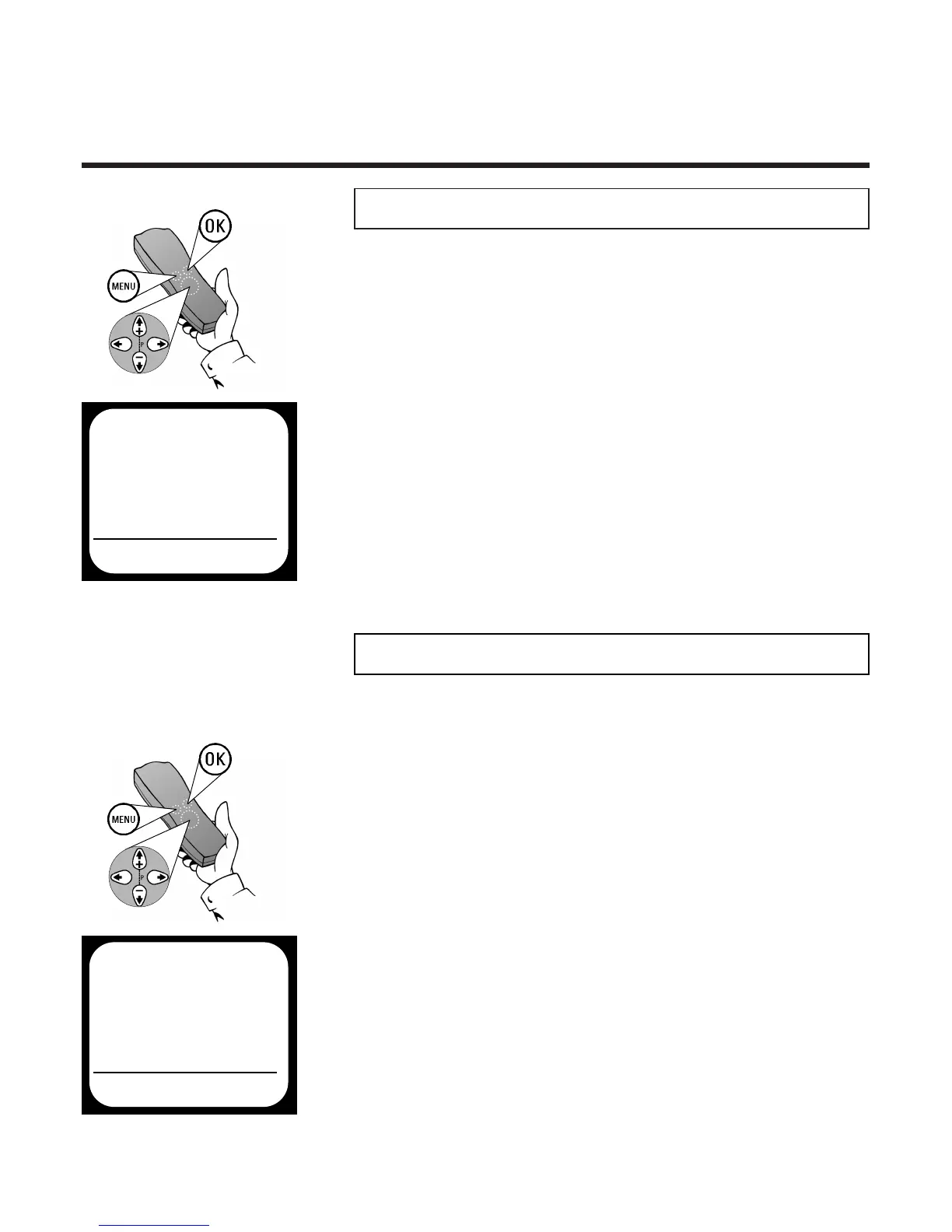
Press
MMEENNUU
.The on-screen menu appears
DDeemmoonnssttrraattiioonn mmooddee
In this operating mode, the video recorder automatically gives a
demonstration of its functions after switching off. Programmed
recordings are obviously performed.
2 Use
==PP--
or
;;PP++
to select the option
SPECIAL SETTINGS and confirm with
PP
3 Use
==PP--
or
;;PP++
to select the option
DEMO, use
PP
or
QQ ttoo sseelleecctt
ON or OFF
and confirm with
OOKK
4 Finish with the
MMEENNUU
button
MAIN MENU
SPECIAL SETTINGS
 TV SYSTEM Ä AUTO Å
CHILD LOCK OFF
OSD MODE AUTO
CLOCK DISPLAY ON
VCR 1 OR 2 VCR 1
REPEAT PLAY OFF
AUTO STANDBY ON
DEMO OFF
TO EXIT
PRESS MENU
É
1 Press the
MMEENNUU
button on the remote
control.The on-screen menu appears
4 Complete the adjustment of the clock display
with the
MMEENNUU
button
EEnneerrggyy--ssaavviinngg mmooddee
To reduce the power consumption of the video
recorder you can switch the clock in the display of
the video recorder on or off as follows:
2 Use
==PP--
or
;;PP++
to select the option
SPECIAL SETTINGS and confirm with
PP
3 Use
==PP--
or
;;PP++
to select the option
CLOCK DISPLAY, use
PP
or
QQ
ON
(time display on in standby mode) or OFF
(time display off in standby mode) and
confirm with
OOKK
. The screen will show the
message STORED
MAIN MENU
SPECIAL SETTINGS
 TV SYSTEM Ä AUTO Å
CHILD LOCK OFF
OSD MODE AUTO
CLOCK DISPLAY ON
VCR 1 OR 2 VCR 1
REPEAT PLAY OFF
AUTO STANDBY ON
DEMO OFF
TO EXIT
PRESS MENU
É



 To Next Page