SWITCHING THE MODULATOR ON / OFF ENGLISH
44
44
SSwwiittcchhiinngg tthhee mmoodduullaattoorr oonn // ooffff
If picture and sound interference cannot be removed by optimising the
modulator, the integral modulator can be switched off.Warning: this is
only possible if you have connected the video recorder to the TV set
with a scart cable. It is not possible to operate with the modulator
switched off without a scart cable.
FFOORR
EEXXPPEERRTTSS
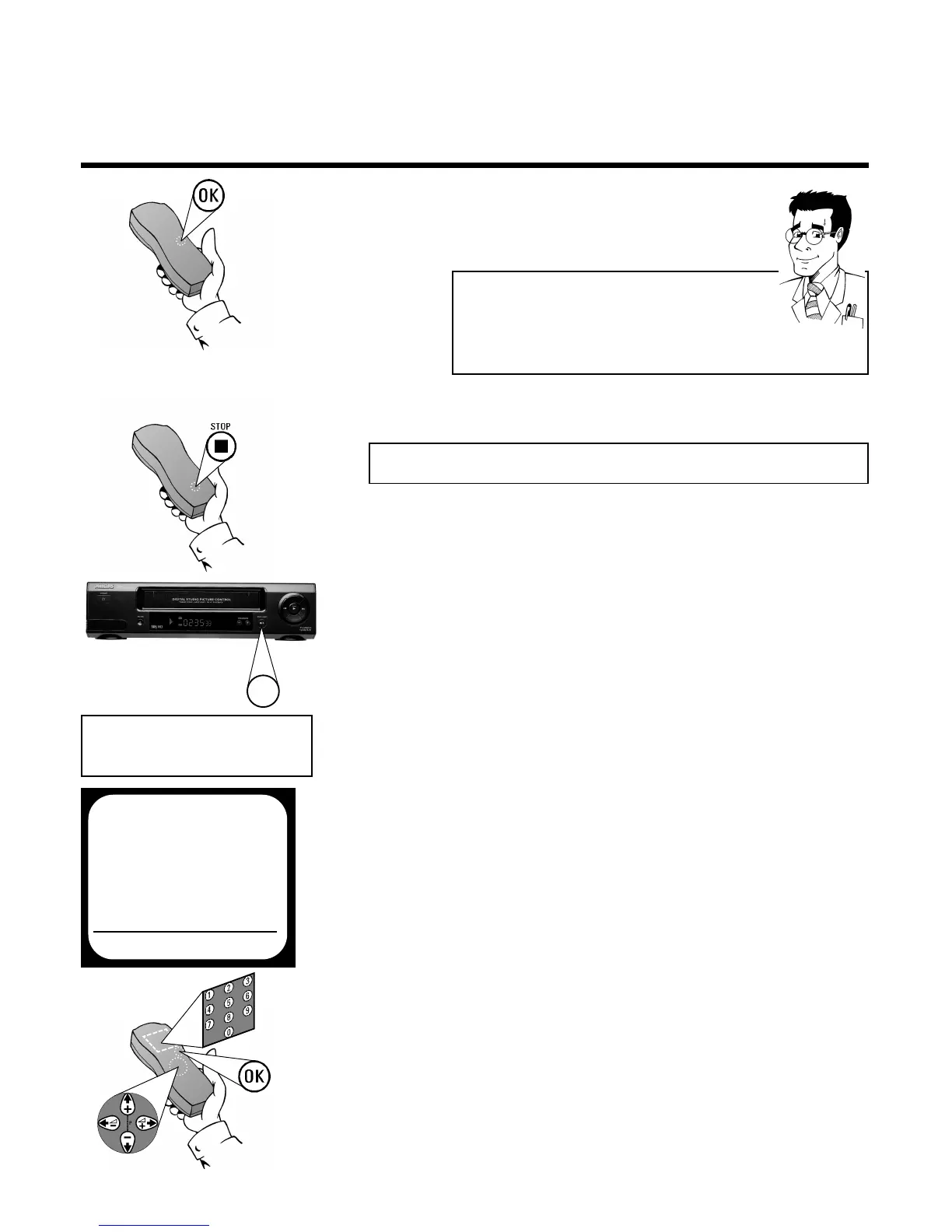
7 Confirm the new modulator frequency with
OOKK
. In the display there will briefly appear
OK.The screen will show STORED
SSwwiittcchhiinngg ooffff tthhee mmoodduullaattoorr
If you have connected the video recorder to the TV set
with a scart cable, you can switch off the modulator
when there is interference with the picture or sound
(see below).
1 Switch the video recorder on and make sure
there is no cassette in the video recorder
3 The video recorder will now transmit a test
image on this frequency
2 Press simultaneously the
SSTTOOPP
button
hh
on
the remote control and the
SSTTOOPP//EEJJEECCTT
??
button on the front of the video
recorder until the modulator frequency of
the set appears in the display (e.g.: M583
for 583 MHz)
4 Use
==PP--
or
;;PP++
to select the option
MODULATOR
6 Confirm with
OOKK
. In the display there will
briefly appear OK. The screen will show
STORED
5 Use
SS++ PP
or
QQSS--
to select the
setting ON (Modulator on) or OFF
(Modulator off)
M583
OPTIMIZE MODULATOR
OPTIMIZE FREQUENCY
Q583P
MODULATOR ON
EXITPMENU STOREPOK
?


 To Next Page