31
ENGLISH
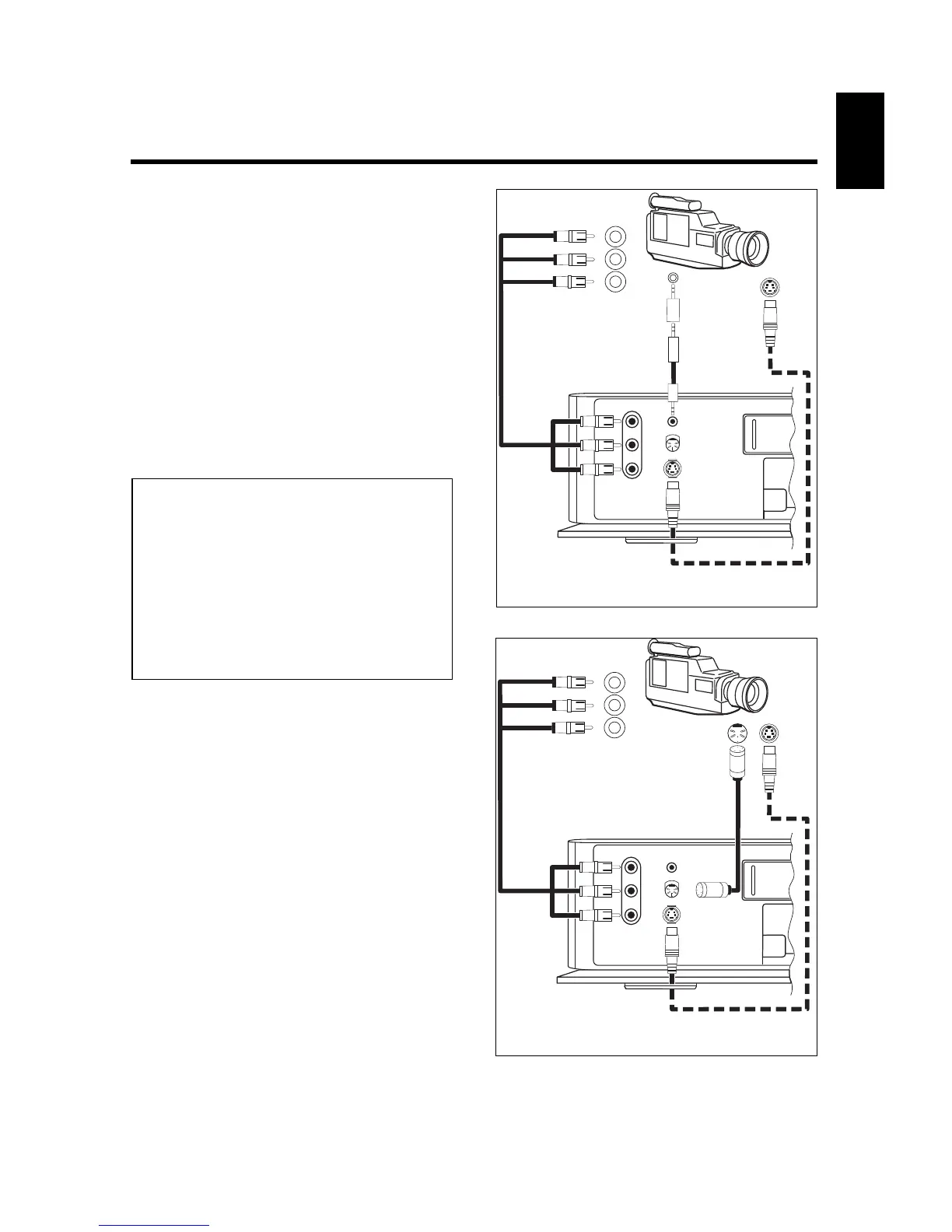
Variant 1 as shown in figure Á or figure
Ò if the video recorder is to control the
camcorder.
%
Start copying with the g button on the
video recorder.
The camcorder starts with "PLAYBACK" and at
the same time the video recorder starts with
"RECORDING".
&
Stop copying with the r button on the
video recorder.
/
End copying with the l button or the
d button on the remote control.
Notes:
* If the beginning of the scene is missing, the pre-
roll time is too long. Set a shorter time.
If recording is started too soon (before the scene to
be copied), the preroll time is too short. In this
case, the preroll time must be increased.
* If your camcorder is equipped with a 2.5 mm ø
control socket (LANC control), the playback and fast
wind functions of many camcorders can be control-
led with the corresponding control elements on the
video recorder.



 To Next Page