50
6 Playback
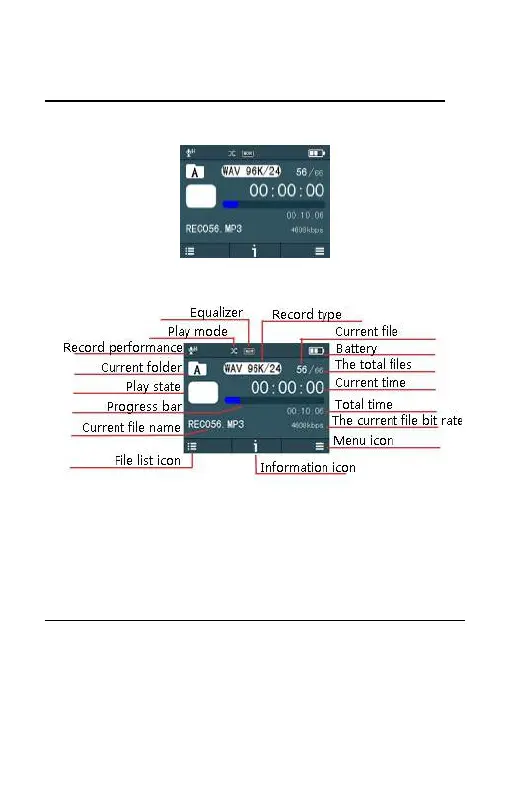
The voice stop interface below:
Voice playback interface specification:
Note: When in Stop state, press “INDEX” button to switch
between folders A, B, C, D and MUSIC. In folders A, B, C and D, long
press “INDEX”, can switch to folder MUSIC directly.
Voice playback
(1) In the Stop Mode of recorded file, press “INDEX” button to
select the folder you prefer.















 To Next Page