16
English
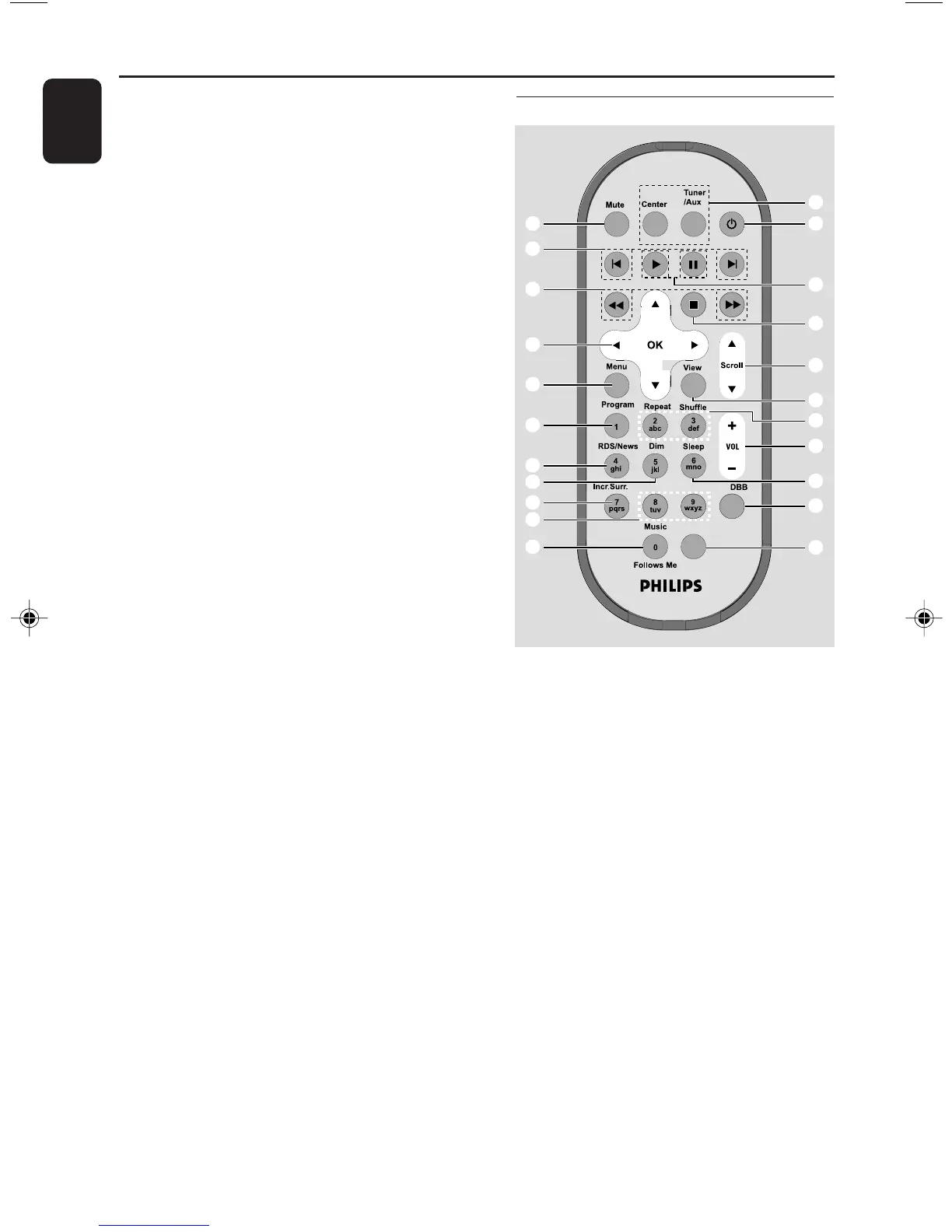
Controls
Station’s remote control
1 Source buttons
Center
– selects HD source (located on Center)
– In standby mode: switches the set on and
selects HD source (located on Center)
Tuner/Aux
– selects Radio source or the audio input from an
additional connected appliance
– In standby mode: switches the set on and
selects Radio source or the audio input from an
additional connected appliance
2 y
– press briefly to switch the set to standby mode
– press and hold to switch the set to Eco Power
mode or on
3 2
– HD/CD: starts playback
Å
– HD/CD: pauses playback
^ MUSIC BROADCAST
– HD: broadcasts music from Center to Station
& MUTE
– switches the sound off temporarily
* REC
– CD/Radio/AUX: starts the recording to hard
disk
( SMART EQ
– HD: selects match sound setting for current
genre
) DIM
– changes the brightness of display illumination
¡ SLEEP
– adjusts/displays/switches off sleep timer
™ INCR. SURROUND
– selects surround sound effect
£ PROGRAM
– manually programs preset radio stations
≤ Ç
– stops playback or recording
∞ VIEW
– toggles playback screen and previous option list
§ MENU
– enters or exits setup menu
≥ 3 / 4 SCROLL
– scroll the display screen upward or downward
• REFRESH
– sychronize remote control’s display
with the set’s display
Same Artist Same Genre
Smart EQ
1
™
¡
)
(
*
&
^
$
#
%
2
5
8
0
!
9
7
6
3
4
@
p001-p048_WACS700_EngNEW2 9/16/2005, 09:4716















 To Next Page