19
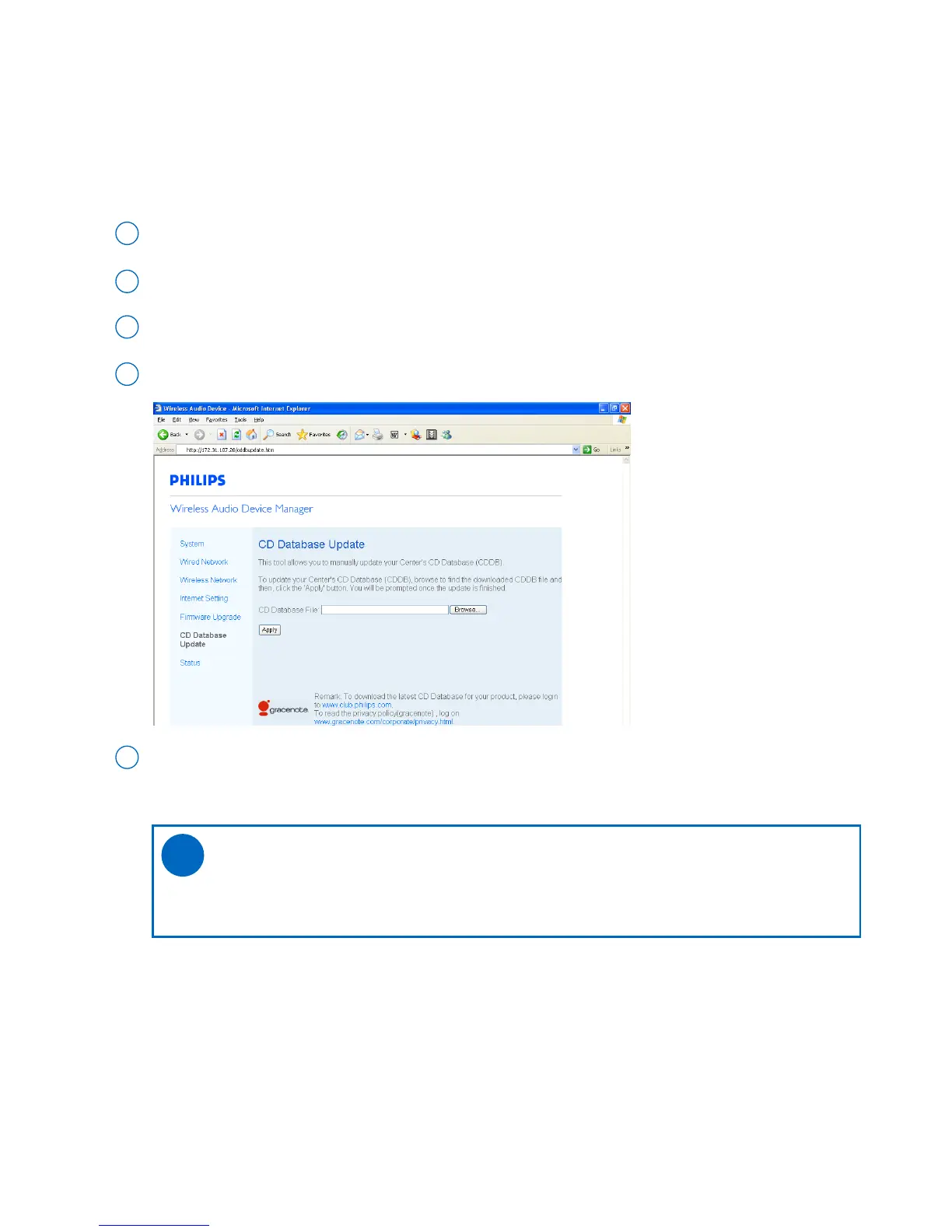
Download the CD Database update files and store them on your PC
2
Register your Philips wireless audio product with www.club.philips.com
1
As prompted, specify the location where you kept the CD Database update files on PC
4
Click Apply to start updating CD Database
5
• CD Database update
Click to enter the CD Database update sub-menu
3
With the Gracenote® music recognition service (also known as Gracenote CD Database music recognition serv-
ice), your set will look up audio CD information from its built-in database (e.g. album, artist, genre, track informa-
tion). It allows the recorded CD tracks to be properly categorized (for example, under Artists, Albums, Genres or
All tracks) and also merged with the existing tracks in the harddisk.
Tips:
- CD Database provides a large database containing the latest disc information. It will take
some time to update CD Database.
✔



 To Next Page