WelcomeEye / Link
8
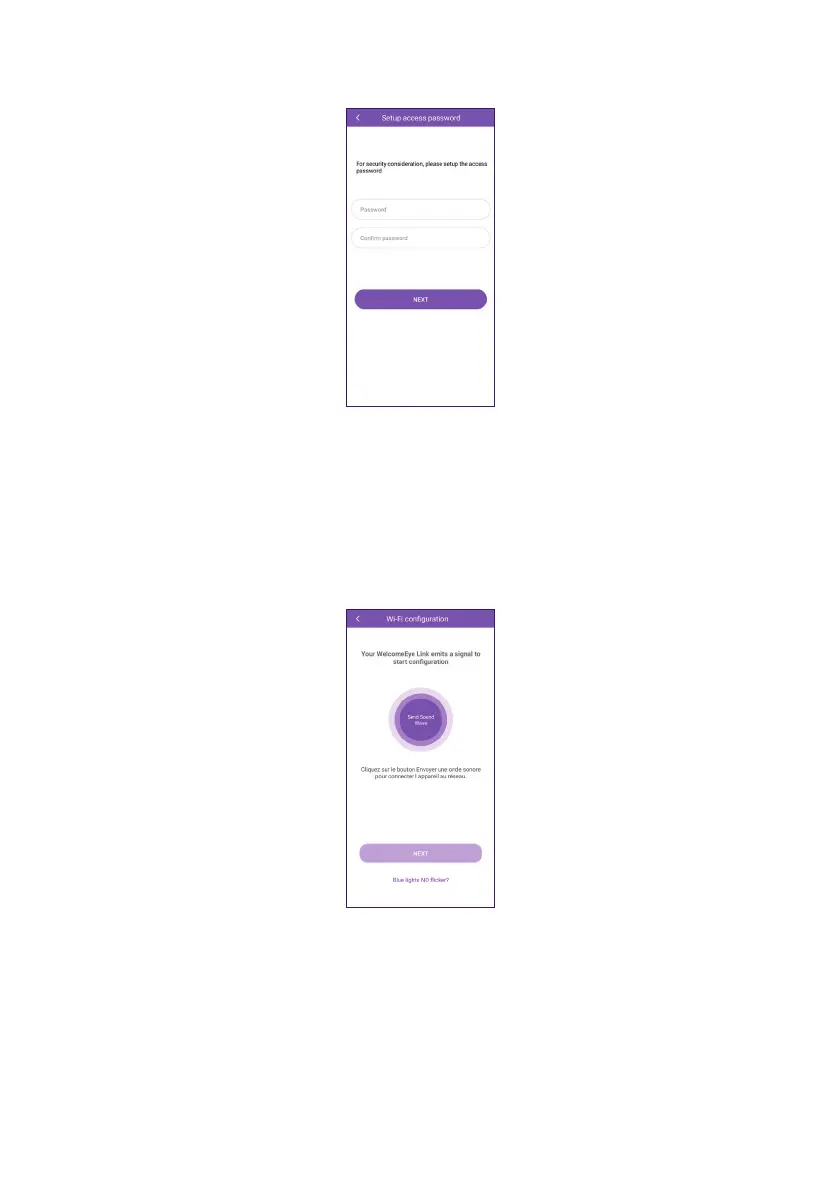
L. The app then prompts you to set a password to secure your intercom panel. Once you
have set and conrmed your new password, click on “NEXT”.
M. The app prepares to play music to transmit the information to your intercom panel.
Check that the sound on your smartphone is not set to minimum and place the smartphone
close to the intercom panel.
If the intercom panel does not ash red at this stage, try removing and reinserting the
battery.
Once ready, click on “Send sound wave” and wait.
N. The intercom panel will receive instructions from the app, then try to reach the WiFi
network you have indicated. The steps are as follows:
- Flashing red: your intercom panel is listening to the music sent by the smartphone.
- Flashing blue: your intercom panel has understood the message and is trying to connect
to the WiFi network.
- Steady blue light: the connection has been made successfully.













 To Next Page