WelcomeEye / Link
7
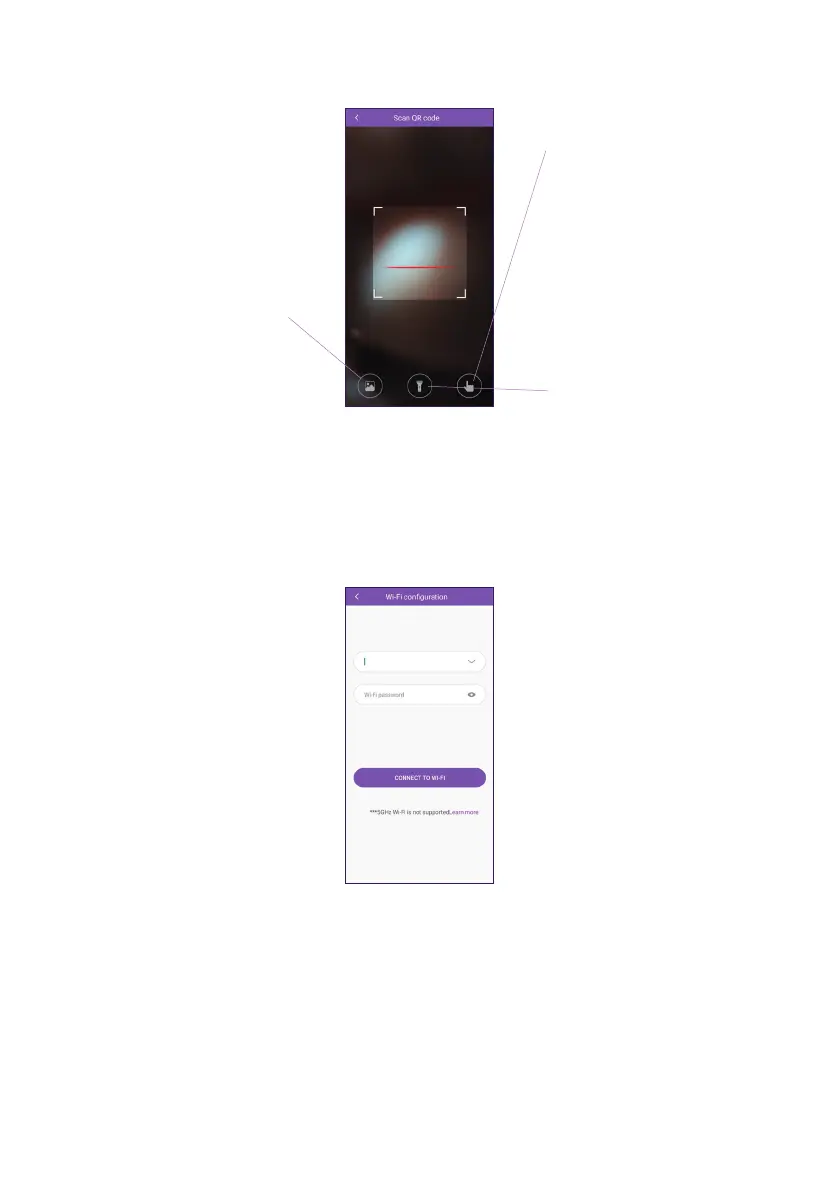
J. The application opens your smartphone’s camera and asks you to scan the QR code on
the intercom panel. Scan the QR code.
If you are unable to scan the
QR code but have a photo
of it, click here to select the
photo.
If you are unable to scan
the QR code, you can type
in the intercom panel’s
identier here (the code
starting with “LECS-” found
on the intercom panel).
Click here to turn on your
camera’s ash if you are
having diculty scanning it.
K. The application then asks you which WiFi network the intercom panel should connect to.
Warning: Check that the network you want to use is a 2.4 GHz WiFi network.
Enter your network name and password, then click on “CONNECT TO WI-FI” to conrm.













 To Next Page