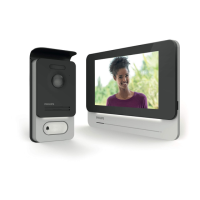
F25
WelcomeEye Connect 2 / Touch / V4
• Does not work when
installed for the rst
time
• Connection error • The device is equipped with major
protections. Disconnect the power
supply for at least 1mn, correct the
installation error and reconnect.
Please note that the protections
will not be able to help if the
product is directly connected to
230VAC, and that this error is not
covered by the warranty.
• Reversed polarity
of the supply
voltage
• Short-circuit on the
line
• The intercom panel
is on but the monitor
does not ring
(check that "do not
disturb" is not on)
• Switch
conguration of
the intercom panel
• Verify that the intercom panel is not
programmed in dual-family mode.
Reminder: single-family =switch 1 set
to ON, dual-family = switch 1 set to
OFF. Don’t forget to turn the power
o for ve seconds to activate the
new settings (page 6)
• Conguration
menu of the
monitor
• Verify that the monitor is valid
• Connection • Verify that the monitor is connected
to 1 and 2 of the intercom panel (for
single-family use)
• Energy saving
mode activated
• (page 12)
• Poor picture and/or
sound
• Environment • Check that the wires used
have the right gauge and that
the connection wires for the
videophone are not in the same
sheath as the 230VAC wires
• Purple picture • Connection • The connection cable must not be
tangled
• Image is too bright • Camera position • Do not expose the lens of the
camera directly to sunlight or to a
reective surface.
• Check the settings of the monitor
(page 12)
• The volume of the
intercom panel is too
low
• Settings • Re-enter the settings on the back
of the intercom panel
• The volume from the
intercom panel is too
low
• The microphone
hole of the
intercom panel is
blocked
• Verify and rectify


 To Next Page
 Loading...