This document is a user manual for Philips Professional Display Solutions X Line models 49BDL2105X and 55BDL2105X, providing comprehensive instructions for installation, operation, and maintenance.
Function Description:
The Philips X Line displays are professional display solutions designed for business settings, suitable for applications such as video walls and menu boards. They offer various input and output options for connecting external equipment like multimedia players and PCs, and support daisy-chain configurations for multiple displays. The displays feature an On-Screen Display (OSD) menu for extensive control over picture, screen, audio, and advanced settings. Key functionalities include adjusting brightness, contrast, sharpness, color, and tint, as well as managing screen position, clock, and phase for optimal image display. The displays also support Picture-in-Picture (PIP) and Picture-by-Picture (PBP) modes, allowing multiple input sources to be viewed simultaneously. Advanced options include boot on source selection, panel saving features (brightness, pixel shift, cooling fan), RS232/LAN routing, light and human sensor controls, power LED light settings, and configuration reset options. The displays can be mounted in both landscape and portrait orientations.
Important Technical Specifications:
The manual details specifications for two models: 49BDL2105X and 55BDL2105X.
- Screen Size (Active Area): 48.5" (123.2 cm) LCD for 49BDL2105X; 54.6" (138.7 cm) LCD for 55BDL2105X.
- Aspect Ratio: 16:9 for both models.
- Number of pixels: 1920 (H) x 1080 (V) for both models.
- Pixel pitch: 0.55926 (H) x 0.55926 (V) [mm] for 49BDL2105X; 0.63 (H) x 0.63 (V) [mm] for 55BDL2105X.
- Displayable colors: 10 bits, 1.07B colors for 49BDL2105X; 8 bits, 16.7 Million colors for 55BDL2105X.
- Brightness (typical): 500 cd/m² for both models.
- Contrast ratio (typical): 1000:1 for 49BDL2105X; 1200:1 for 55BDL2105X.
- Viewing angle: 178 degrees for both models.
- Power Supply: AC 100 - 240V, 50/60Hz for both models.
- Power Consumption (Max): 230 W for 49BDL2105X; 340 W for 55BDL2105X.
- Power Consumption (Typ.): 100 W for 49BDL2105X; 180 W for 55BDL2105X.
- Dimensions (W x H x D): 1077.6(W)x 607.8(H)x 103.6mm(D_Max)/93.3mm(D_Wallmount) for 49BDL2105X; 1213.5 (W)x 684.3(H) x97.8mm(D) (@wall mount) for 55BDL2105X.
- Weight: 21.7 Kg for 49BDL2105X; 28.8 Kg for 55BDL2105X.
- Environmental Conditions: Operational temperature 0~40°C, storage temperature -20~60°C. Operational humidity 20~80% RH (No condensation), storage humidity 5~95% RH (No condensation). Operational altitude 0~3,000 m, storage/shipment altitude 0~9,000 m.
- Input/Output Terminals:
- Speaker Output: Internal Speakers (10W (L) + 10W (R) [RMS]/8Ω) and External Speakers.
- Audio Output/Input: Phone Jack x 1 (0.5V [rms] Normal), 3.5mm Stereo x 1 (0.5V [rms] Normal).
- IR Input: 3.5mm Phone jack x 1.
- RJ-45 Input/Output: RJ-45 Jack x 2 (8 pin) for 10/100 LAN Port.
- Control In/Out: RJ-45 Jack x 2 (8 pin) for RS232 and IR pass through function.
- HDMI Input: HDMI Jack x 2 (Type A) (18 pin) supporting TMDS (Video + Audio), MAX: Video - 720p, 1080p, 2160p, Audio - 48 KHz / 2 Channel (L+R), LPCM.
- VGA Input: D-Sub Jack x 1 (15 pin) supporting Analog RGB: 0.7V [p-p] (75Ω), H/CS/V: TTL (2.2kΩ), SOG: 1V [p-p] (75Ω), MAX: 1920 x 1080/60 Hz (FHD).
- DVI-D: DVI-D Jack x 1 (24 pin) supporting TMDS (Video), MAX: 1920 x 1080/60 Hz (FHD).
- DisplayPort in/out: Displayport Jack x 2 (20 pin) supporting Digital RGB: TMDS (Video + Audio), MAX: Video - 720p, 1080p, 2160p, Audio - 48 KHz / 2 Channel (L+R), LPCM.
- USB Input: USB 2.0 x 1 for FW Update.
Usage Features:
- Unpacking and Installation: Requires two technicians due to weight. Instructions for VESA wall mounting (400x400mm) and portrait orientation (90 degrees counterclockwise rotation).
- Edge Alignment Kit: Optional kit for precise alignment in video wall setups, available in Kit-1 (four adjacent displays) and Kit-2 (two adjacent displays) versions. Professional technician recommended for installation.
- Gap Pad: Used to ensure appropriate spacing between cascaded displays for video wall installations.
- Control Panel: Features power, mute, input, volume, and OSD menu navigation buttons.
- Remote Control: Full-featured remote with general functions (power, play, home, source, list, info, navigation, OK, back, mute, color buttons, numeric, format, options, pointer, adjust, volume) and ID remote control for managing multiple displays.
- Daisy-chain Configuration: Supports both display control (RS232/IR over RJ45) and digital video (DisplayPort, HDMI, DVI, VGA) connections for creating large-screen matrices.
- OSD Menu: Comprehensive menu for adjusting picture (brightness, contrast, sharpness, black level, tint, saturation, local dimming, overscan, uniformity, picture reset), screen (H/V position, clock, clock phase, zoom mode, auto adjust, screen reset), audio (balance, treble, bass, volume, audio out, mute, speaker, sync. volume, audio source, OPS audio, audio reset), PIP (sub mode, size, position, change, source, audio, reset), Configuration 1 (switch on state, panel saving, RS232 routing, boot on source, WOL, light sensor, human sensor, network settings, power LED light, configuration 1 reset, factory reset), Configuration 2 (OSD turn off, OSD H/V position, OSD transparency, logo, monitor ID, heat status, OSD rotation, language, scan inversion, configuration 2 reset), and Advanced Option (input resolution, IR control, keypad control, tiling, off timer, date and time, schedule, HDMI with One Wire, auto signal detection, power save, firmware update, information OSD, OPS setting, advanced option reset).
- Pixel Defect Policy: Defines acceptable levels for bright dot, dark dot, and total pixel defects for warranty claims.
- MURA: Acknowledges the industry phenomenon of uneven screen uniformity in LCD panels, which is not repairable or covered under warranty.
Maintenance Features:
- General Safety Precautions: Keep away from direct sunlight, oil, heat sources; ensure good ventilation; use approved power cord; avoid severe vibration or impact.
- Cleaning: Unplug before cleaning. Use a slightly damp cloth for the screen and a soft, dry cloth for the cabinet. Avoid organic solvents, alcohol, ammonia-based liquids, or oil-containing solutions. Do not scratch the panel or cabinet.
- Battery Replacement: Instructions for inserting and replacing AAA batteries in the remote control, emphasizing correct polarity and avoiding mixing battery types.
- Remote Control Handling: Avoid dropping, applying shock, or exposing to liquids.
- Troubleshooting Guide: Provides common symptoms, possible causes, and remedies for display issues (e.g., no picture, interference, abnormal color, distorted patterns, image not filling screen, no sound, pixel defects, after-images).
- Firmware Update: Supports updating scalar firmware via USB.
- Environmental Considerations: Recommends operating within specified temperature and humidity ranges for optimal performance and longer lifetime.
- WEEE (Waste Electrical and Electronic Equipment) and RoHS Compliance: Information on proper disposal and restriction of hazardous substances, including specific details for EU, US, India, and China.
- End-of-Life Disposal: Encourages recycling of product materials through specialized companies and local Philips dealers.

 Need help?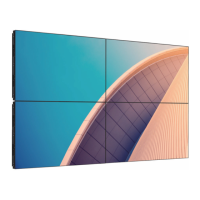










 To Next Page
 General