30
English
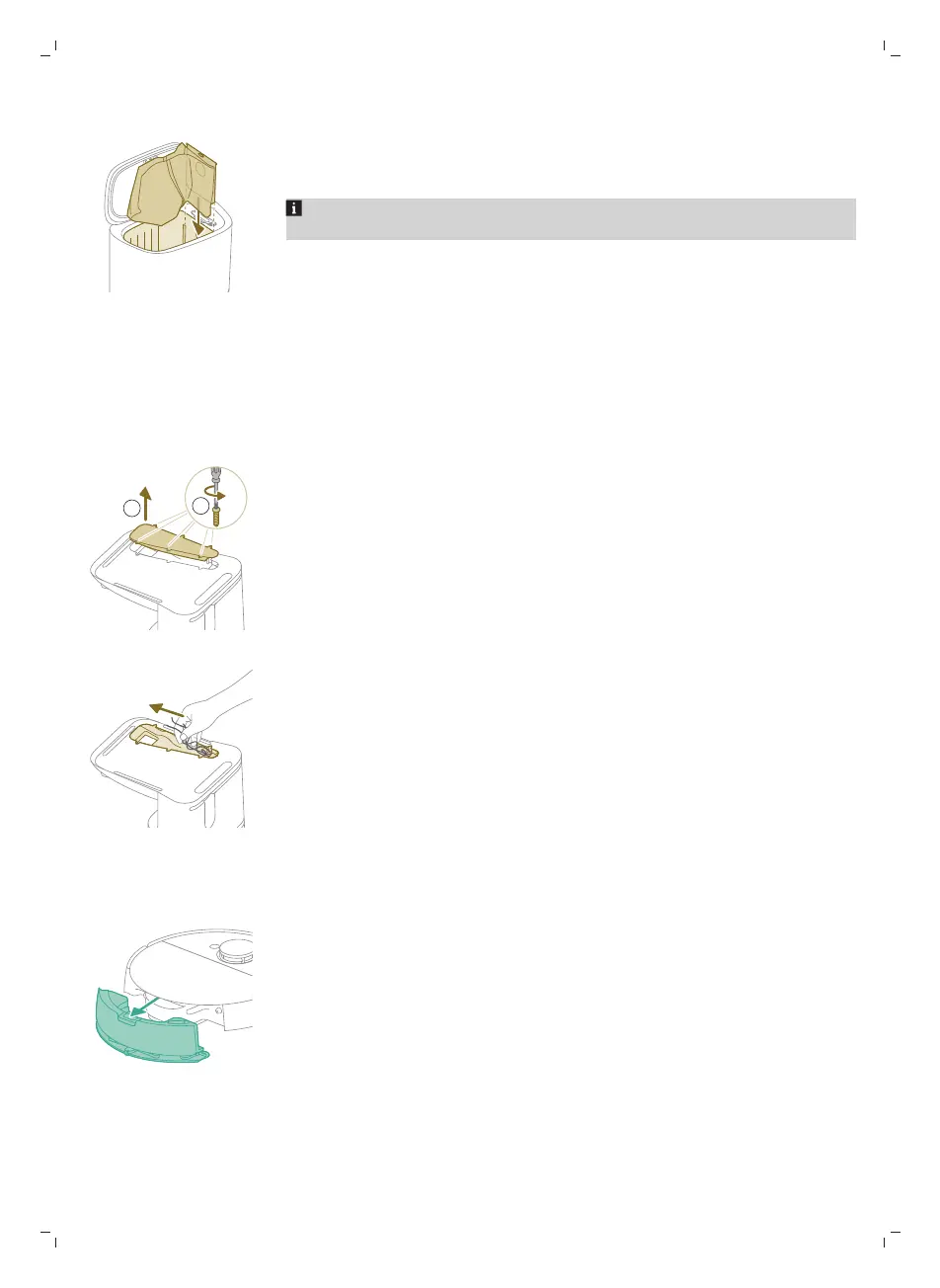
4 Slide the cardboard piece of the dust bag into the slot that is indicated on the
Auto-Empty station.
5 Close the lid of the Auto-Empty station.
For information on where and how to order new dust bags, see the
'Replacement' section in the manual.
Removing blockages from the Auto-Empty inlet (XU7100)
The Auto-Empty inlet of the Auto-Empty station (XU7100) may become clogged.
You may notice this when the dust bin of the robot is no longer properly
emptied by the Auto-Empty station. Below you can find the instructions to
remove blockages from Auto-Empty inlet of the Auto-Empty station (XU7100).
1 Unplug the Auto-Empty station from the wall socket and put the Auto-Empty
station upside down on a surface that is flat and stable.
2 Remove the screws from the bottom cover with a screw driver.
3 Remove hair and dirt that is stuck in the Auto-Empty inlet.
Cleaning the water tank
1 Push the water tank release button.
2 Pull the water tank out of the robot.



 To Next Page