I/O mapping
107967_en_01 PHOENIX CONTACT 4/12
6 Configuring the SHDSL extender
• Connect the SHDSL extender to the PC using a USB
cable.
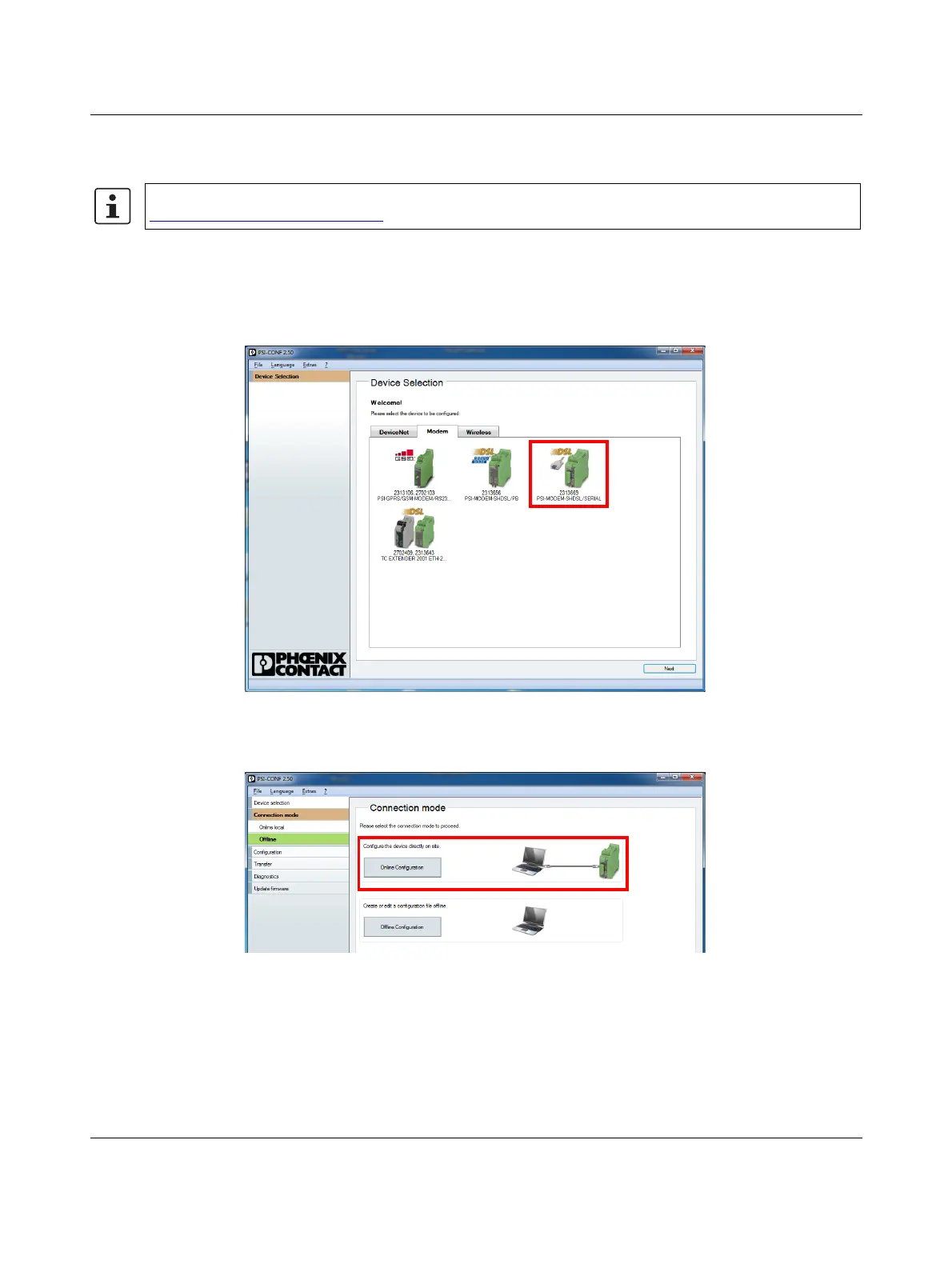
• Start the PSI-CONF software.
• Select the SHDSL extender.
Figure 3 Selecting the device
• Click “Online Configuration” for device configuration.
Figure 4 Online configuration
Use the latest version of the PSI-CONF software. Download the latest software at
phoenixcontact.net/product/2313669
.


 To Next Page
 Loading...