I/O mapping
107967_en_01 PHOENIX CONTACT 9/12
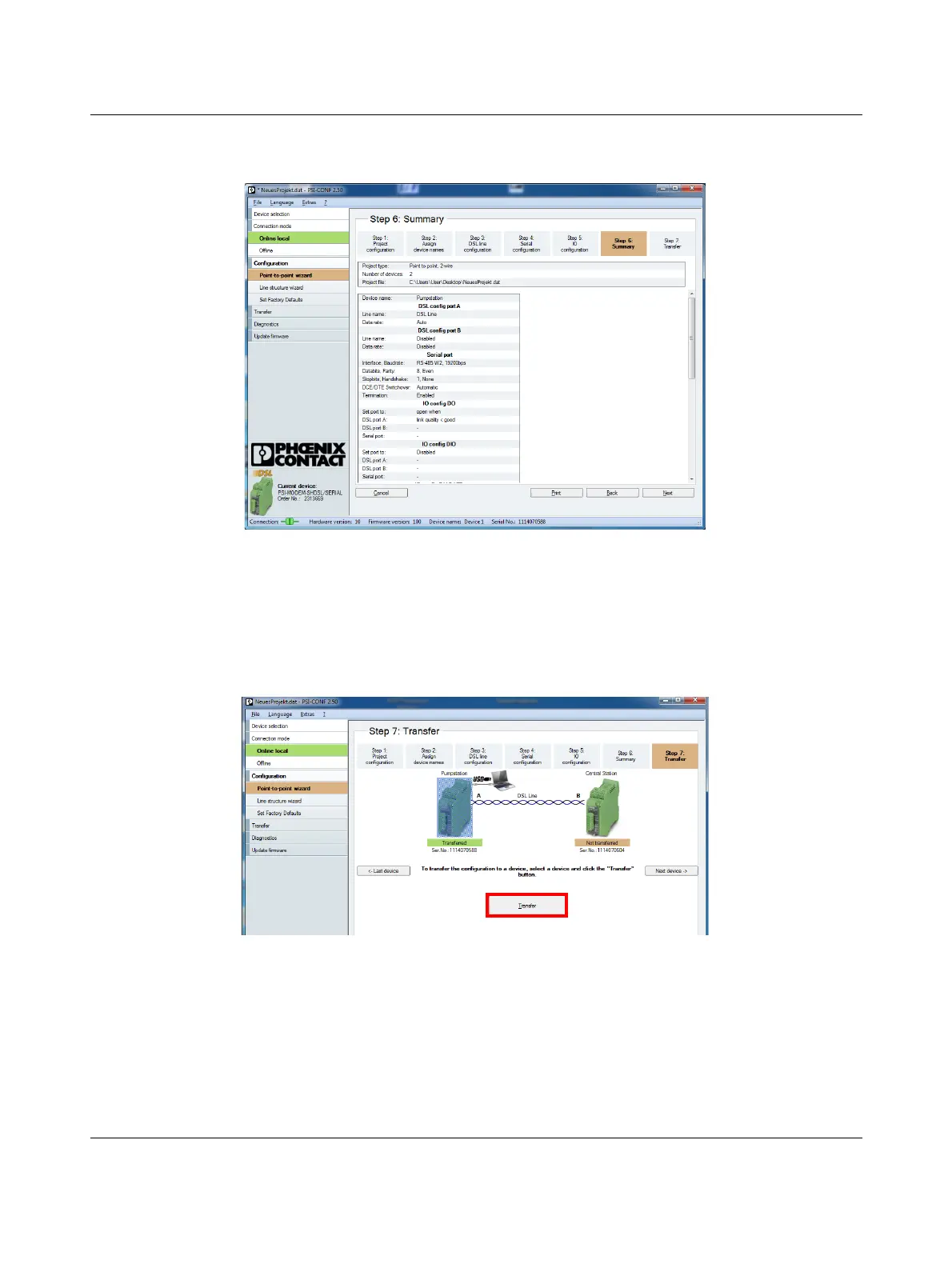
Step 6 provides an overview of all the settings.
Figure 10 Checking the settings
The last step is used to transfer the settings to the devices.
• Click “Transfer”. Wait until the transfer is complete.
• Connect the USB cable to the second SHDSL extend-
er.
• Click “Transfer”.
Figure 11 Transferring the settings to the SHDSL extender
Configuration of the two SHDSL extenders is now complete.

 To Next Page
 Loading...