16
Step 3. Inserting the battery
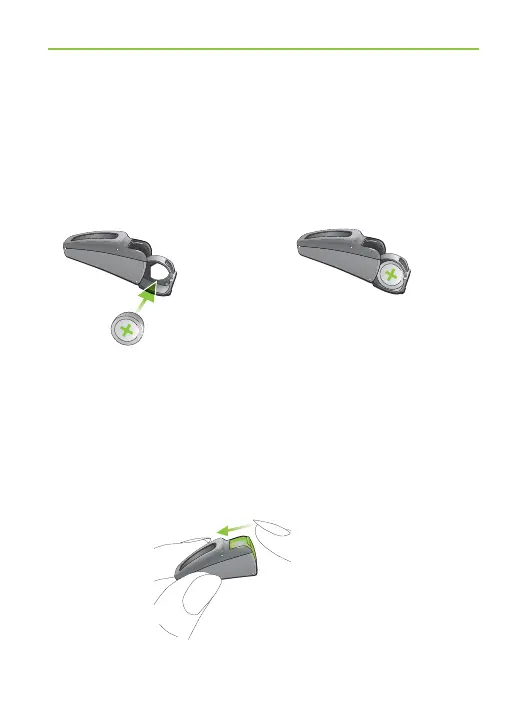
Take the hearing system in your hand (Fig. 3a) and
open the battery door. Insert the battery so that you
see the + symbol on the battery (Fig. 3b).
Step 4. Switch on the hearing system
The hearing system is switched on by closing the battery
compartment (Fig. 4).
Fig. 3a Fig. 3b
Fig. 4
4. Step-by-step instructions





 To Next Page