12
7. Batteries
1 2 3
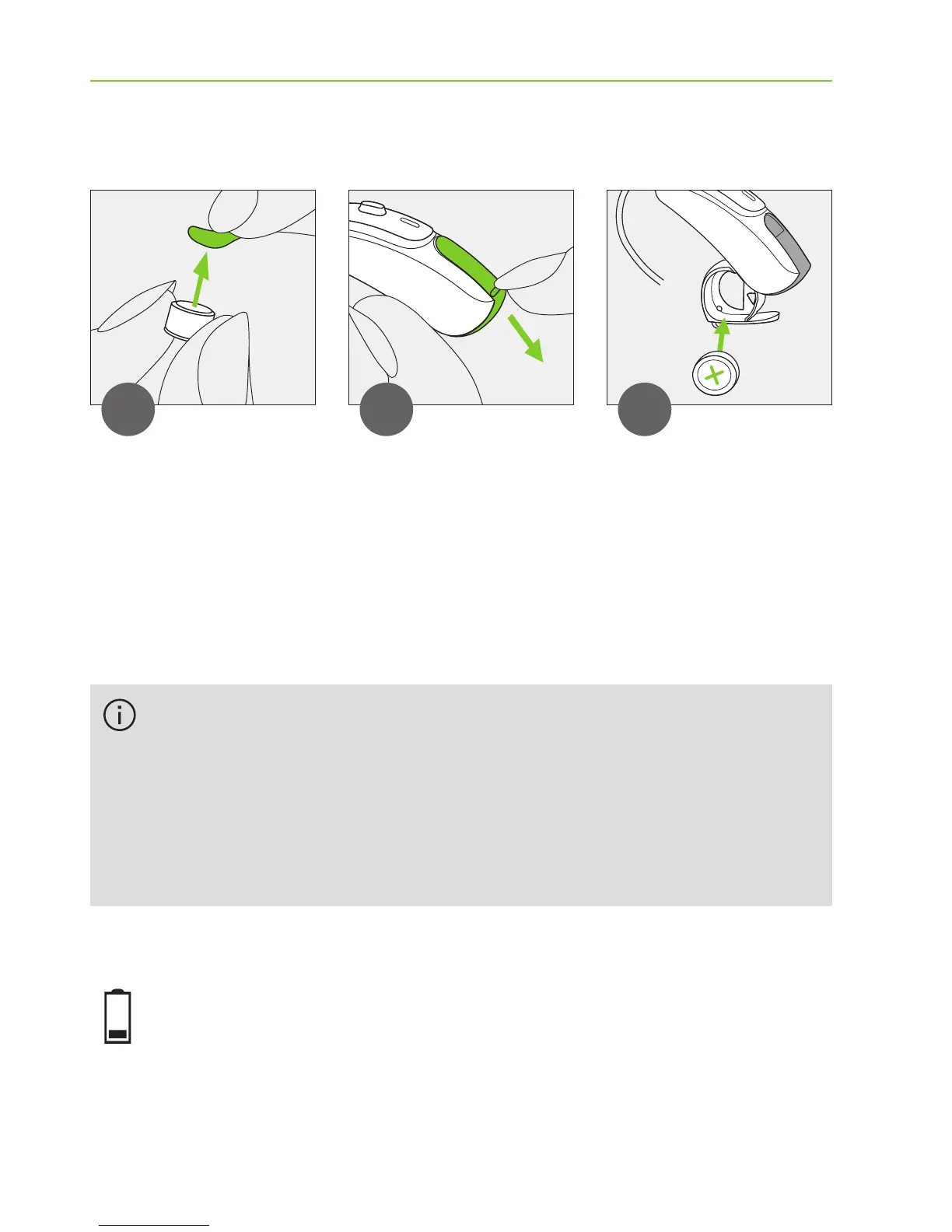
Remove the
sticker from the
new battery and
wait 2 minutes.
Open the
battery door.
Place battery in
the battery door
with the “+”
symbol facing
upwards.
Low power: You will hear two beeps when the battery
is low. You will have approximately 30 minutes to
change the battery (this can vary, depending on the
If it is dicult to close the battery door: Check that
the battery is inserted correctly and the “+” symbol
is facing upwards. If the battery is not inserted
correctly, the hearing aid will not work and the
battery door can be damaged.





 To Next Page