Connecting to Computers/Tablets
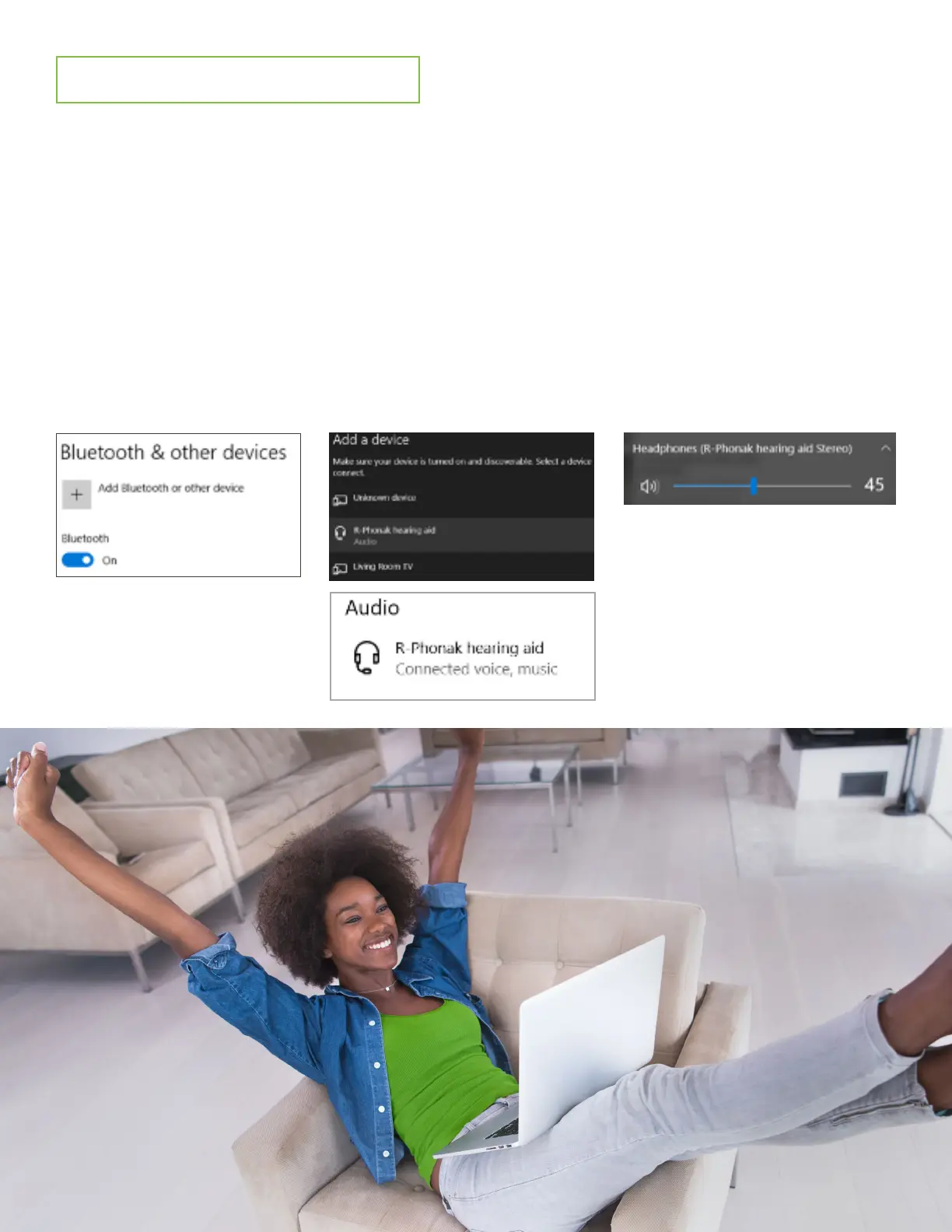
1. Go into the Bluetooth settings of your computer/tablet and turn Bluetooth ON. Figure 1
2. Reboot your hearing aids. You now have 3 minutes to pair your hearing aids with your device.
3. Add a device or search for your hearing aid. When your hearing aid appears, select it.
Even if you wear 2 hearing aids only 1 aid will pair to your laptop. Figure 2
4. When successfully paired you will hear a confirmation beep in your hearing aid(s).
5. Play audio source (i.e. YouTube, Webinar).
6. Audio should stream automatically. If it does not, ensure “Headphones” is selected- click
on the speaker on the bottom right corner of your computer screen. Figure 3
Figure 1 Figure 3
Figure 2




 To Next Page