8
3.5 Special functions
3.5.1 Input signal detection
3.5.2 Leaving the coverage area
If the BaseStation detects no incoming audio signal for more than 5 seconds, the earpiece volume will be reduced by
6 dB. It will return to the previous volume as soon as the audio signal is detected again.
If the earpiece falls out of range, it will emit a soft beep repeatedly.
If the earpiece leaves the coverage area for less than 30 minutes, when it returns to the area it reconnects automatically
with no audible beep.
The earpiece goes into standby mode after 30 minutes.
In standby mode, the earpiece searches for a signal from a known network. As soon as this network is detected, the
earpiece exits the standby mode in a few seconds. A beep is then audible.
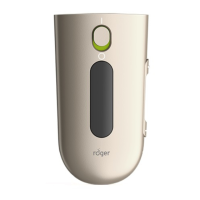
4 Roger Touchscreen Mic
4.1 Description
The Roger Touchscreen Mic enables three main functions:
use as a pocket transmitter
registering a name on the earpiece
individual volume setting for each earpiece
1 Battery compartment
2 Removal handle
3 Wax guard - Anti-cerumen filter
4 Microphones
5 Mute button
6 Touchscreen
7 Micro-USB socket
8 3.5 jack socket
9 Feet
10 Lanyard: clip/remove button
11 Belt clip (optional accessory)
1
2
3
3
4
5
6
7 8
q
9
w







 To Next Page
