How to Connect with
Roger Select
General Operation
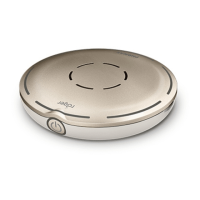
Device Description
1. On/Off button incl. battery status light
2. Microphones and center indicator lights
3. Center touch key
4. Six steering touch keys
5. Microphone mode indicator lights
6. Bluetooth button
7. Back indicator light
8. Connect button
9. Micro-USB socket
10. Slots for lanyard and clip
• To switch on, press the On/Off button on the side of the Roger Select
for 3 seconds. The green indicator lights will flash until fully booted. The
power indicator light will fade in and out green during use. Figure 1
• To connect, hold your Roger Select close (within 10 cm/4 inches) from the
Roger receiver. Press the connect button on your Roger Select. Figure 2
• To switch off, press the On/Off button on the
side of the Roger Select for 3 seconds.
• When charging with the supplied USB power cord, the indicator light
will flash green. When fully charged you will see a solid green light.
1
2
3
4
5
4
4
4
4
6
7
8
9
1010
4
1s
Figure 1
Figure 2



 To Next Page