PHONIC CORPORATION
Page 4
MQ3600/3400/3300 USER
’
S MANUAL
6
REAR PANEL DESCRIPTION...............6
AUDIO IN.............................................................
6
AUDIO OUT..........................................................
6
FUSE HOLDER...................................................
6
AC POWER INPUT...............................................
6
INTRODUCTION
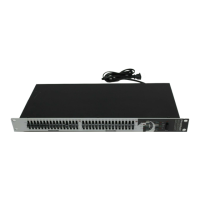
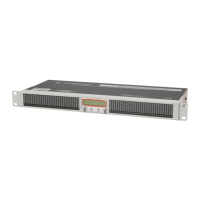
Congratulations on your purchase of the new MQ
series equalizer. This series comes in three models:
MQ3600 (dual 31-band, 1/3 octave), MQ3400 (dual
channel 15-band, 2/3 octave), and MQ3300 (dual
channel 31-band, 1/3 octave). In order to get the best
performance from your MQ series equalizer, please
read this user
’
s manual carefully and keep it for later
reference. Please make sure you are completely
familiar with the function and features of your new
Phonic Graphic Equalizer to ensure the best
performance.
FEATURES
MQ3300 31-BAND, 1/3 OCTAVE
MQ3400 DUAL 15-BAND, 2/3 OCTAVE
MQ3600 DUAL 31-BAND, 1/3 OCTAVE
• Switchable HPF at 40Hz
• 20Hz to 200Hz variable high pass filter
(PEQ3600 only)
• Global range switch between +/-6dB and
+/-2dB
• EQ IN/OUT switch
• Center-detented sliders
• Overall level control is for easy level
matching with the sound system
• Separate LED displays for HPF in, 12dB/
6dB range, EQ in/out, peak warning
GETTING STARTED
1 Check the AC voltage before connecting the
plug. Proper grounding must be practiced to
prevent electrical shock to the operator.
Choose the main supply for the sound sys-
tem with care, and do not share sockets or
earthing with light dimmers.
2 Run audio cables separately from dimmer
wiring, using balanced lines wherever pos-
sible. If necessary, cross the audio and light-
ing cables at right angles to minimize the
possibility of interference. Keep unbalanced
INTRODUCTION / FEATURES / GETTING STARTED



 To Next Page