26
Remote Control
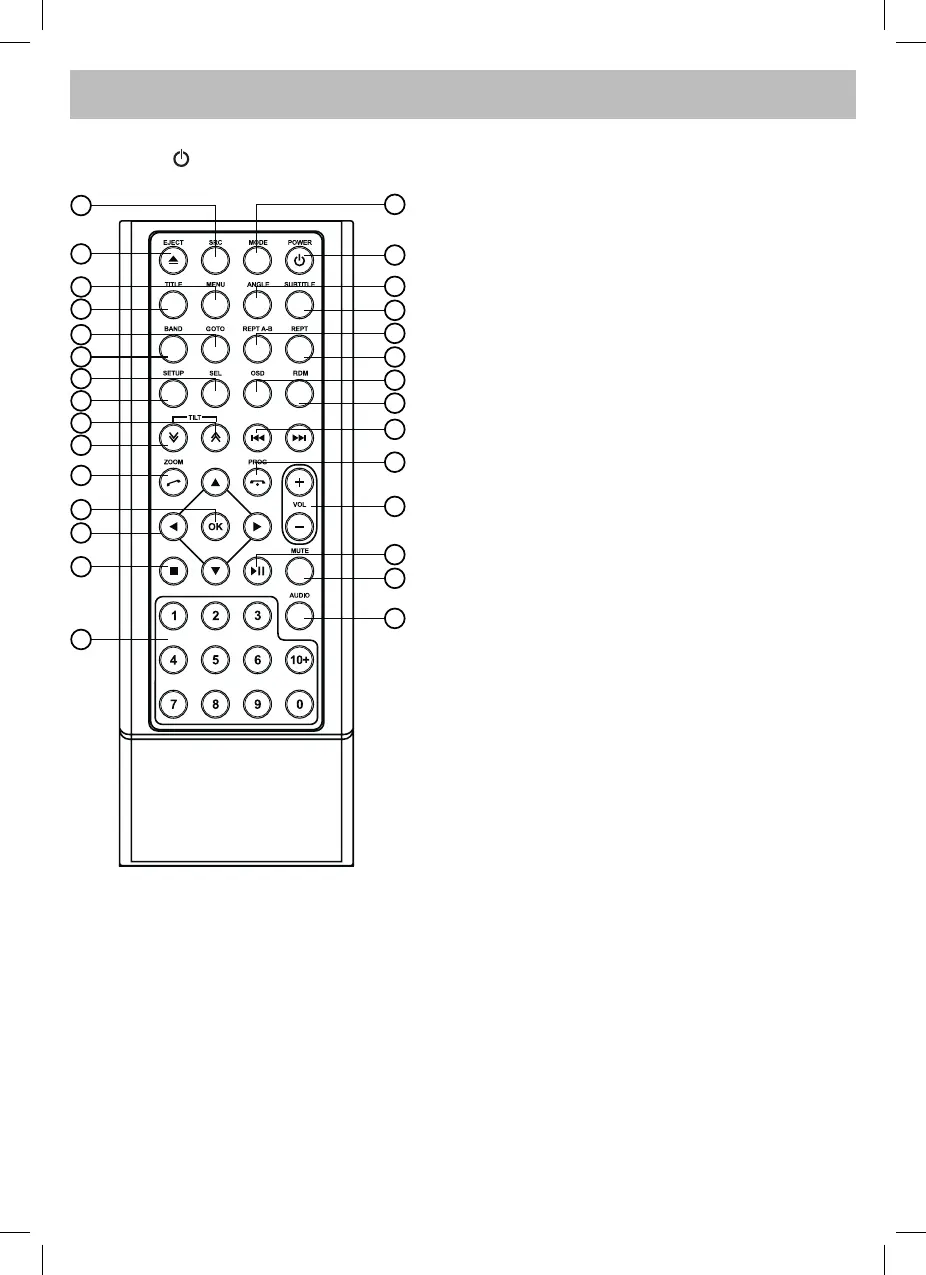
Press button to turn on/off the unit.
1. - Select the following sources:
>Radio
>Disc (when disc inserted)
>USB (when USB connected)
>AV1
>AV2
>Blue-tooth
>TV
2. - Disc eject
3. - Menu (DVD)
4. - Title (DVD)
5. - Goto search
6. - Radio band
- Video system PAL / NTSC / AUTO
7. - Sound/display setting
- Setting menu (press 2 sec.)
8. - System setup
9. - Close the panel step by step
10. - Open the panel step by step
11. - Zoom (DVD/VCD)
- Dial/Receive call
12. - Enter
13. - Menu cursor
14. - Stop/Return
15. - Digit area
16. - Enter source menu
17. - Power on/off
18. - Angle (DVD)
19. - DVD subtitle
20. - A-B repeat
21. - Repeat
22. - On screen display
23. - Track random play
24. - Radio tune
- Track skip/seek
25. - Call off/cancel
- Program
26. - Volume
27. - Play/Pause
28. - Mute
29. - DVD audio
- VCD audio L/R/ST
16
1
2
3
17
4
5
6
7
8
9
10
11
13
12
14
15
18
19
20
21
22
23
24
25
26
27
28
29


 To Next Page