GB
33
General Operation
BLUETOOTH Menu - Software 2.0
Bluetooth is a wireless transmission way for short distance. The
built-in Bluetooth can connect with the mobile phones having
Bluetooth function. After connecting, you can control your mobile
phone through the unit.
PAIRING
Use this function to establish a connection between the unit and
your mobile phone.
Press the SRC button repeatdly on the panel or touch BT on the
SOURCE menu to enter BlueTooth mode.
Touch PAIR, then “WAITING FOR PAIRING“ appears on the TFT .
Turn on Bluetooth function of your mobile phone, keep phone within
3 meters to the unit and start to search for Bluetooth devices.
After the name of the Bluetooth module “PHONOCAR” appears on
the pairing list of your mobile phone, select it. At this time, a pairing
code is required. Enter the pairing code (“1234” by default) and the
Bluetooth pairing will process automatically. Some mobile phones may instruct you to select connect or
disconnect, please select connecting. After pairing successfully, the Bluetooth icon stops to blink, “PAIR
OK” will appear on the screen. To stop pairing, press PAIR during pairing.
EXIT PAIR
After pair successfully, if you want to disconnect, press PAIR button. The TFT of the unit display “EXIT
PAIR”, Bluetooth icon disappear.
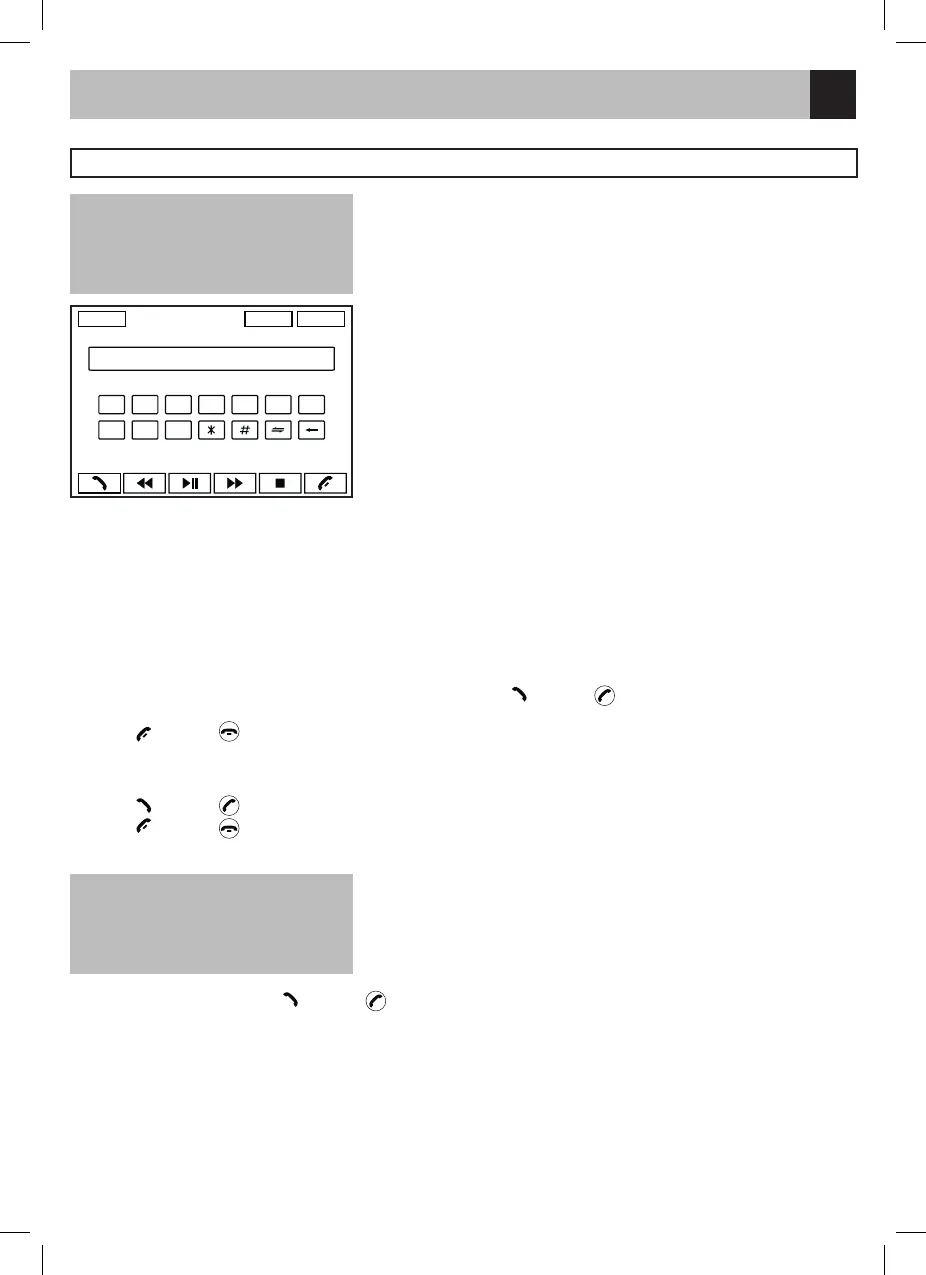
DIAL
1. Input dial number by the number button on the TFT, touch
or press key on the remote control to dial
out.
2. Touch
or press key on the remote control to cancel.
RECEIVE
1. After pair successfully, if there is a call incoming, the unit switch to BT mode automatically.
2. Touch
or press key on the remote control to receive.
3. Touch
or press key on the remote control to hang up.
VOICE TRANSFER
During talking, touch to transfer audio from the unit to your mobile
phone, and touch again to transfer audio from your mobile phone
to the unit.
HISTORY
After pair successfully, touch
or press key on the remote control to dial out the last dialed number.
BT AUDIO
(if the mobile phone has the A2DP & AVRCP functions)
After pair successfully, in Bluetooth main menu, open the audio player of your mobile phone and set the
transmission mode to
Bluetooth. At this time, the unit screen will appear “MUSIC PLAYING”, and the audio will be transferred from
the mobile phone
to the unit. Some mobile phones may hint that to connect with the unit. After found the Bluetooth device
name “PHONOCAR” on mobile phone, you should select to connect 15 it, and then input the pairing code
+
SRC PAIR SEL
1 2 3 4 5 6 7
8 9 0
ATTENTION
For your safety, avoid talking on the
phone as much as possible
while driving.
ATTENTION
Some mobile phones will transfer
audio from the unit to themselves
once the incoming call is answered.



 To Next Page