15
IT/GB
IMPOSTAZIONI BLUETOOTH • BLUETOOTH-SETTINGS
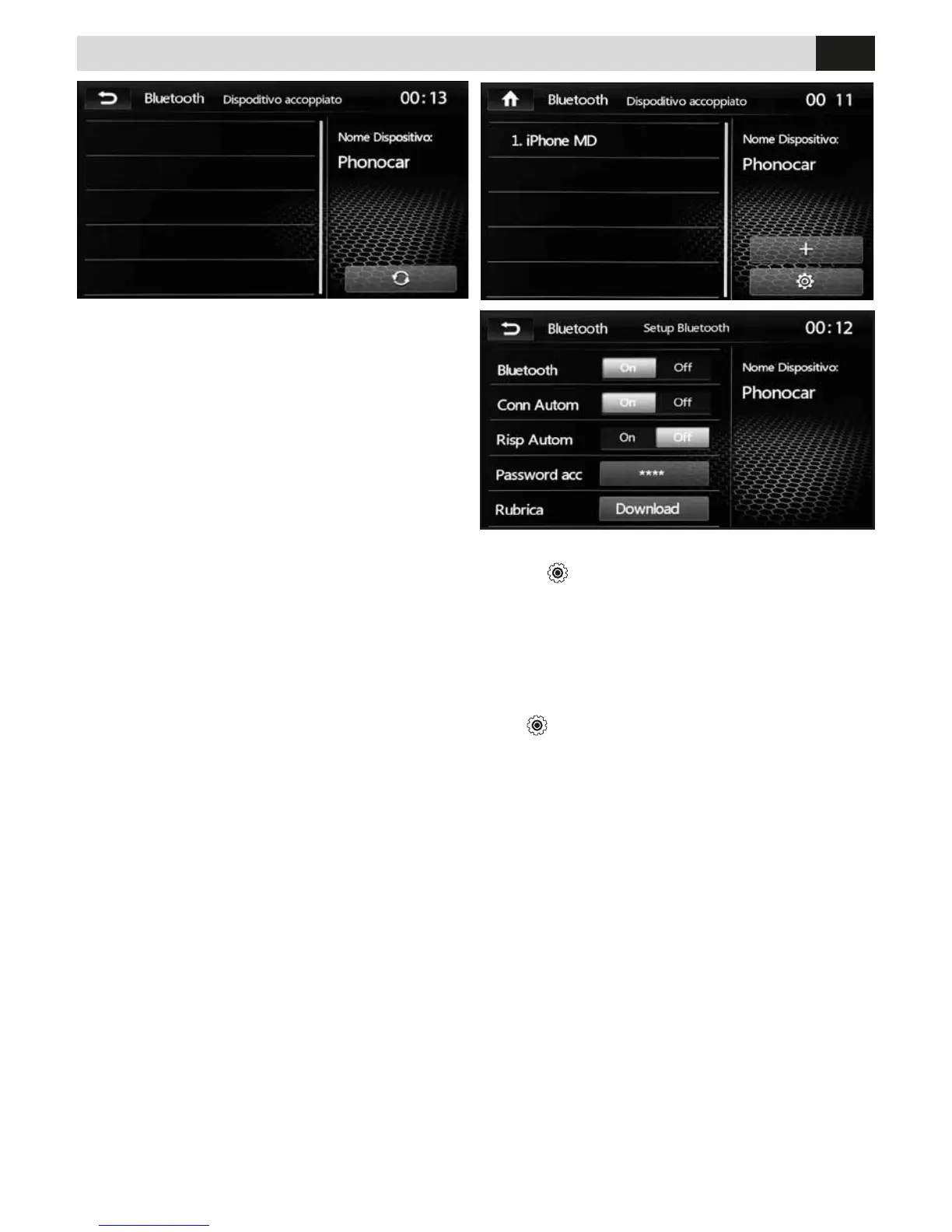
PHONE-BOOK SYNCHRONIZATION
Press
to enter the BT setting options and select
DOWNLOAD.
The phone-book of your telephone will automati-
cally be downloaded into the car-radio’s memory.
The time required for this operation depends on the
number of contacts contained in the phone-book.
SINCRONIZZAZIONE RUBRICA
Premere
per accedere alle impostazioni BT e
selezionare DOWNLOAD.
Automaticamente la rubrica del telefono verrà
scaricata nella memoria dell’autoradio. Il tempo per
l’operazione varia in base al numero dei contatti.
ACCOPPIAMENTO TELEFONO
E’ possibile accoppiare no a 5 telefoni.
Ricerca dal telefono:
• Attivare la funzione bluetooth sul telefono e ricer-
care nuovi dispositivi.
• Selezionare PHONOCAR nella lista dispositivi,
inserire la password 0000 quando richiesta.
Ad accoppiamento avvenuto comparirà il nome del
telefono. Attivare nelle impostazioni bluetooth del
telefono la connessione automatica del dispositivo.
ATTENZIONE: Regolare il volume durante la chia-
mata tramite la manopola del volume (accensione).
PHONE-PAIRING
Possibility of coupling up to 5 mobile-phones.
Research through mobile-phone:
• Activate Bluetooth-function on the mobile-phone and
search for new devices
• Select PHONOCAR from the List of Devices and digit
Password 0000 on request.
When pairing has taken place, phone-name will appear.
Starting from the Bluetooth-Settings of the mobile-
phone, activate the automatic connection.
CAUTION: You can only set the volume during the
call via the volume knob (power).



 To Next Page