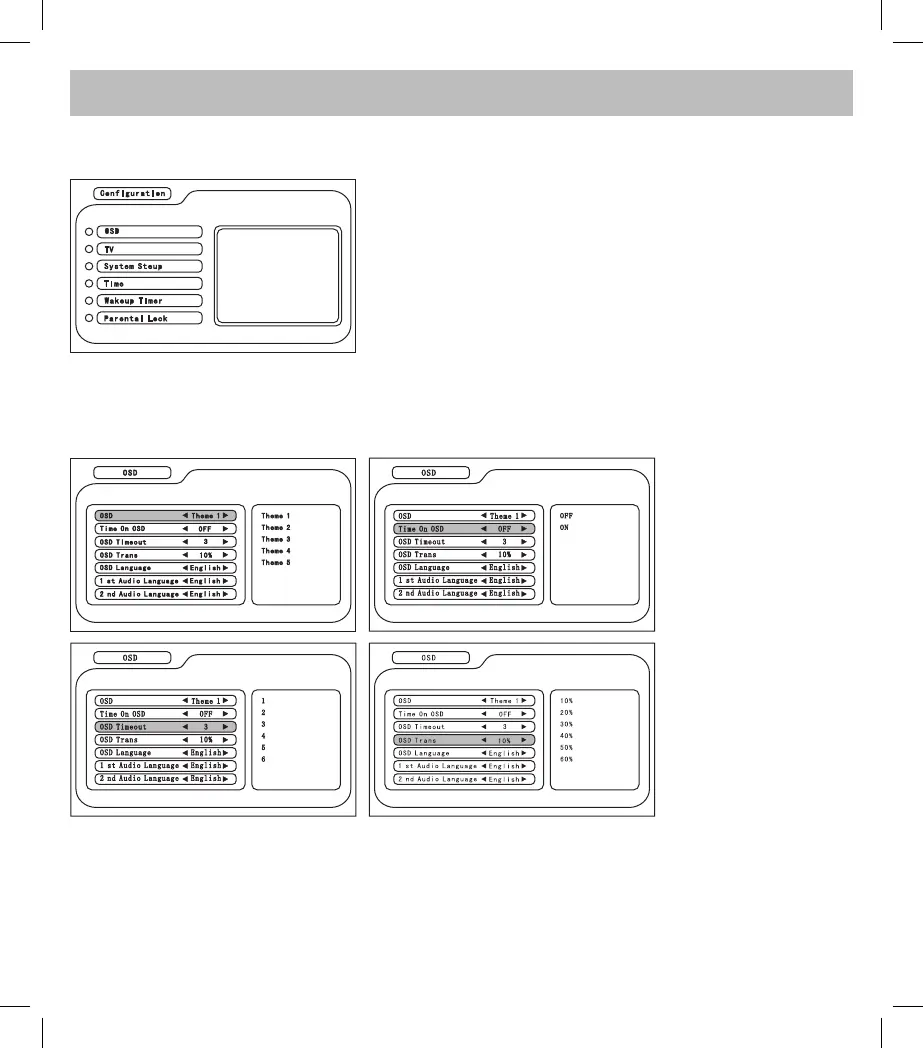
Press the MENU button on the remote control to enter the main menu, and then select
Digital TV --> Configuration
1. OSD: to set the theme and the status of the OSD
2. TV: to modify video set up
3. System Setup: to set the status of the audio, area TV and jpeg
type.
4. Time: to set hour and day
5. To set Timer
6. Parental Lock: to set the parental lock with password
1. OSD: to set the
background color of the
interface
2. Time On OSD: to show
the time on OSD
3. OSD Timeout: to set
the timeout of the system
playback
4. OSD Trans: to set the
size of the subtitle
In the Configuration menu, select OSD and press CH +/- to select the item, press button </> LEFT/RIGHT to
adjust the parameter.



 To Next Page