7
FR-DE
7
IT-ENMenu • Menu
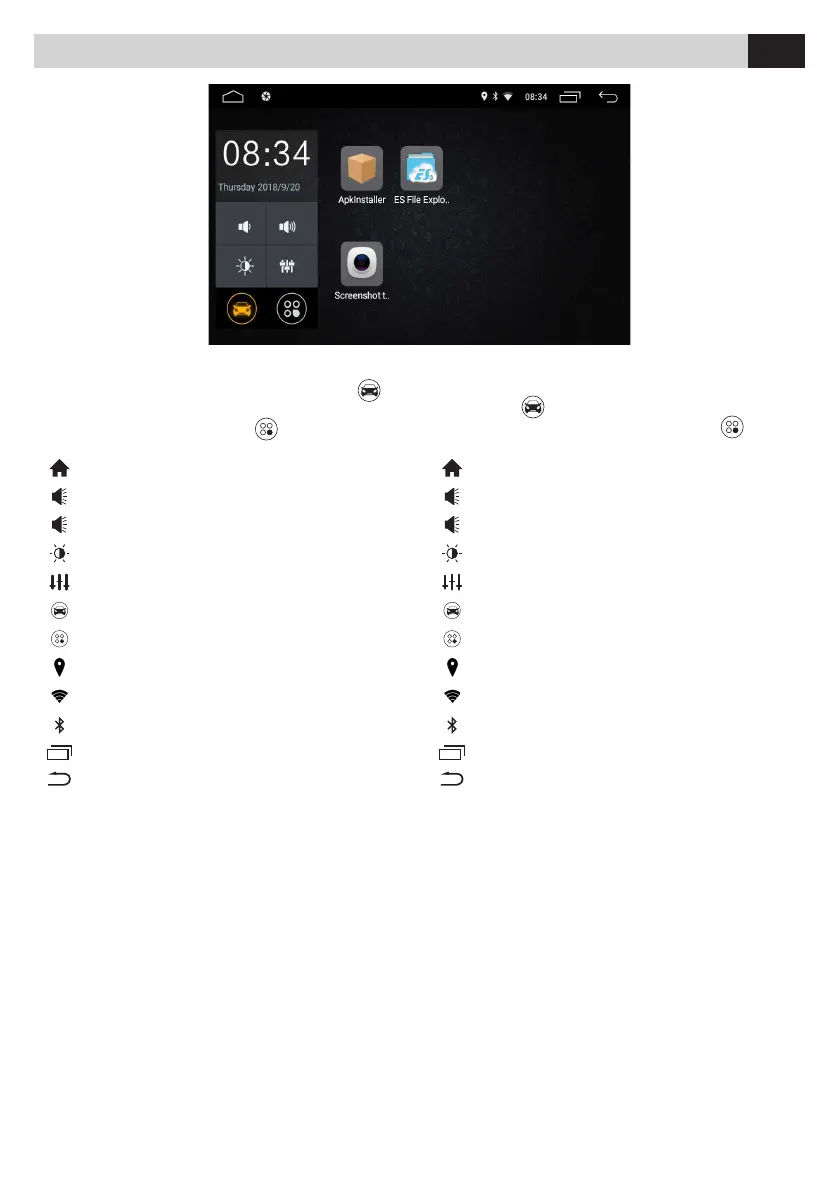
All’accensione il VM001 avvia il menu principale .
È possibile personalizzare questo menu con le icone
installate presenti nel menu APP
.
When the VM001 is turned on, the main menu starts
automatically
. You can customize this menu with
the desired installed icons in the APP menu
.
Torna al menu principale.
Regolazione Volume -
Regolazione Volume +
Accende/spegne illuminazione LCD
Equalizzatore audio
Menu principale
Menu Applicazioni
Posizione GPS riconosciuta
WI-FI attivato e agganciato
Bluetooth acceso
Visualizzazione di tutte le APP aperte
Torna alla funzionalità precedente
Back to main menu
Volume Control -
Volume Control +
Turns LCD light on/o
Radio equalizer
Main menu
Menu Application
Real GPS position xe
WI-FI paired with signal power
Bluetooth ON
Show open APPs
Back to previous function
IT EN



 To Next Page