10
EN
SELECT RADIO SOURCE
Briefly press the “BAND” key (8) to select: FM1 - FM2 - FM3 - MW1 - MW2.
Press the
(1)-(25) keys briefly to start the automatic search for the previous station ( ) (1) or for the next
one (
) (25). Press the (1)-(25) key for two seconds to start the previous station manual search ( ) (1) or
the next one (
) (25).
Press keys 1 to 6 for 3 seconds respectively for storing the station on one of the 6 available memories.
Select DAB source.
The first time you install the device,the scanning of the available DAB channels will start automatically.
Press the AS/PS (15) key to start an automatic channel scan whenever you want.
Briefly press the “ BAND” (8) key to select: DAB1, DAB2, DAB3.
Briefly press the keys
to select the previous ( ) or next ( ) station
Press keys 1 to 6 for 3 seconds respectively for storing the station in one of the 6 memories available.
When a USB or SD CARD is introduced, the audio tracks playback of the device in, will start automatically.
Press the keys (
) briefly to switch to the previous / next track . Press and hold the keys ( ) for the
REWIND and FOWARD functions.
Briefly press the 1/
(22) key to pause a track, and press it again to restart it-
Briefly press the 2/INT (21) key to enable/disable track input.
Briefly press the 3/RPT (20) key to enable/disable the automatic track replaying.
Briefly press the /RDM (19) key to enable/disable the random playback function.
Press and hold the 5/DIR- – 6/DIR+ (18-17) keys to switch between to the previous / next folder.
The VM022 allows external audio sources to be connected to the input (12) via a 3.5 mm jack cable.
Audio tracks are managed from the external source.
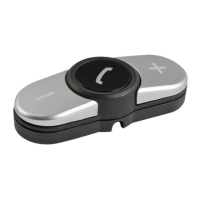
Enable the Bluetooth on your phone, select the device named CARKIT enter the password 0000 and confirm.
To answer a call, press the key (15) and to end the call, press the key (14).
Press and hold the (14) key to:
- Display received, missed, rejected calls. *
- Set the automatic or manual connection.*
- Set AUDIO BT.
*These functions are not compatible with all smartphone models.
For listening to audio files, check whether your phone is compatible with A2DP protocol. Select the source BT
MUSIC.
To start playing the file list in memory on your phone, press the1/
(22) key.
Press the
(1)-(25) keys briefly to switch to the previous/next track.
Press and hold
(1)-(25) keys for functions REWIND and FORWARD.
Briefly press the 1/
(22) key to pause a track, and press it again to restart it.
Radio e DAB+ functions
USB - SD Card functions
AUX-IN functions
Telephone Bluetooth
Audio Bluetooth


 To Next Page