3
IT/GB
MENÙ • MENU
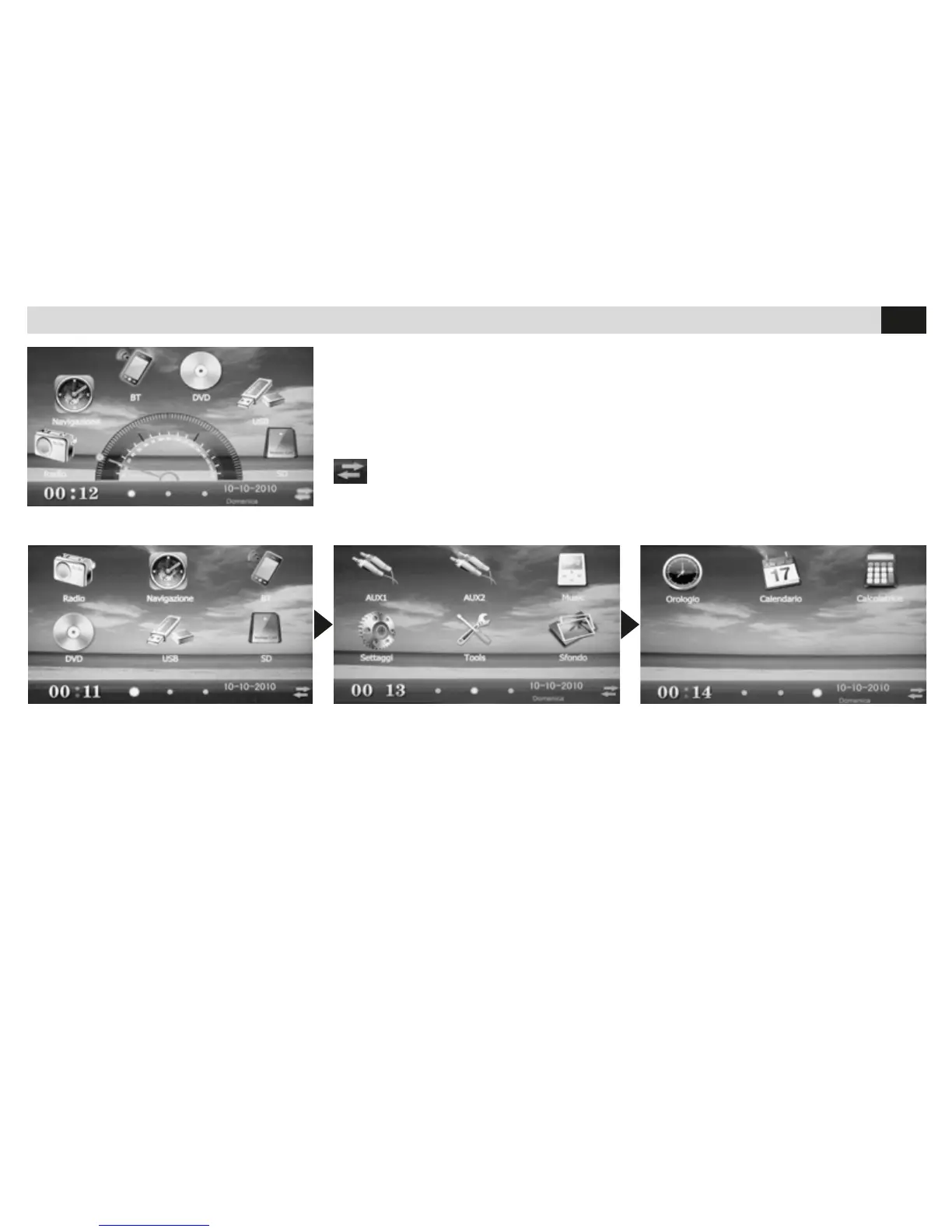
Menù tradizionale. Per spostarsi da un pannello all’altro toccare trascinando lo schermo col dito o con il pennino in dotazione.
Toccando le icone si seleziona la sorgente o la funzione desiderata.
Traditional Menu. To move from one panel to the other, touch the screen and drag it away with a nger or with the supplied pencil.
By touching the icons you select the Source and Functions.
Il menù principale è in due versioni.
Una versione con menù rotativo a trascinamento.
L’altra versione con menù tradizionale rappresentato da tre schermate.
The Main Menu is in two versions.
One version with a dragging-type rotation-menu.
The other version with a traditional menu formed by 3 panels.
Toccare per cambiare interfaccia grafica. / Tap to change graphical interface


 To Next Page