4
IT/GB
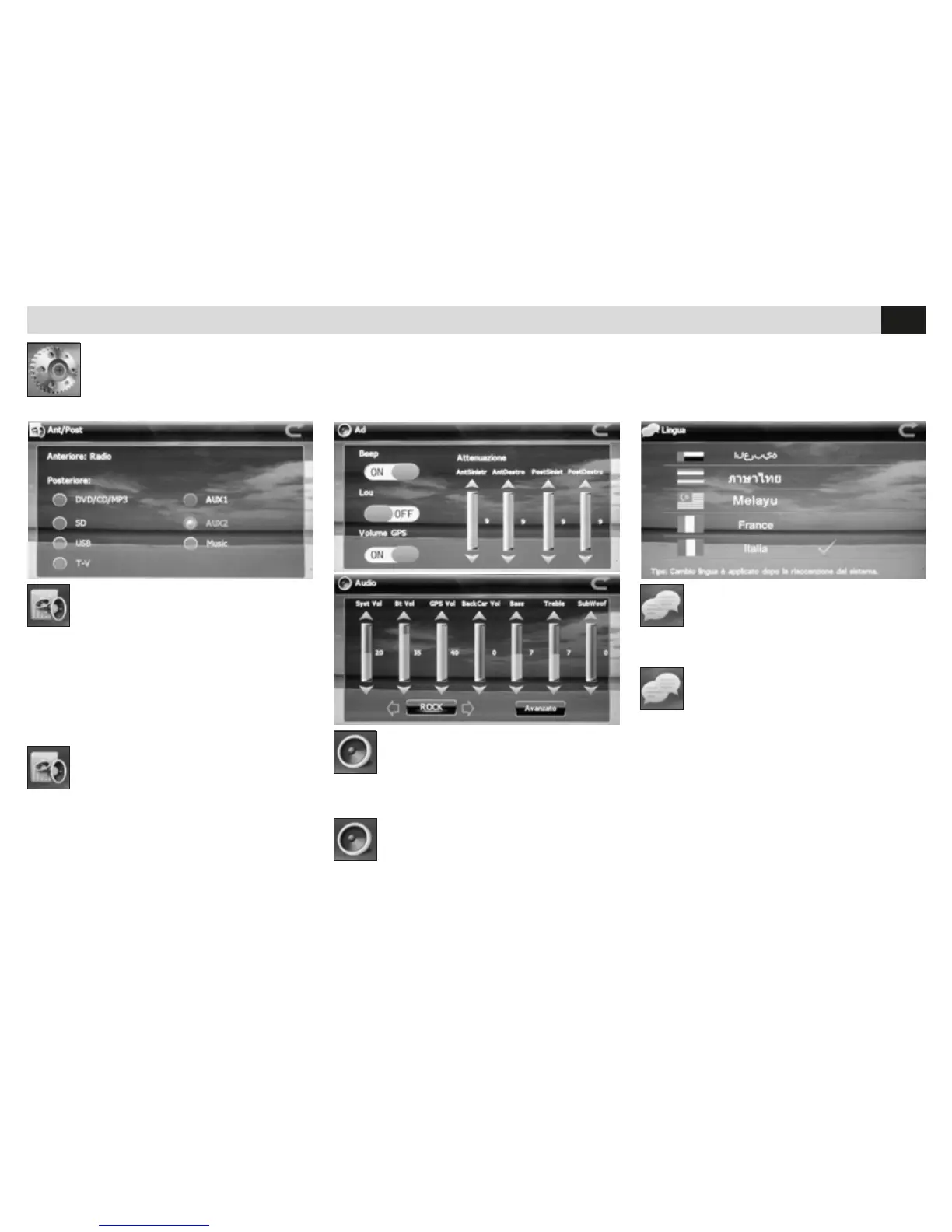
SELEZIONE
SORGENTE POSTERIORE
• Imposta la sorgente di riproduzione per la
sezione audio/video posteriore.
E possibile riprodurre nell’uscita audio/video
posteriore una sorgente differente da quella ante-
riore. La sorgente anteriore deve essere Radio o
Navigazione.
SELECTION
REAR SOURCE
• Determine the reproduction-source for the rear
Audio/Video-section.
The reproduction-sources on rear and front
Audio/Video-exits can be different from one
another. The front source must, in any case, be a
Radio or Navigation-unit.
REGOLAZIONE AUDIO
• Regolazioni volume sorgenti.
• Selezione modalità equalizzazione.
• Regolazione fader, loudness, suono touch.
AUDIO SETTINGS
• Source-Volume-settings
• Equalizer-Mode
• Settings for Fader, Loudness, Touch-tone
IMPOSTAZIONE LINGUA
• Imposta la lingua dei menù sullo schermo.
LANGUAGE-SELECTION
• Set the wanted Menu-Language on the screen.
IMPOSTAZIONI DI SISTEMA • SYSTEM SETUP
Regolazioni: sorgente posteriore, regolazione audio, lingua, area radio, luminosità schermo, le navigazione, calibrazione schermo, zona fuso
orario, data e ora, sfondo, logo iniziale.
Settings: rear Source, Audio, Language, Radio-Area, Screen-Brightness, Navigation-le, Screen-Calibration, Time-Zones, Date and Time, Back-
ground, Start-Logo.


 To Next Page