Piano will not play, only symphony
1. Check the balance between piano and symphony in the iQ app.
2. Press the test button on the CPU to verify piano plays.
• If the piano will not play then go to Trouble Shooting steps 1, 2 and 3.
3. Check the iPad balance.
• Go to “Settings” on the iPad
• Select “General”
• Select “Accessibility”
• Scroll down to “Hearing”
• Check the “Balance” for center position.
iPad settings for Prodigy
Note: Within the iPad settings there are some settings that can affect the Prodigy
playback. Note that the following settings should be changed as follows.
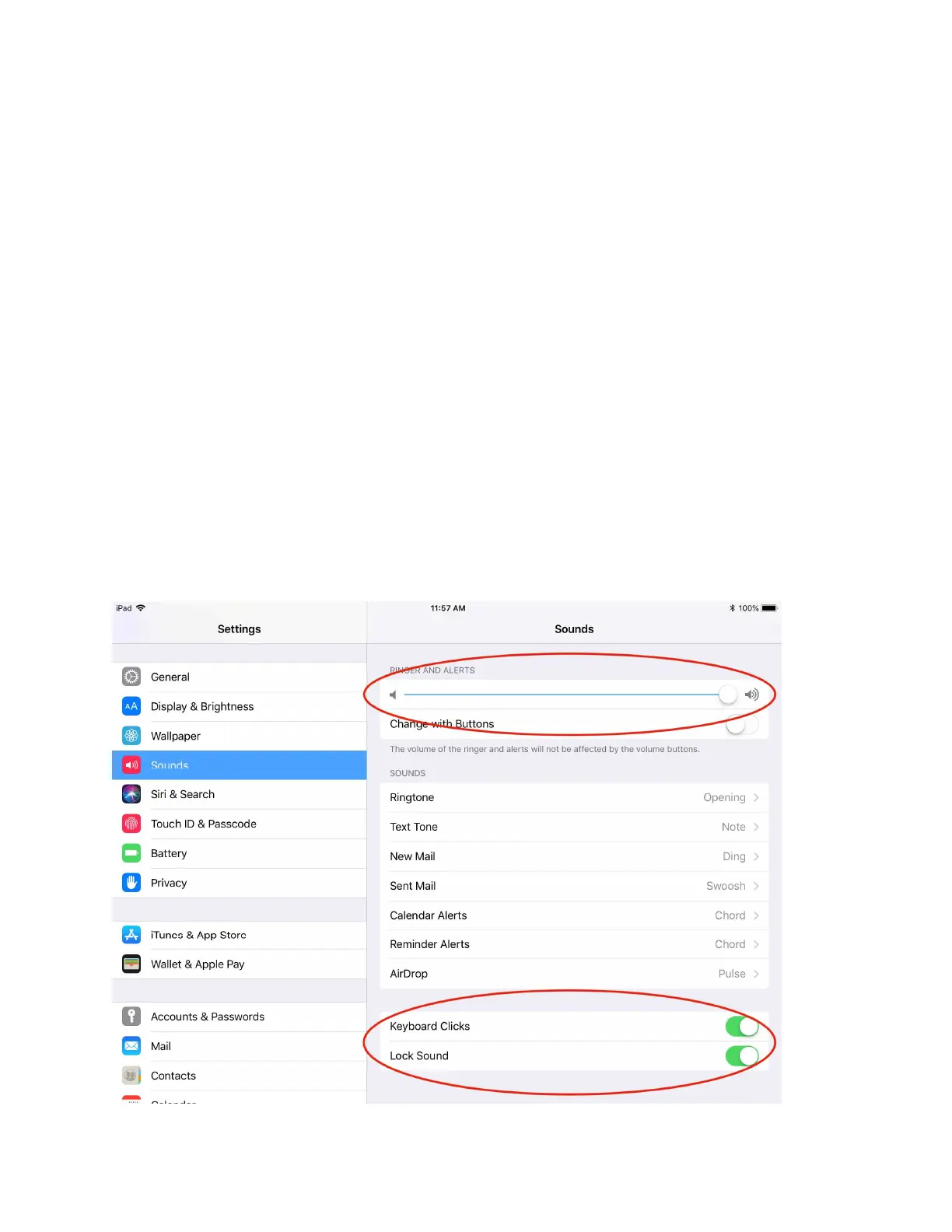
To change these settings, you need to go to the iPad “settings”, tap the “sounds”
icon and turn down the “Ringer and Alerts”.
Now turn off “keyboard Clicks” and “Lock Sound”.



 To Next Page