1414
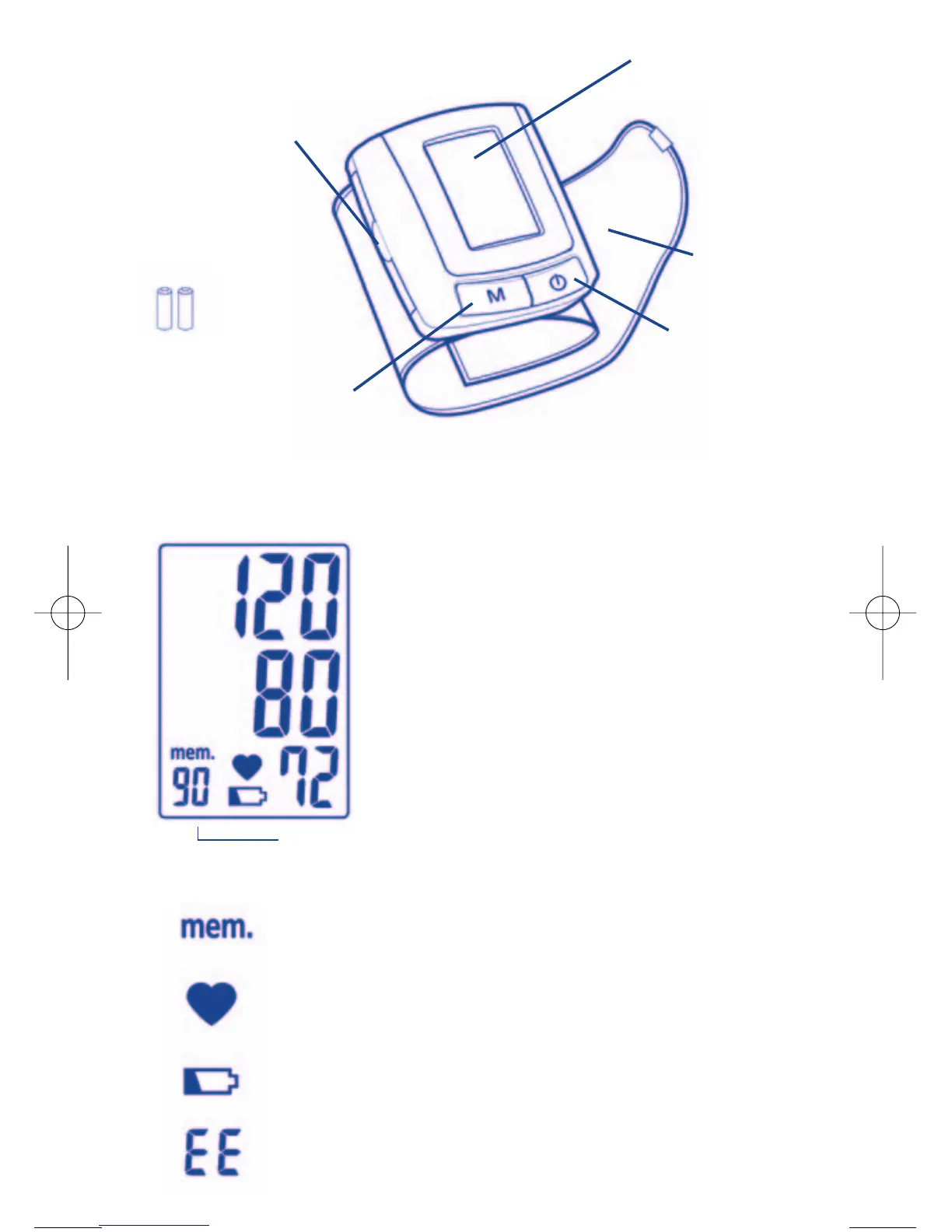
Name / function of the various parts:
LCD
Display
MEMORY
button
ON/OFF/START
button
Wrist
armband
Battery cover
Key to display
Display:
Systolic pressure
Diastolic pressure
Pulse rate
Showing when the measurement has been memorised or
has been recalled from the memory.
Showing the pulse rate per minute
Showing when the batteries need replacing
Showing if a mistake is made during measurement
Symbols
N° of memory sequence
2 x “AAA” size 1.5 V
batteries


 To Next Page