Page 5 of 9
Step 8: Adjust Center Height
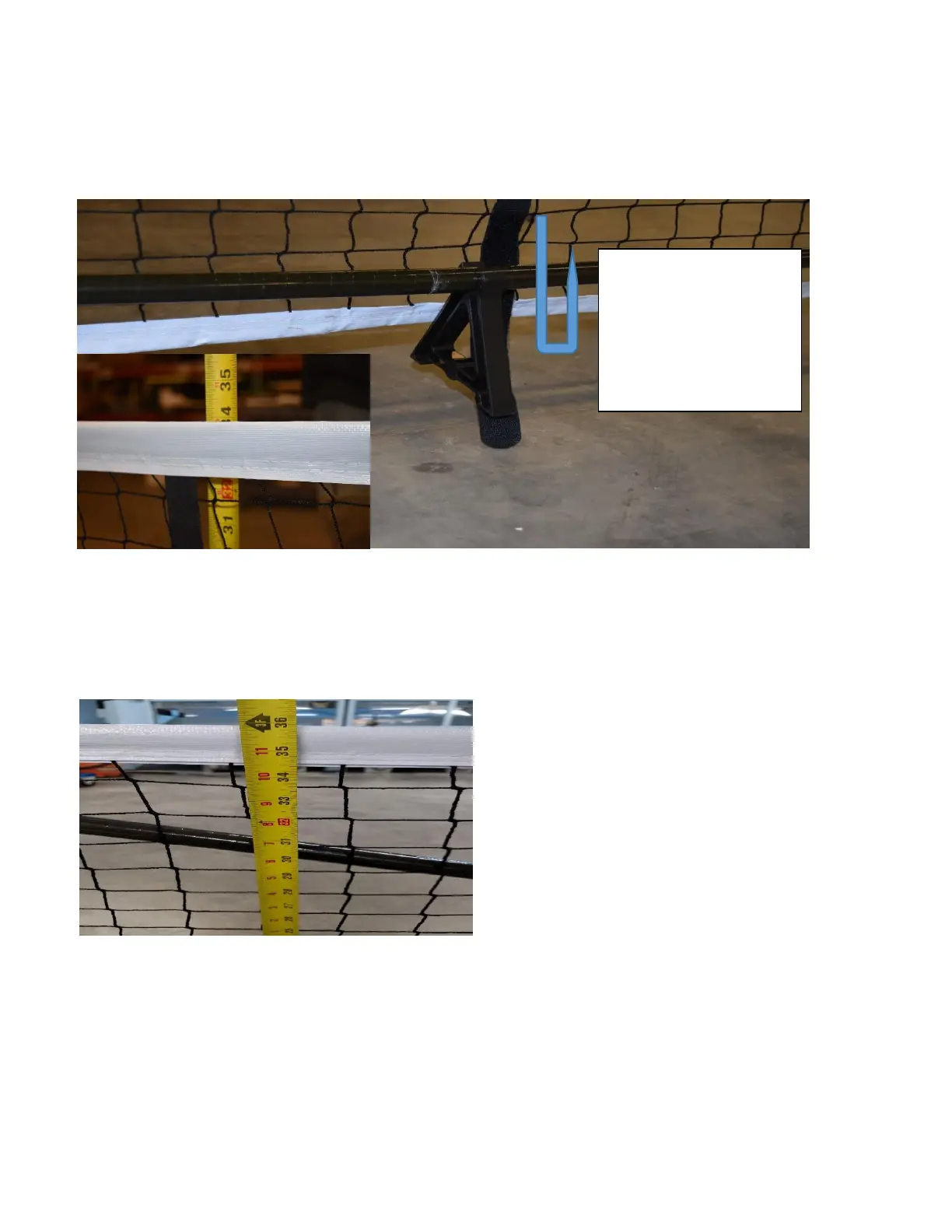
Take the Velcro Center Strap that is attached to the center of the Netting and bring it under and around the
Boom. Bring the end of the strap up to the tip of the red mark on the strap and attach the Velcro. Measure the
net height in the center and adjust the Velcro if needed to achieve the needed 34” from the ground to the top
of the center of the net.
Step 7: Adjust Outside Height
Measure the height on either end of the Netting one foot in from the post. If the Netting is properly tensioned,
this will measure 36”. If this measures slightly higher than 36”, you may need to adjust the Base Legs to
ensure a proper 3-point contact, and that the posts are vertical.
Thank you very much for using the SwiftNet™! We very much appreciate your business.
Additional Questions - Please contact:
Pickle-Ball Inc.
22330 68th Ave S.
Kent, WA 98032
800-377-9915 or 206-632-0119


 To Next Page
 Loading...