BIP-7000
19
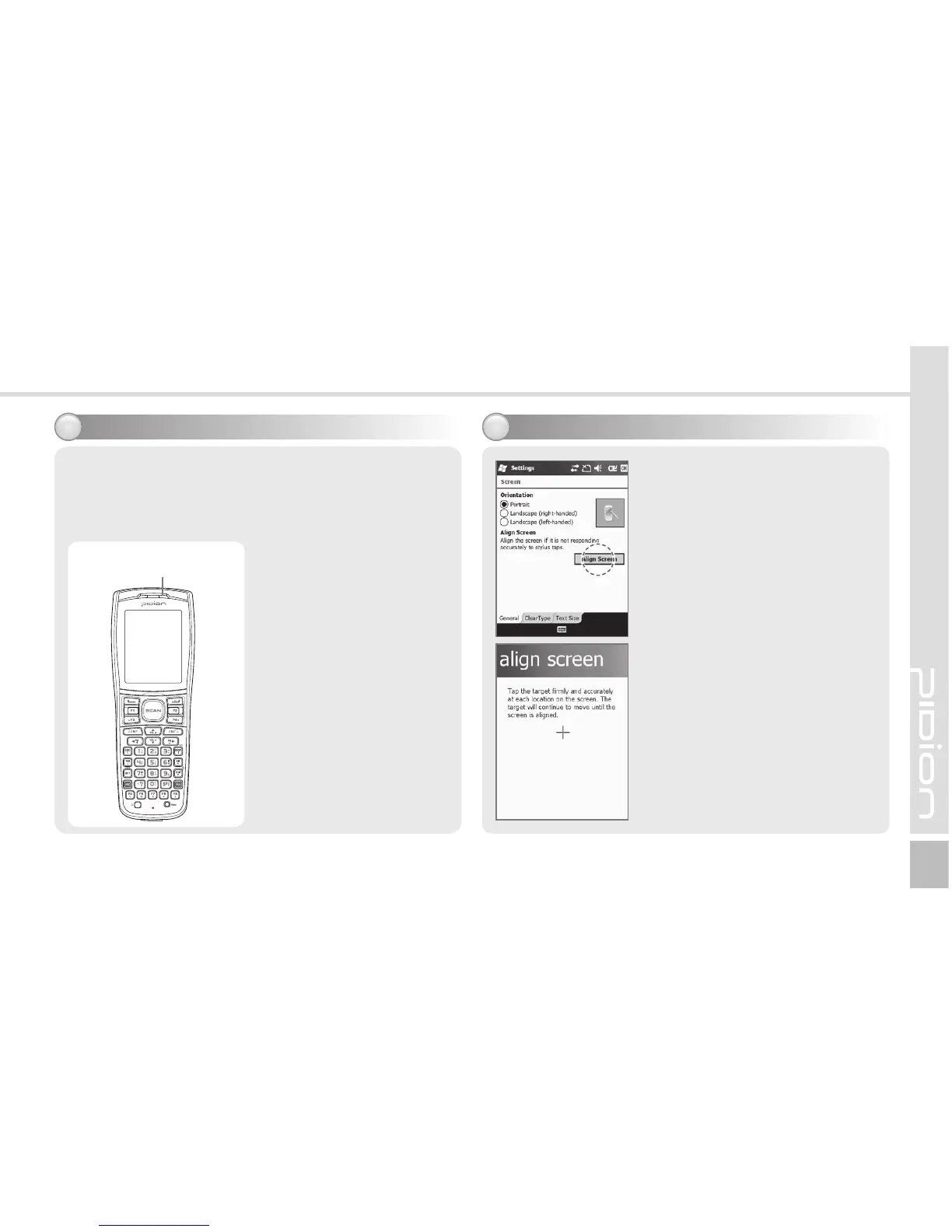
For the terminals which support WCDMA communication,
you can view the GSM or WCDMA 1xEVDO
communication status with the [Communication status
indication lamp] on the upper right side of the terminal.
$PNNVOJDBUJPOTUBUVTJOEJDBUJPO
For the terminals which
support GSM communication,
the lamp indicates the GSM
communication status.
For the terminals which
support WCDMA 1xEVDO,
the lamp indicates
the WCDMA 1xEVDO
communication status.
ö The wireless LAN status
is not indicated with the
lamp.
Communication status
indication lamp
You can set the stylus pen
input value on the LCD screen.
4FUUJOHTDSFFO
Start
Ķ
Settings
Ķ
System
Ķ
Screen
Ķ
Align Screen
Point the target in the center
of the screen with the stylus
pen. As the target moves to
left top, left bottom, right
bottom and right top, point
the target accurately.
"EKVTUJOHTDSFFO


 To Next Page
 Loading...