wlan
9
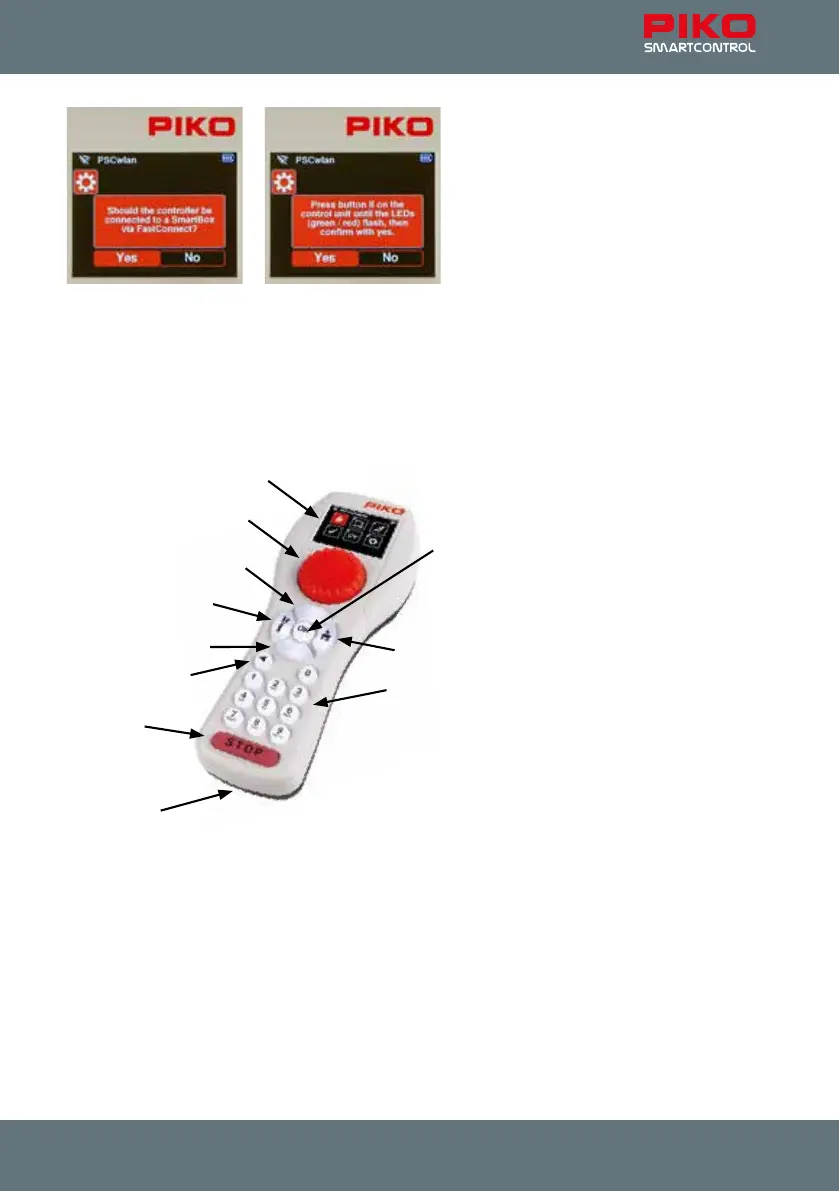
The devices are now paired when the two LEDs on the control panel stop ashing and the active
WLAN symbol appears on the throttle.
More information on "FastConnect" can be found in Chap. 3.8.5 "Select WLAN".
2. The controls of the PIKO SmartController
wlan
Overview of the controls
USB-C
Accessories / left
Numeric keypad
Display
Dial (throttle)
up
down
Return
stop / go
Loco / right
OK
Display
The PIKO SmartController
wlan
vfeatures an illuminated TFT color display that can be adjusted to the
user’s preference. The display icons are largely self-explanatory. Each icon is clearly marked for easy
use of the PIKO SmartControl
wlan
digital system.
The Wi-Fi signal strength, throttle ID and battery level are displayed in every menu on the top line of
the display. Depending on what it is being used for, an hourglass icon will appear (data is being loaded
or processed), the letters "ABC" or "abc" will appear to dierentiate between upper and lower case,
the letter "R" will appear to signify RailCom Plus
®
registration and the letter "P" will appear during CV
programming mode via the programming track.



 To Next Page