08
3.2.7. How to Connect and Turn On the Headset
Step 1:
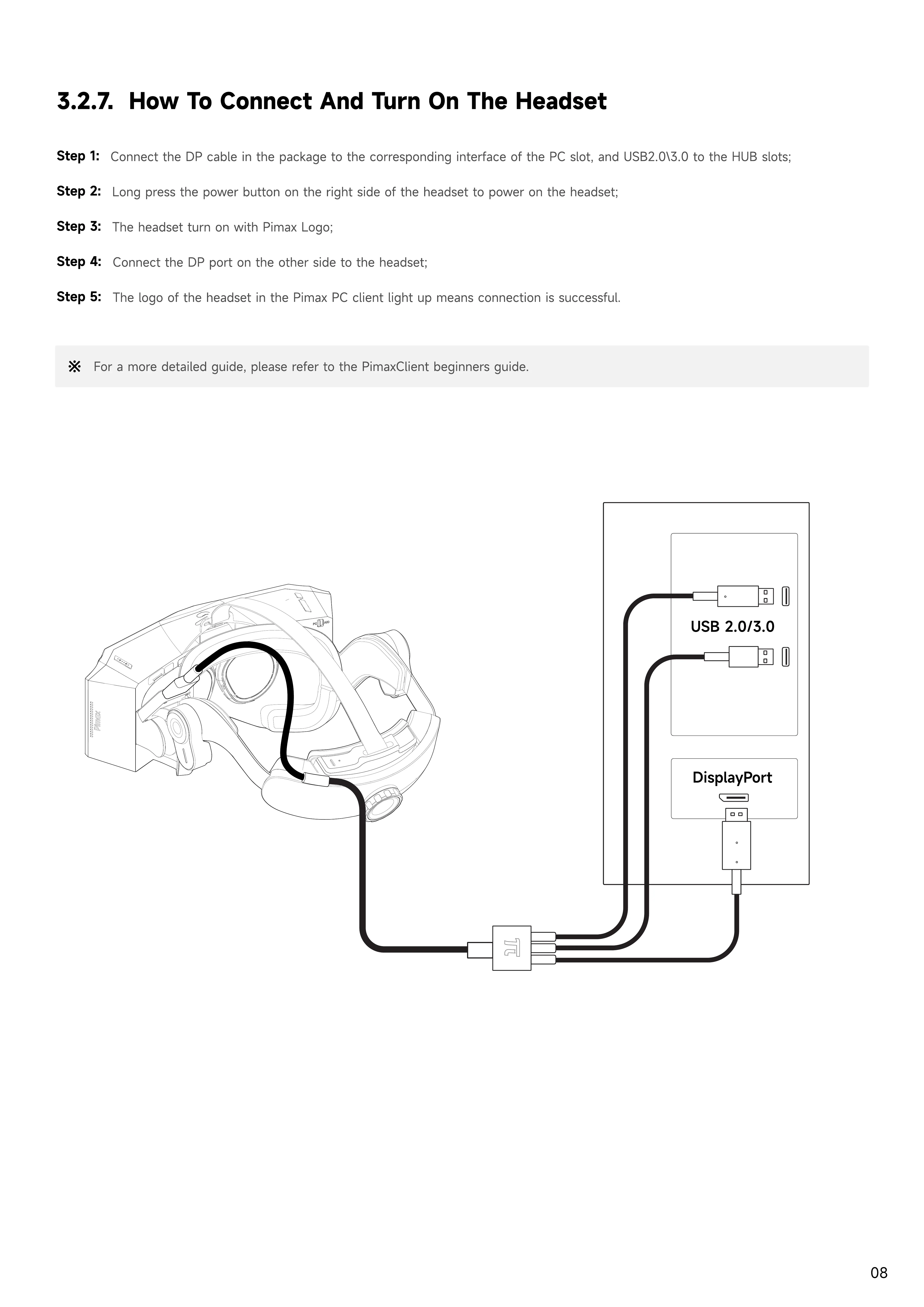
Connect the DP cable in the package to the corresponding interface of the PC slot, and USB2.0\3.0 to the HUB slots;
Step 2:
Long press the power button on the right side of the headset to power on the headset;
Step 3:
The headset turn on with Pimax Logo;
Step 4:
Connect the DP port on the other side to the headset;
Step 5:
The logo of the headset in the Pimax PC client light up means connection is successful.
For a more detailed guide, please refer to the PimaxClient beginners guide.


 To Next Page