18
4. Parts replacement
4.1. Lens replacement
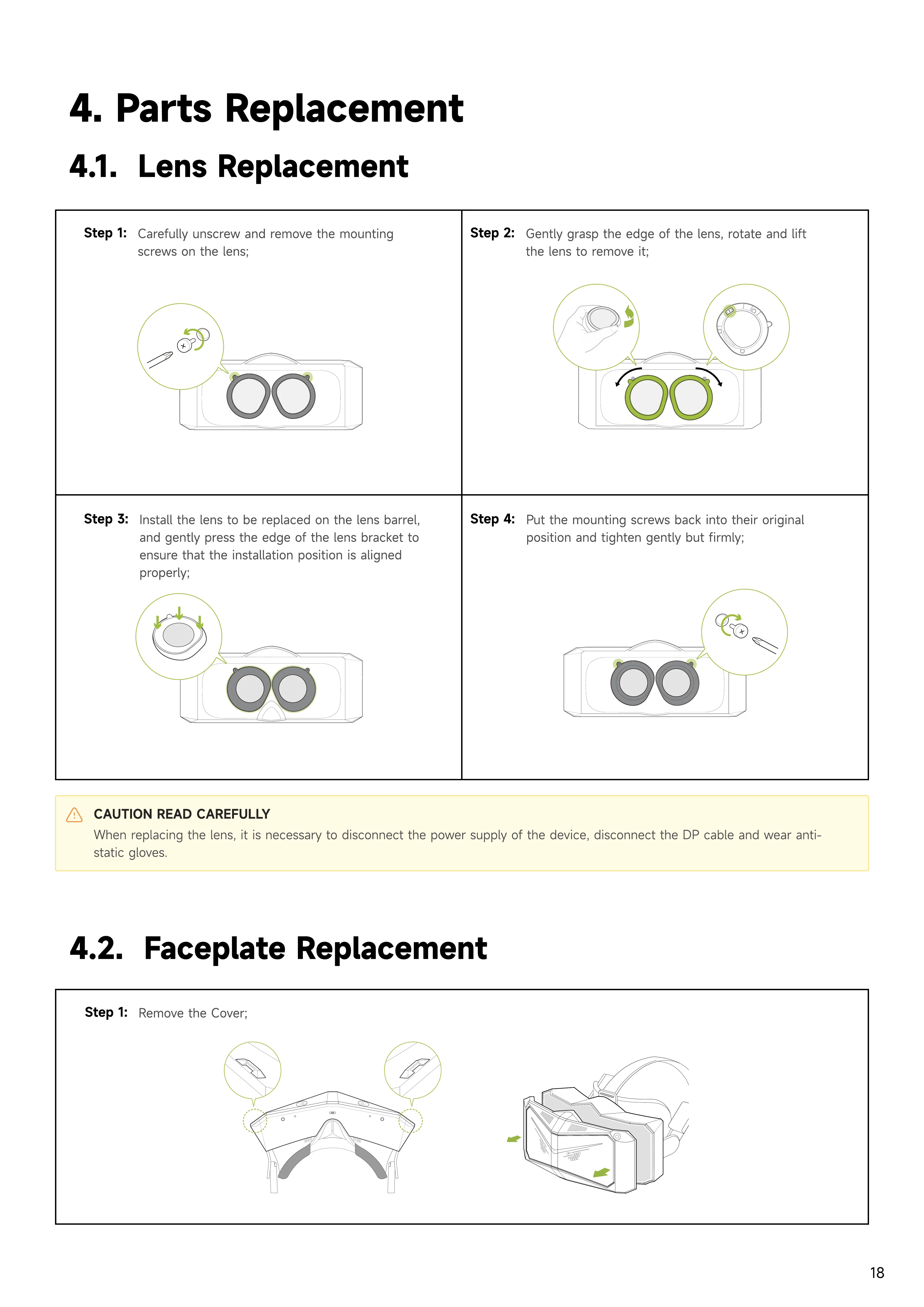
Step 1:
Carefully unscrew and remove the mounting
screws on the lens;
Step 2:
Gently grasp the edge of the lens, rotate and lift
the lens to remove it;
Step 3:
Install the lens to be replaced on the lens barrel,
and gently press the edge of the lens bracket to
ensure that the installation position is aligned
properly;
Step 4:
Put the mounting screws back into their original
position and tighten gently but firmly;
CAUTION READ CAREFULLY
When replacing the lens, it is necessary to disconnect the power supply of the device, disconnect the DP cable and wear anti-
static gloves.
4.2. Faceplate replacement
Step 1:
Remove the Cover;


 To Next Page