19
4.3. Earphone replacement
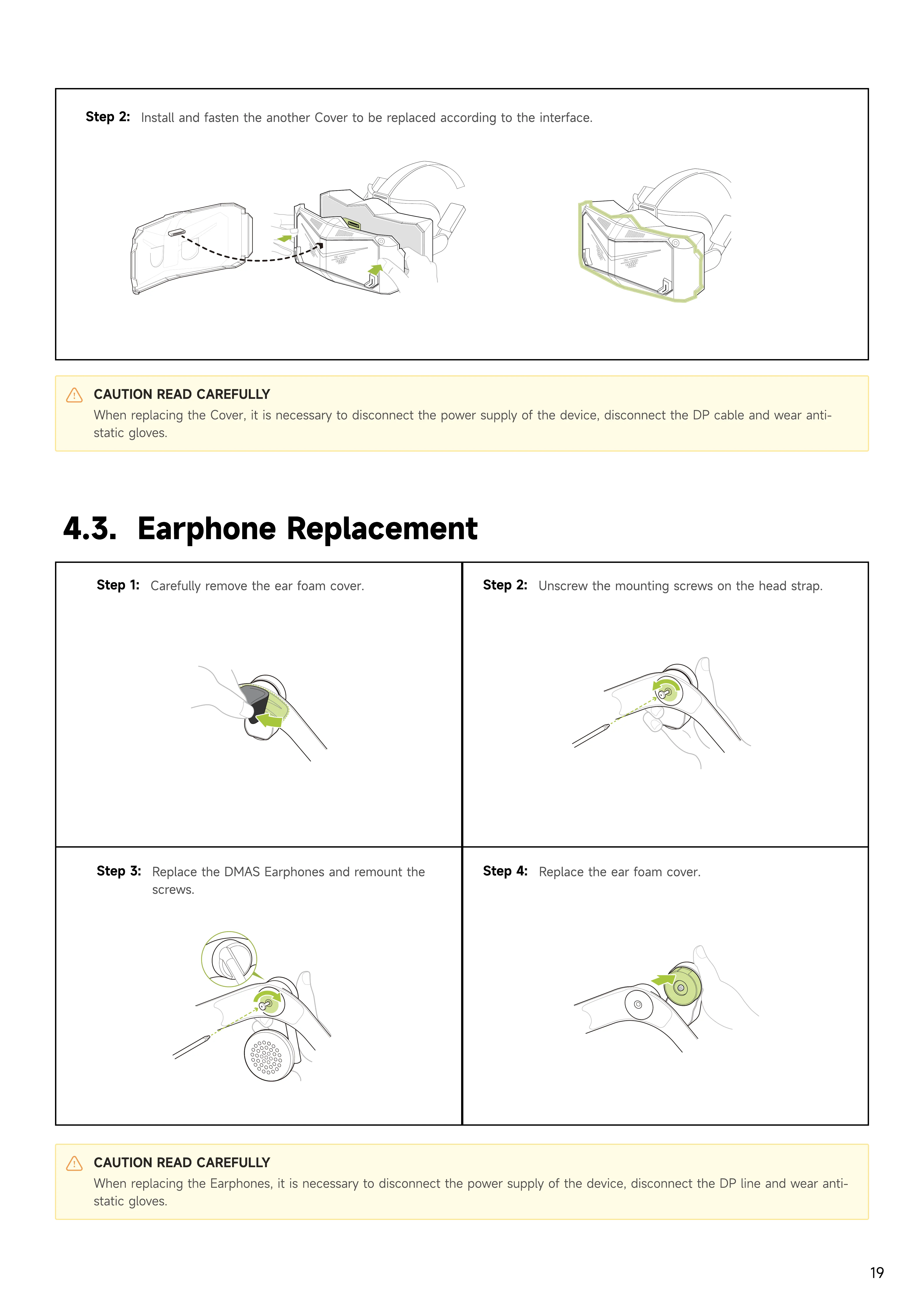
Step 1:
Carefully remove the ear foam cover.
Step 2:
Unscrew the mounting screws on the head strap.
Step 3:
Replace the DMAS Earphones and remount the
screws.
Step 4:
Replace the ear foam cover.
CAUTION READ CAREFULLY
When replacing the Cover, it is necessary to disconnect the power supply of the device, disconnect the DP cable and wear anti-
static gloves.
CAUTION READ CAREFULLY
When replacing the Earphones, it is necessary to disconnect the power supply of the device, disconnect the DP line and wear anti-
static gloves.
Step 2:
Install and fasten the another Cover to be replaced according to the interface.


 To Next Page