The PINELWORLD K3 Biometric Smart Safe is a sophisticated security device designed to protect valuables with multiple unlocking methods and advanced anti-theft features. It combines traditional security with smart home integration for enhanced control and monitoring.
Function Description
The K3 Smart Safe offers a multi-layered security approach. Its primary function is to secure valuables using various unlocking methods, including fingerprint recognition, passcodes, Bluetooth connectivity, and a backup key. The device supports multiple intelligent alarms such as trial-and-error alarm, tamper alarm, coercive alarm, and low power alarm, which are triggered under specific conditions to alert the user of potential threats. It also incorporates multiple anti-theft designs, including a steel cable, fixed hole, and C-level key cylinder, to prevent physical theft. The safe can be integrated with the FC Smarthome APP for remote management and control, allowing users to monitor the device, receive alerts, and manage settings from their smartphone.
Important Technical Specifications
- Size: 285mm x 225mm x 65mm
- Weight: 7.7lbs
- Unlocking ways: Fingerprint, Passcode, APP unlocking, Backup key
- Fingerprint resolution: 500DPI
- Capacity: Fingerprint: 50, Passcode: 50
- Type-C Input Power: 5V-2A (Max)
- Battery: Four new AA batteries (not included)
- Operating Temperature: -25°C to 55°C
- Connectivity: Bluetooth (2.4Ghz WiFi supported for APP integration)
- Certifications: FC, CP65, RoHS
Usage Features
The K3 Smart Safe is designed for ease of use with multiple convenient features:
- Multiple Unlocking Methods: Users can choose from fingerprint, passcode, Bluetooth via the FC Smarthome APP, or a physical backup key.
- Easy Battery Installation: The safe uses four AA batteries, which are easy to replace. The device will alert the user when the battery is low.
- Add Administrator/User: Up to 6 administrators and additional users can be added, each with their own fingerprint and passcode. The first two administrators are permanent, while others can be added or removed.
- Mute Mode: The safe can operate in a silent mode, which is useful for discreet access.
- Fast Pairing: Bluetooth pairing is straightforward for quick setup with the mobile app.
- Remotely Unlock: Through the FC Smarthome APP, users can remotely unlock the safe, manage users, and view records.
- Coercive Alarm: In situations where a user is forced to open the safe, entering a specific coercive passcode will silently trigger an alarm and send a notification to the linked mobile device, while still opening the safe.
- Prying-resistant Alarm: If the device is damaged or the anti-disassembly key is loose, an alarm will sound, and a notification will be sent.
- Low Voltage Warning: When the power is low, a warning message will be broadcast, prompting the user to replace the battery.
- Alarm Clearing Method: Registered passcodes or fingerprints can be used to clear alarms.
- Factory Reset: A long-press setting button for 3 seconds will reset the device to factory settings, requiring re-verification of the administrator.
- Remote Unlock: Users can remotely unlock the safe via the FC Smarthome APP.
- Message Manager: The app allows managing messages and notifications from the safe.
- Phone Card Support: The device supports unlocking via a mobile phone door card (specific models).
- Fixation Options: The safe can be secured in various locations using different materials:
- Vehicle seat: Use a steel security cable.
- Wooden material: Use fixed holes with self-tapping screws (M525mm, #101 inch).
- Concrete, metal, stone materials: Use fixed holes with plastic expansion pipe and self-tapping screws (640mm, M425mm, #8*1 inch).
Maintenance Features
- Battery Replacement: The safe uses four AA batteries. Users are advised to replace all four batteries simultaneously when the low power alarm is triggered to ensure optimal performance. Mixed use of old and new batteries is not recommended.
- Cleaning: Do not use corrosive materials to clean the device. Otherwise, the protective coat of the device may be damaged.
- Battery Life: Neither keep the battery near the fire source nor use metal objects to connect the two poles of the battery, which will incur short-circuit of the battery and even explosion.
- Error Handling:
- Incorrect Passcode/Fingerprint: If a passcode or fingerprint is entered incorrectly multiple times, the device will trigger a trial-and-error alarm.
- Forgotten Passcode: If a passcode is forgotten, users can enter a passcode of 6 digits, then wait 7 seconds for the system to automatically confirm the override. During this setting, press the key as prompted to automatically confirm the setting. If no operation status lasts for 7 seconds, it will return to override time.
- Unlocking Failure: If the device fails to unlock, check the backup key to unlock the safe. Open the battery compartment and put in four new batteries of the same brand, and long press Key No. 6 to set the administrator.
- Emergency Type-C Port: The power supply port only supports emergency power supply. Long connection of power supply will affect the service life of the product.
- Administrator Management: If the administrator passcode is forgotten, users can log in to the FC Smarthome APP to update the administrator's passcodes or contact customer support for assistance.
- Device Unresponsiveness: If the device is unresponsive, check the battery level and replace batteries if necessary. If the issue persists, perform a factory reset.
- Recommended Fixing Screws Unsuitable: If the recommended fixing screws are unsuitable, consult customer support for alternative solutions.
- Device Occurs Sudden Problems: Describe the problem and send it to the official email for support.
The PINELWORLD K3 Biometric Smart Safe provides a robust and user-friendly solution for securing valuables, combining advanced technology with practical features for everyday use and peace of mind.

 Need help?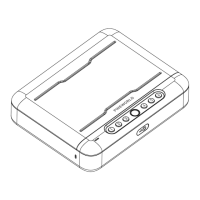

 To Next Page
 General