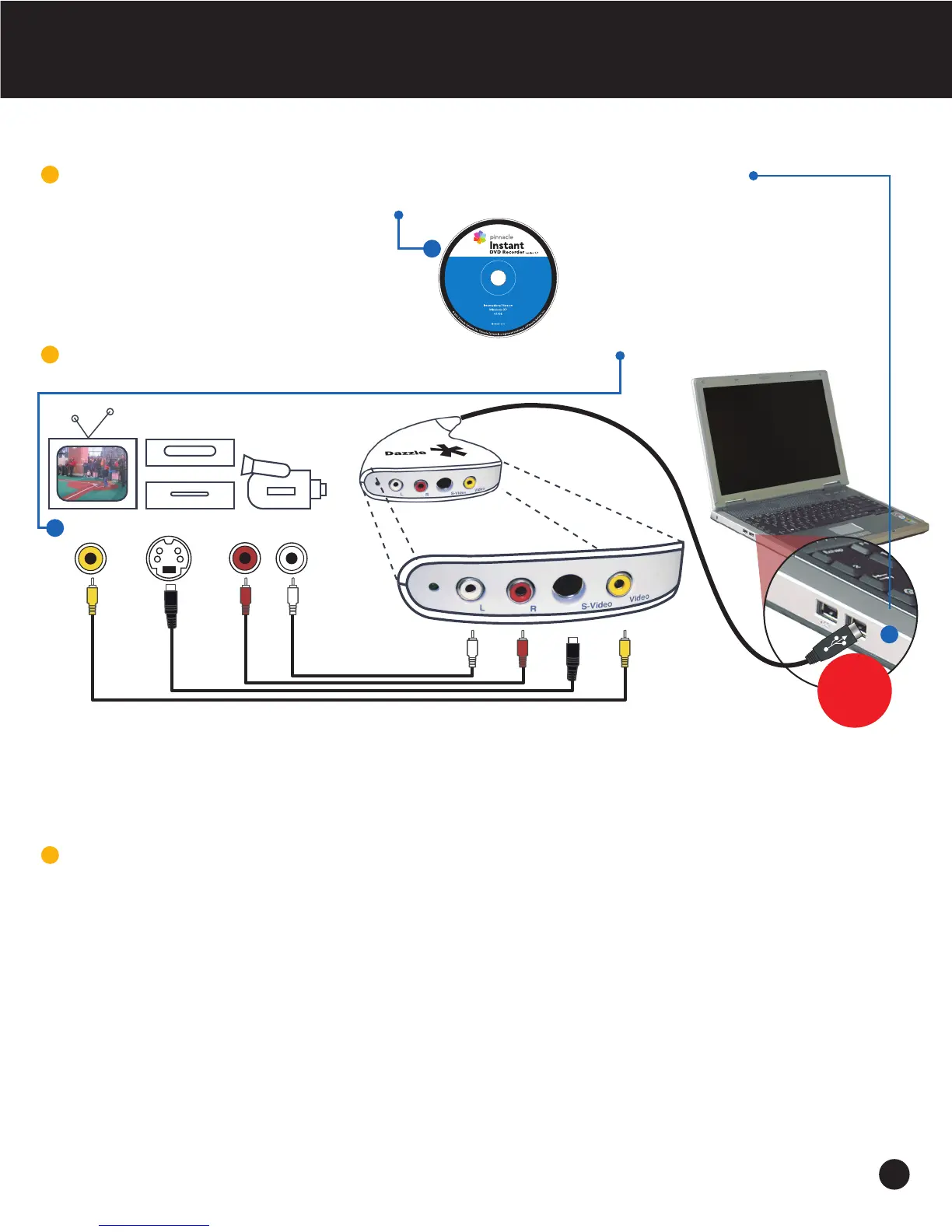
Dazzle Hardware Setup
Before you connect your new Dazzle hardware to your computer’s USB 2.0 port,
first install the provided Pinnacle InstantDVD Recorder software.
Plug-in the Dazzle DVD Recorder hardware to your source*
(Please make sure your video source is turned on.)
VCR
DVD
S-Video
cables not included*
Video
(Composite)
Right
Audio
Left
Audio
or
or*
and
and
TV CAMCORDER
1
2
You are now ready to start using the
Pinnacle InstantDVD application.
3
* Refer to your TV, VCR, DVD or Camcorder instruction manual for required connection. Connection showed in this diagram is a
standard connection other cables may be required to work with your source device.
Install all
software
first before
connecting
2


 To Next Page