Getting Started
Power On/Off
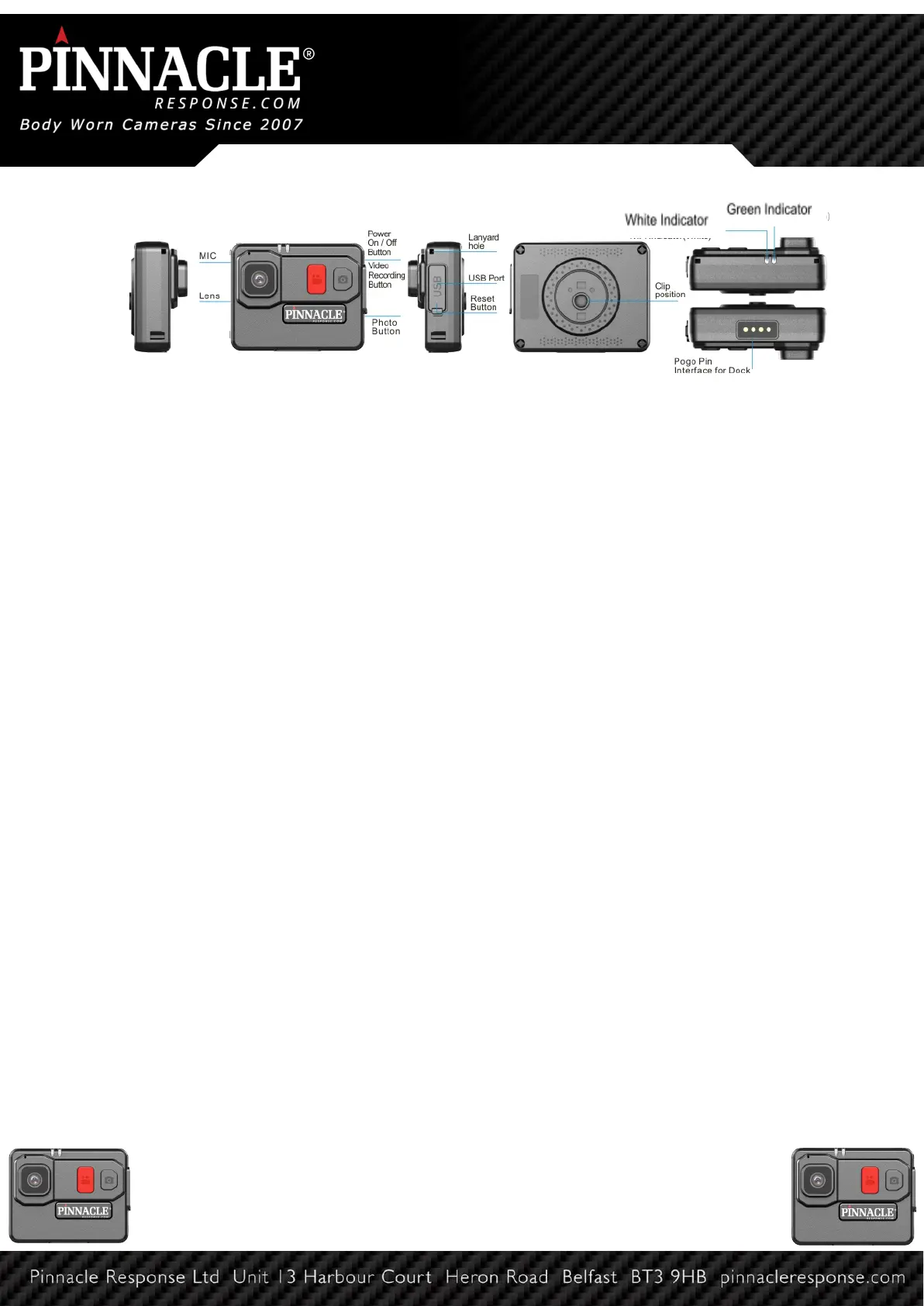
Press and hold the Red Record button for 3 seconds. The unit will give an audible chirp and
the white LED indicator will illuminate, indicating that the camera is on standby. Camera will
enter into standby mode. In standby mode, the white LED indicator stays ON. To power off,
press and hold the Record button for 3 seconds, the unit will give 2 audible chirps and white
LED indicator will turn off.
Recording From Standby
Press the Red Record button to start recording. The unit will give one audible chirp and the
green LED indicator will flash consistently, indicating that the camera is now recording.
When the camera is recording, press the red record button to stop recording. The unit will
give two audible chips and the green LED indicator will turn off, the white LED indicator will
turn back on.
Photo Taking
Photograph Feature In standby mode, press the Photo button to take photos. The unit will
give one audible chirp and the white LED indicator will blink once.
Pre-Record
When the camera is in standby mode, long press the photo button to switch to pre-record.
The white LED indicator on top of the camera will change to solid green and the camera will
pre-record for 30 seconds. To stop pre-recording, long press the photo button.
Insufficient Storage
When free storage space is less than 5%, the green LED will change to red whilst still
recording.
DEMS and Cloud
The PR7 mini is compatible with our DEMS and cloud solution. Securely log in to DEMS to
view your footage. With the cloud there is no need for expensive on site servers as
everything is saved on the AWS servers in your area.


 To Next Page
 Loading...