EasyManua.ls Logo

Pinnacle PR7 Mini - Page 3

Pinnacle PR7 Mini
5 pages
Print Icon
To Next Page IconTo Next Page
To Previous Page IconTo Previous Page
Loading...
Docking Procedure
When docking the PR7 Mini, You must ensure that the left LED has turned solid Red and that
you hear the USB Notification Sound from your PC or the PR7 mini beep. If the Left LED does
not turn solid red, please undock the camera and redock until the RED LED appears.
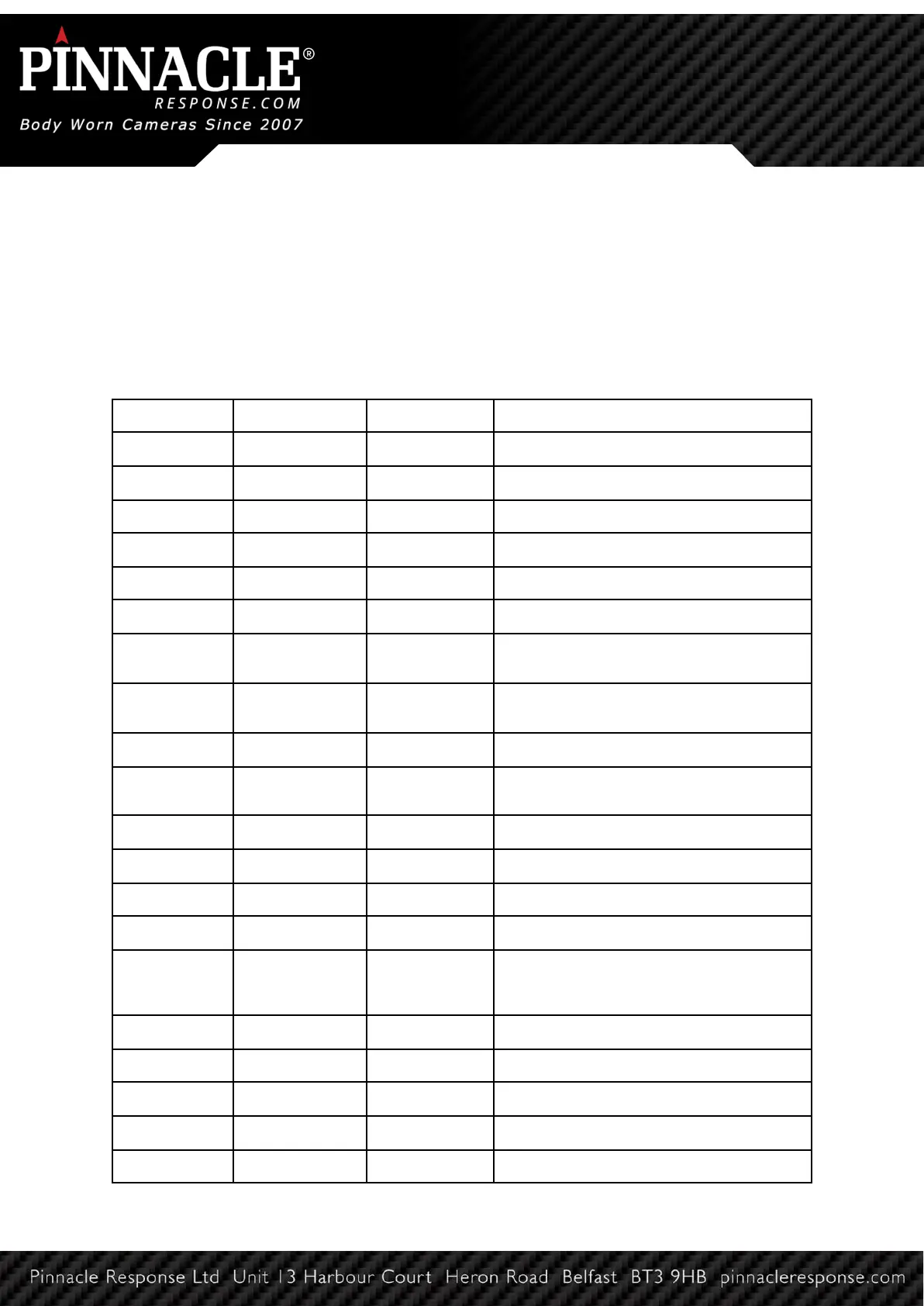
LED Functions
Status
LED 1
LED 2
Meaning
Not docked
OFF
Camera is off
Solid White
Camera is on, pre-record is off
Solid Green
Camera is on, pre-record is on
Flashing Green
Camera is recording
Flasing Red
Camera is recording, battery is low
Flashing Red
Flashing White
Camera storage is full
Flashing Green
Camera is searching for WiFi (manual
uploading)
Solid Green
Camera is connected to WiFi (manual
uploading)
Flashing Green
Flashing White
Camera is uploading (manual uploading)
Docked,
connected to PC
OFF
Camera is fully charged
Solid Blue
Camera is charging
Solid Red
Storage is locked
Solid Green
Storage is unlocked
Flashing Red
Camera is transferring data
Docked,
connected to
power
OFF
Storage is empty
OFF
Camera is fully charged
Solid Blue
Camera is charging
Flashing Green
Camera is searching for WiFi
Solid Green
Camera is connected to WiFi
Flashing Green
Flashing White
Camera is uploading

Related product manuals