
 Need help?
Do you have a question about the PIONEER DJ DDJ-SB3 and is the answer not in the manual?
Details the steps for installing the Serato DJ Lite software on Windows and macOS.
Provides instructions on how to start and launch the Serato DJ Lite software.
Details the procedure for loading and playing tracks on the DJ controller.
Covers Hot Cues, FX Fade, Pad Scratch, and Sampler functions using the performance pads.
Details how to use and operate Serato DJ Lite effects, including multiple effects.
Explains various settings that can be modified, including cut lag, demo mode, back spin length, and fader start.
 General
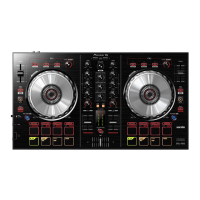
| Channels | 2 |
|---|---|
| Deck Control | 4 |
| Pad FX | Yes |
| DJ Software | Serato DJ Lite |
| USB Bus Powered | Yes |
| Weight | 2.1 kg |
| Type | DJ Controller |
| Inputs | 1 MIC (1/4 inch TS Jack) |
| USB | 1 USB B port |
| Crossfader | Yes |
| Sampling Rate | 44.1 kHz |
| Bit Depth | 24-bit |
| Frequency Response | 20 Hz - 20 kHz |
| MIDI | Yes |
| Outputs | 1 MASTER (RCA), 1 HEADPHONE MONITOR (Mini-jack) |
| Faders | 2 |
| EQs | 3-band |
| Dimensions | 482.6 x 272.4 x 58.5 mm |
| Pads | 8 per deck |





 To Next Page