EasyManua.ls Logo

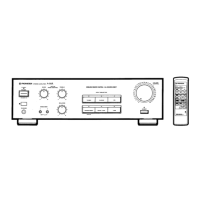
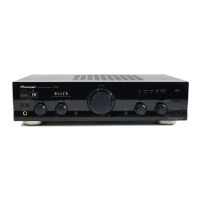
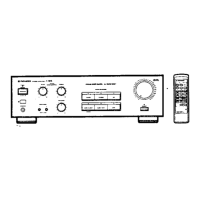
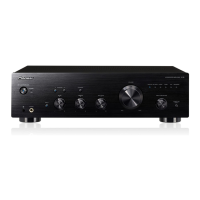
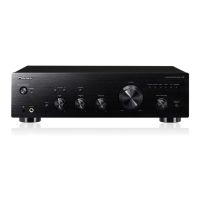
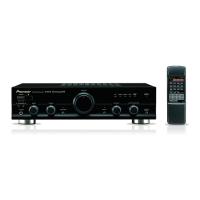
Pioneer A-351R - User Manual

Pioneer A-351R
12 pages
Print Icon
To Next Page IconTo Next Page
Loading...
STEREO
AMPLIFIER
Po
aaih.
aa
1481845
voLuMe
je
cONTAOL
18
Operating
Instructions
@
PIONEER
srearo
ameuriea
A-351R
WIRELESS
REMOTE
CONTROL
/
ALL
SOURCE
DIRECT
active
*
S488
ona
conrAn.
TREBLE
INPUT
SELECTOR
powaR
.
:
.:
b
a
.
.
.
.
—|
.
:
.
;
. * . f
= =
=
7
:
*
: q
as
+
~
*
TUNER
-
LJ
SPEAKERS
partes
©
oo
©:
age
TAPE
Q/AOPT
Tape
1/DaT
Thank
you
for
buying
this
PIONEER
product.
Please
read
through
these
operating
instructions
so
you
will
know
how
to
operate
your
model
properly.
After
you
have
finished
reading
the
instructions,
put
them
away
in
a
safe
place
for
future
reference.
In
some
countries
or
regions,
the
shape
of
the
power
plug
and
power
outlet
may
sometimes
differ
from
that
shown
in
the
explanatory
drawings.
However,
the
method
of
connecting
and
operating
the
unit
is
the
same.
WARNING:
to
prevent
FIRE
OR
SHOCK
HAZARD,
DO
NOT
EXPOSE
THIS
APPLIANCE
TO
RAIN
OR
MOISTURE.
“This
product
complies
with
the
Radio
Interference
require-
ments
of
the
EC
(European
Community)
Directive
87/308/EEC.”
IMPORTANT
1
The
lightning
flash
with
arrowhead,
within
an
equilateral
triangle,
is
intended
to
alert
the
user
to
the
presence
of
uninsulated
‘dangerous
voltage’
within
the
product's
enclosure
that
may
be
of
sufficient
magnitude
to
constitute
a
risk
of
electric
shock
to
persons.
IMPORTANT
2
If
the
apparatus
is
fitted
with
AC
mains
power
outlet(s),
see
REAR
PANEL
FACILITIES
for
convenient
connection
of
additional
Hi-Fi
component(s).
Make
all
connections
to
the
AC
outlet(s)
and
the
signal
terminals
first.
Connect
the
plug
to
the
wall
socket
last
(make
sure
that
the
power
switch
is
off.)
CAUTION
RISK
OF
ELECTRIC
SHOCK
DO
NOT
OPEN
CAUTION:
TO
PREVENT
THE
RISK
OF
ELECTRIC
SHOCK,
DO
NOT
REMOVE
COVER
(OR
BACK).
NO
USER-
SERVICEABLE
PARTS
INSIDE.
REFER
SERVICING
TO
QUALIFIED
SERVICE
PERSONNEL.
FOR
USE
IN
THE
UNITED
KINGDOM
The
wires
in
this
mains
lead
are
coloured
in
accordance
with
the
following
code:
Blue:
Neutral
Brown:
Live
As
the
colours
of
the
wires
in
the
mains
lead
of
this
apparatus
may
not
correspond
with
the
coloured
marking
identifying
the
terminals
in
your
plug
proceed
as
follows:
V)
PIONEER’
The
Art
of
Entertainment
The
exclamation
point
within
an
equilateral
triangle
is
intended
to
alert
the
user
to
the
presence
of
important
operating
and
maintenance
(servicing)
instructions
in
the
literature
accompanying
the
appliance.
The
wire
which
is
coloured
blue
must
be
connected
to
the
terminal
which
is
marked
with
the
letter
N
or
coloured
black.
The
wire
which
is
coloured
brown
must
be
connected
to
the
terminal
which
is
marked
with
the
letter
L
or
coloured
red.
Do
not
connect
either
wire
to
the
earth
terminal
of
a
three
pin
plug.
Equipment
sold
in
the
U.K.
is
not
supplied
with
a
power
plug.
Question and Answer IconNeed help?

Do you have a question about the Pioneer A-351R and is the answer not in the manual?

Summary

Product Features

Integrated Remote Control

Convenience combined with no-compromise performance for Pioneer audio equipment with SR mark.

Power Output and Impedance

45W + 45W at 4 ohms, DIN, with low-impedance driving capability for better digital sound.

Direct Circuit Functionality

The "DIRECT" button bypasses tone and balance controls for highest purity results.

Active Tone Control System

Automatically boosts lows and highs when volume is lowered to compensate for bass and treble.

Input and Speaker Connections

Features 6 input options and connections for two pairs of speaker systems.

Installation and Maintenance

Installation Location Guidelines

Install in a well-ventilated, dry location away from high temperatures or direct sun.

Power Cord Safety Precautions

Handle plug carefully, avoid wet hands, do not pinch or knot the cord.

External Surface Care

Wipe with a soft cloth, avoid chemicals, thinners, or sprays.

Front Panel Controls Overview

Power Standby;On Switch

Controls the amplifier's power state; indicator shows standby mode.

Active Tone and Balance Controls

Adjust tone/balance based on volume; balance affects left/right sound.

Input Selector Buttons

Selects playback source: PHONO, TUNER, CD, LINE, TAPE 1/DAT, TAPE 2/ADPT.

Additional Front Panel Controls

Volume Control

Use to adjust the playback volume level.

Remote Sensor and Headphone Jack

Receives remote signals; headphone jack for private listening.

Speaker A;B Selector Buttons

Selects speaker systems A or B for playback.

Direct Mode Button

Bypasses tone controls for pure sound reproduction.

Rear Panel Connectors

Input Terminals

PHONO, TUNER, CD, LINE, TAPE 1/DAT, TAPE 2/ADPT terminals.

Speaker and Control Outputs

SPEAKERS A/B terminals, CONTROL OUT jack.

Ground and Power Connections

Turntable ground terminal (GND) and Power cord connection.

Connection Diagrams

Audio Source Connections

Connects turntables, tuners, CD players, VCRs, and tape decks.

Speaker System Wiring

Connects speaker systems B (R/L) and A (L/R).

Power Connection

Connects the unit to an AC wall socket or audio timer.

Connection Procedures

Speaker Cord Installation

Steps for stripping wire and securing speaker cords into terminals.

Input;Output Cord Setup

How to connect white (L) and red (R) plugs securely.

Remote Control Cord Linking

Connecting Pioneer components for system operation using control cords.

Amplifier Operations

Pre-Operation Checks

Set power, speaker selection, and DIRECT button before use.

Playback Guide

Select input, adjust volume, tone, and balance controls.

Recording and Copying Tapes

Procedures for recording tapes and copying between decks.

Timer Recording Setup

Using an audio timer for unattended recording operations.

Remote Control Usage

Battery Installation

How to insert AAA batteries correctly into the remote compartment.

Operating Range and Angle

Details the effective distance and angle for remote control operation.

Battery Handling Precautions

Guidelines for correct polarity, mixing batteries, and battery types.

Remote Control Button Functions

Deck and Tape Controls

Buttons for operating cassette decks, tape operations, and selectors.

Source and Power Controls

Buttons for CD power, tuner power, and selecting input sources.

Volume and Tuning Controls

Buttons for adjusting volume and tuning stations.

Troubleshooting Common Issues

Power and Sound Problems

Solutions for no power, no sound, or one-speaker sound issues.

Recording and Remote Issues

Troubleshooting tape copying, recording, and remote control malfunctions.

Technical Specifications

Amplifier Performance Metrics

Continuous power, THD, frequency response, input sensitivity, S/N ratio.

Power, Dimensions, and Accessories

Power requirements, consumption, unit dimensions, and included accessories.

Overview

This document describes the Pioneer A-351R Stereo Amplifier, a remote-control integrated amplifier designed to provide high-fidelity audio performance with user convenience.

Function Description

The Pioneer A-351R serves as the central hub for an audio system, allowing users to connect and manage various audio sources and output them to speaker systems. Its primary function is to amplify audio signals from input sources to drive speakers effectively.

Key functional components include:

  • Input Selection: The amplifier offers six distinct inputs: PHONO (for turntables), TUNER (for AM/FM broadcast reception), CD (for compact disc players), LINE (for general audio components), TAPE 1/DAT (for cassette decks or digital audio cassette decks), and TAPE 2/ADPT (for a second cassette deck or an adaptor like a graphic equalizer). This comprehensive selection allows for a versatile audio setup.
  • Amplification: It provides substantial power output, capable of driving speakers with varying impedances, including those with low impedance, which is beneficial for achieving better digital sound quality.
  • Tone Control: The amplifier features active tone control with separate BASS and TREBLE adjustments. These controls allow users to fine-tune the low and high frequencies of the audio output. A notable feature is that lows and highs are automatically boosted when the volume is lowered, compensating for the human ear's reduced sensitivity to bass and treble at lower listening levels.
  • Balance Control: A BALANCE control is included to adjust the sound distribution between the left and right speakers, ensuring a balanced stereo image.
  • "DIRECT" Button: This feature allows users to bypass the tone and balance control circuits. When activated, the audio signal is routed directly through the amplifier's core, resulting in the highest purity and a flat, uncolored sound, which is ideal for critical listening.
  • Speaker Output: The amplifier supports connections for two pairs of speaker systems (SPEAKERS A and SPEAKERS B), allowing users to connect and switch between different speaker setups or drive multiple pairs simultaneously.
  • Headphone Output: A PHONES jack is provided for private listening with headphones, automatically muting the speakers when in use.
  • Remote Control Capability: The A-351R is a remote-control integrated amplifier, meaning it can be operated wirelessly using the supplied remote control unit. This remote also integrates with other Pioneer audio equipment bearing the "SR" mark, allowing for unified control of an entire Pioneer system.
  • Control Out Jack: This jack outputs control signals to other Pioneer components with the "SR" mark, enabling synchronized operation within a Pioneer system.
  • Power Management: The unit includes a POWER STANDBY/ON switch/indicator. In STANDBY mode, the main power flow is cut, but a minute flow of power maintains operational readiness, which is useful for timer operations.

Usage Features

The Pioneer A-351R is designed for straightforward operation, offering features that enhance the listening experience and system integration:

  • Installation: The amplifier should be installed in a well-ventilated area, away from direct sunlight, heat sources, dampness, or dust to prevent malfunction and ensure longevity. Proper ventilation is crucial to avoid excessive heat buildup.
  • Connecting Components: All audio components (turntable, tuner, CD player, cassette decks, VCR, etc.) are connected to the rear panel's dedicated input terminals using RCA cables. Speaker systems are connected to the SPEAKERS A and B terminals, ensuring correct polarity and secure connections. The power cord is the last connection to be made, always with the power switch off.
  • Speaker Cord Connections: Speaker wires should be stripped, twisted, and securely inserted into the amplifier's speaker terminals. Care must be taken to prevent stray wire strands from touching other terminals, which could cause short circuits or damage. The amplifier supports speakers with rated impedances of 4-16 Ω for single pairs and 8-16 Ω when both A and B terminals are used.
  • Remote Control Operation: The remote control unit requires two "AAA" dry cell batteries, inserted with correct polarity. The remote operates within approximately 7 meters and a 30-degree angle from the amplifier's remote sensor window. Obstacles between the remote and the sensor will prevent operation. The remote allows control over input selection, volume, power, and basic operations for connected Pioneer components (like CD players, tuners, and cassette decks).
  • Basic Playback Procedure:
    1. Turn the POWER STANDBY/ON switch to ON.
    2. Select the desired speaker system (A or B) using the SPEAKERS selector buttons.
    3. Ensure the DIRECT button is off if tone control is desired.
    4. Select the desired input source using the INPUT SELECTOR buttons (e.g., PHONO, CD, TUNER).
    5. Start playback on the selected source component.
    6. Adjust the volume using the VOLUME CONTROL.
    7. Fine-tune the sound with BASS, TREBLE, and BALANCE controls if DIRECT is off.
  • Graphic Equalizer Integration: A graphic equalizer can be connected to the TAPE 2/ADPT terminals. When TAPE 2/ADPT is selected, the equalizer can be used to finely adjust the sound of all sources. However, the equalizer is bypassed if the DIRECT button is on. The adaptor component's power switch must remain on for sound to be produced.
  • Recording Tapes: To record, select the source to be recorded using the INPUT SELECTOR buttons, then operate the recording equipment (e.g., cassette deck) according to its instructions.
  • Copying Tapes: The amplifier facilitates tape copying between two cassette decks (or a double cassette deck). Users select the source deck (TAPE 1/DAT or TAPE 2/ADPT) via the INPUT SELECTOR, then operate both decks in their respective playback and recording modes.
  • Timer Recording: For timer recording, the amplifier's power cord should be connected to an audio timer, and the POWER STANDBY/ON switch must be set to ON (indicator off). Timer operation is not possible if the unit is in standby mode.

Maintenance Features

Maintaining the Pioneer A-351R is straightforward, focusing on keeping its external surfaces clean and ensuring proper handling of the power cord:

  • External Surface Cleaning:
    • For light dust and dirt, use a polishing cloth or a dry cloth.
    • For very dirty surfaces, use a soft cloth dipped in a neutral cleanser diluted five to six times with water, wrung out well, and then wipe again with a dry cloth.
    • Avoid using furniture wax or cleaners, thinners, benzine, insecticide sprays, or other chemicals on or near the unit, as these can corrode the surfaces.
  • Power Cord Handling:
    • Always handle the power cord by the plug, not by pulling the cord itself.
    • Never touch the power cord with wet hands to prevent electric shock.
    • Do not place the unit, furniture, or any other objects on the power cord, and avoid pinching it.
    • Never tie knots in the cord or tie it with other cords.
    • Route power cords carefully to prevent them from being stepped on.
    • Regularly inspect the power cord for damage. A damaged cord can cause fire or electric shock and should be replaced by a PIONEER authorized service center or dealer.
  • Troubleshooting: The manual provides a comprehensive troubleshooting guide for common issues like no power, no sound, sound from only one speaker, recording problems, or remote control malfunction. This guide helps users identify and resolve issues by checking connections, settings, and battery status before seeking professional service. For instance, if the remote control unit doesn't work, checks include battery status, operating range, and interference from fluorescent lights. If malfunctions occur due to external influences like lightning or static electricity, cycling the POWER STANDBY/ON switch off and then on again can restore normal operation.

The Pioneer A-351R is a robust and user-friendly stereo amplifier, designed to deliver quality audio performance and integrate seamlessly into a home audio system with its remote control capabilities and versatile input options.

Pioneer A-351R Specifications

Power IconPower
power requirements240 Volts, 50/60 Hz
power consumption325 W
Audio Performance IconAudio Performance
continuous power output (20 Hz to 20 kHz)30 W + 30 W
DIN continuous power output (1 kHz)45 W + 45 W
dynamic power output60 W
Input/Output Specifications IconInput/Output Specifications
phono input sensitivity/impedance2.5 mV/50 kQ
cd, tuner, line, tape 1/dat, tape 2/adpt input sensitivity/impedance150 mV/50 kQ
tape 1/dat, tape 2/adpt output level/impedance150 mV/1 kQ
Weight and Dimensions IconWeight and Dimensions
dimensions420 (W) x 336 (D) x 125 (H) mm
weight5.6 kg

Related product manuals