EasyManua.ls Logo

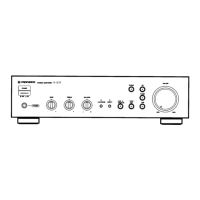
Pioneer A-109 - Service Manual

Pioneer A-109
6 pages
Print Icon
To Next Page IconTo Next Page
Loading...
ORDER NO.
PIONEER CORPORATION 4-1, Meguro 1-chome, Meguro-ku, Tokyo 153-8654, Japan
PIONEER ELECTRONICS SERVICE, INC. P.O. Box 1760, Long Beach, CA 90801-1760, U.S.A.
PIONEER EUROPE N.V. Haven 1087, Keetberglaan 1, 9120 Melsele, Belgium
PIONEER ELECTRONICS ASIACENTRE PTE. LTD. 253 Alexandra Road, #04-01, Singapore 159936
PIONEER CORPORATION 2000
RRV2284
T – ZZK APR. 2000 Printed in Japan
THIS MANUAL IS APPLICABLE TO THE FOLLOWING MODEL(S) AND TYPE(S).
Model No. Order No. Remarks
A-209R/MYXJ RRV2283
This service manual should be used together with the following manual(s):
STEREO AMPLIFIER
A-109
Type
Model
Power Requirement
The voltage can be converted by
A-109 the following method.
MYXJ AC220-230V –––––
MVXJ AC220-230V –––––
MLXJ AC220-230V –––––
SBDXJ AC110V/120-127V/220V/240V With the voltage selector
CONTENTS
1. CONTRAST OF MISCELLANEOUS PARTS
........
2
2. SCHEMATIC DIAGRAM
.......................................
4

Other manuals for Pioneer A-109

Questions and Answers

  • J
    John RiveraJul 26, 2025
    How to fix a Pioneer Amplifier that won't turn on?
    • J
      Jennifer AndersonJul 26, 2025
      If your Pioneer Amplifier isn't powering on, ensure the power plug is fully inserted into the outlet. Also, check if the amplifier’s power plug is connected to another component’s power outlet (like a timer) and that the other component is powered on. Finally, make sure the AC INLET plug is securely inserted all the way into the jack.
  • D
    Dana DodsonAug 1, 2025
    How to fix tape copying issues on a Pioneer A-109?
    • J
      Jesus NelsonAug 1, 2025
      If you cannot perform tape copying with your Pioneer Amplifier, make sure the INPUT SELECTOR knob and TAPE2 MONITOR button are in the correct positions when using two cassette decks. Please refer to the section 'COPYING TAPES' for detailed instructions.
  • E
    Elizabeth AdamsAug 6, 2025
    Why is there no sound coming from my Pioneer A-109?
    • D
      Diana RaymondAug 6, 2025
      If your Pioneer Amplifier has no sound, make sure the connecting cords are securely connected to the terminals. Check if the terminals or connecting cords pin plugs are dirty and clean them if necessary. Ensure the TAPE2 MONITOR button is set to OFF, unless you're using an adapter component. Verify that the INPUT SELECTOR matches the component you're trying to play back (CD, TUNER, PHONO, LINE, TAPE1/CD-R/MD). Also, confirm that the SPEAKERS button is set to ON.
  • R
    rojasbarryAug 13, 2025
    What to do if one speaker isn't working on my Pioneer A-109?
    • L
      latoya51Aug 13, 2025
      If you're not getting sound from one speaker on your Pioneer Amplifier, first check that the connecting cords or speaker cords are securely connected on that side. If they are, make sure the BALANCE control is set to the center position.
  • R
    Raymond GeorgeAug 19, 2025
    Why can't I record tapes with my Pioneer A-109 Amplifier?
    • M
      Micheal WrightAug 19, 2025
      If you cannot record tapes using your Pioneer Amplifier, begin by ensuring that all connections are correctly made. Additionally, ensure the TAPE2 MONITOR button is set to OFF.

Summary

Contrast of Miscellaneous Parts

Contrast of PCB Assemblies

DF AF Assy

Details differences for the DF AF ASSY, AWX7111 and AWX7117 models.

EF Front L Assy

Details differences for the EF FRONT L ASSY, AWX7120 and AWX7123 models.

Schematic Diagram

2.1 AF Assy Schematic

Circuit diagram for the AF Assy, detailing component layout and connections.

Power Transformer and Protection Circuit

Power Supply and Protection Circuitry

Diagrams showing power transformer connections and protection circuit ICs.

Front L Assy Schematic

Front L Assy Circuit Details

Detailed schematic of the Front L Assy, including volume and tone controls.

Pioneer A-109 Specifications

General IconGeneral
Bass boost-8 - 8 dB
Output level200 mV
Amplifier class-
Frequency range5 - 100000 Hz
Output impedance1000 Ω
Audio output channels2.0 channels
Peak power per channel40 W
Signal-to-Noise Ratio (SNR)106 dB
Total Harmonic Distortion (THD)0.08 %
PurposeHome
Product colorBlack
Volume controlRotary
Connectivity technologyWired
AC input voltage220-240 V
AC input frequency50 - 60 Hz
Power consumption (typical)80 W
AC (power) inYes
Headphone outputs1
Weight and Dimensions IconWeight and Dimensions
Depth307 mm
Width420 mm
Height114 mm
Weight4300 g

Related product manuals