EasyManua.ls Logo

Pioneer AVH-2350DVD - User Manual

Pioneer AVH-2350DVD
80 pages
Print Icon
To Next Page IconTo Next Page
Loading...
Owners Manual
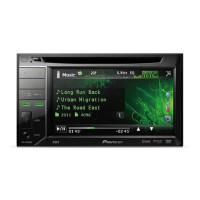
DVD RDS AV RECEIVER
AVH-2350DVD
English

Table of Contents

Other manuals for Pioneer AVH-2350DVD

Questions and Answers

Summary

Precautions

IMPORTANT SAFEGUARDS

Essential safety instructions for operating the display unit. Read and retain for future reference.

To ensure safe driving

Guidelines for safe operation of the vehicle while using the display unit, emphasizing driver attention and traffic regulations.

To avoid battery exhaustion

Recommendations to prevent battery drain, such as keeping the engine running or managing power supply.

Display and Rear Camera Usage

Instructions for using external displays via V OUT and safety warnings for rear view camera installation.

Before you start

Unit and Manual Overview

Introduction to the unit's features and guidance on using the operation manual for optimal benefit.

Operating Environment and Troubleshooting

Details on the recommended operating temperature range and guidance for handling unit malfunctions.

Resetting and Region Codes

Instructions on resetting the microprocessor and information about DVD video disc region numbers.

Touch Panel Calibration

Procedure for adjusting touch panel response positions to ensure accurate input.

Remote Control Usage

Guidance on installing the battery and general care for the remote control.

Demo Mode

Explanation of the feature demo mode and how to activate or cancel it.

Remote Control Operation

Instructions on how to properly use the remote control, including operational tips and warnings.

Whats what

Head Unit Overview

Identification and description of the various parts and controls on the head unit.

Remote Control Overview

Identification and description of the various parts and functions of the remote control.

Basic operations

Source Selection

Methods for selecting audio/video sources using buttons or touch panel keys.

Touch Panel Key Functions

Overview of the touch panel keys and their general functions.

Volume Adjustment

Instructions on how to adjust the volume using the unit's buttons.

Scroll and Scrubber Bar Operation

Guidance on using the scroll bar and scrubber bar for navigation and playback control.

Activating Touch Panel Keys

Instructions on how to perform operations by touching the screen panel keys.

Common Menu Operations

Common controls for navigating menus, lists, and slideshows.

Disc Ejection and Clock Setting

Procedures for ejecting a disc and setting the unit's clock.

Tuner

Tuner Operation Introduction

Overview of tuner operations, including manual tuning and seek tuning.

Tuner Touch Panel Keys

Description of touch panel keys used for tuner operations like local seek and band selection.

Playing moving images

Video Playback Introduction

Introduction to playing video content from various sources like DVD, USB, and iPod.

Video Playback Touch Panel Keys

Explanation of touch panel keys for video playback controls like repeat, bookmark, and screen mode.

Video Playback Controls

Instructions for playing back videos, including disc insertion, playback, and fast forwarding/reversing.

Playing audio

Audio Playback Introduction

Overview of playing audio files from CD, DVD, USB, and iPod sources.

Audio Playback Touch Panel Keys

Description of touch panel keys for audio playback, including equalizer and repeat settings.

Audio Playback Controls

Instructions for playing audio, including controls for iPod playback and track selection.

Playing still images

Still Image Playback Introduction

Guide to viewing still images from CD-R/RW and USB, including file name lists.

Still Image Touch Panel Keys

Explanation of touch panel keys for still image playback, like repeat, random, and screen mode.

Still Image Playback Controls

Basic controls for viewing still images, including disc insertion and file selection.

Slideshow Playback Introduction

Instructions for viewing still images as a slideshow when listening to another source.

Selecting Files for Slideshow

How to select the device and files for viewing a slideshow.

Detailed instructions

Station Storage and Tuning

Procedures for storing, recalling, and tuning radio stations.

Media File Type Switching

How to switch between different media file types when playing discs.

DVD Menu Operation

Instructions on how to operate the DVD menu using arrow keys.

iPod Functionality

How to operate the unit's iPod functions, including App Mode.

Playback Modes (Shuffle, Repeat)

Details on shuffle playback and repeat playback options for various media.

iPod Video Playback

Instructions for playing videos from an iPod connected to the unit.

iPod Browsing and Searching

Guidance on browsing and searching for video/music content on an iPod by category or alphabet.

Resume Playback (Bookmark)

How to bookmark playback points on DVD video discs for resuming playback later.

Playback Techniques

Instructions for frame-by-frame playback, slow motion, and searching for specific parts.

Audio and Subtitle Language Switching

How to change audio and subtitle languages during playback of DVDs/DivX files.

Viewing Angle Switching

How to switch between different viewing angles during DVD playback.

Audio Output Selection

Options for selecting audio output formats for DVD video and video CDs.

Track List Playback

Selecting tracks to play using the track title list recorded on a disc.

Audiobook Speed and Link Search

Adjusting audiobook speed and using Link Search to find related songs on iPod.

Advanced Sound Retriever

Explanation of the Advanced Sound Retriever function for enhancing compressed audio.

DivX VOD Content Playback

Instructions for playing DivX VOD content, including registration and playback limits.

Image Capture

How to capture an image from a slideshow and save it as wallpaper.

Wide Screen Mode Adjustment

Guide to selecting desired modes for enlarging 4:3 pictures to 16:9.

Wide Screen Modes Explained

Descriptions of 'Just', 'Cinema', 'Zoom', and 'Normal' wide screen modes.

Menu operations

Menu Introduction

Overview of how to display and select menus for various settings.

Audio Adjustments

Detailed guide to adjusting audio settings like fader/balance and equalizer.

Equalizer Settings

Instructions on using the equalizer, including recalling curves and adjusting bands.

Bass and Subwoofer Control

Guidance on boosting bass levels and controlling subwoofer output and phase.

High Pass Filter

How to use the High Pass Filter to control frequencies outputted from speakers.

Source Level Adjustment

Adjusting volume levels for different sources to ensure consistent listening experience.

DVD Player Setup

Settings for DVD player, including subtitle language and audio language.

Menu Language Settings

How to select the preferred language for on-screen menus.

Multi-Angle Display and Aspect Ratio

Settings for multi-angle DVD display and adjusting the TV aspect ratio.

Slideshow Interval and Parental Lock

Configuring slideshow intervals and setting parental lock levels.

DivX Subtitle and VOD Registration

Settings for DivX subtitles and managing DivX VOD registration and deregistration.

System Settings

General system settings for auxiliary input, AV input, and speaker output.

Tuning Step Settings

Adjusting FM and AM tuning steps for manual tuning.

Sound Muting;Attenuation

How the unit handles sound muting or attenuation when receiving external signals.

Rear View Camera Setup

Configuration and polarity settings for the rear view camera.

Video Format and Signal Settings

Adjusting video output format (NTSC/PAL) and video signal settings.

Entertainment Settings

Customizing illumination colors, OSD color, and background display.

Customizing Menus

Instructions on how to customize the menu columns for quick access.

Other Functions

Picture Adjustment

Adjusting picture settings like brightness, contrast, color, and dimmer for different sources.

Using an AUX Source

Connecting and using external audio/video devices via the AUX input.

Installation

Connecting the Units

General guidelines and warnings for connecting the unit's wiring harness and components.

Power Amplifier Connection

Diagram and instructions for connecting the unit to a separately sold power amplifier.

Power Cord Connections

Detailed guide on connecting the power cord, including specific wire functions and locations.

Remote Input and Wiring Methods

Information on wired remote inputs and methods for connecting parking brake and mute leads.

External Video Component Connection

Instructions for connecting external video components and displays.

Rear Video Output Usage

Guidance on using the rear video output for passenger entertainment.

Rear View Camera Connection

Steps for connecting a rear view camera, including polarity settings.

Unit Mounting Procedures

Methods for fastening the unit to the factory radio mounting bracket using screws.

Dashboard Installation Methods

Procedures for installing the unit into the dashboard, including holder and side bracket use.

Additional Information

Troubleshooting Guide

Common issues, their causes, and recommended actions for resolving problems.

Error Messages and Codes

List of error messages, their meanings, and troubleshooting steps.

Understanding Messages

Explanation of specific messages displayed by the unit, such as camera image reversal warnings.

Indicator List

Explanation of various indicators and icons displayed on the unit's screen.

Handling Guidelines

Recommendations for handling discs and external storage devices (USB) to ensure proper operation.

File Format Compatibility

Information on compatible file formats for iPod, discs, JPEG, DivX, and compressed audio.

iPod Compatibility and File Sequencing

Supported iPod models, compatibility notes, and how audio file sequences are handled.

Display Usage and Care

Guidelines for using the display correctly, handling potential damage, and maintaining the screen.

Copyright and Trademark Information

Details on copyright protection technology and trademarks of supported brands and formats.

DVD Language Code Chart

A chart listing language codes for DVD menus and audio tracks.

Specifications

Technical specifications for the unit's general, audio, DVD, USB, and tuner components.

Tuner Specifications

Detailed specifications for FM and AM tuners, including frequency ranges and sensitivity.

Pioneer AVH-2350DVD Specifications

General IconGeneral
BrandPioneer
ModelAVH-2350DVD
CategoryCar Receiver
LanguageEnglish

Related product manuals