EasyManua.ls Logo

Pioneer AVH-P3400BH - User Manual

Pioneer AVH-P3400BH
112 pages
Print Icon
To Next Page IconTo Next Page
Loading...
Owners Manual
DVD RDS AV RECEIVER
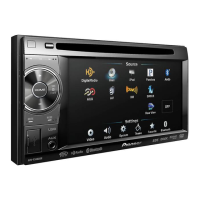
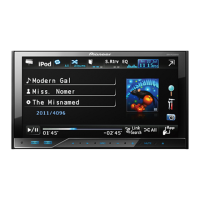
AVH-P4400BH
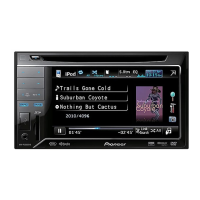
AVH-P3400BH
AVH-P2400BT
AVH-P1400DVD
English

Table of Contents

Questions and Answers

  • W
    whendersonAug 12, 2025
    What to do if the fuse is blown in my Pioneer AVH-P3400BH Car Receiver?
    • M
      Michelle CannonAug 13, 2025
      If the fuse in your Pioneer Car Receiver is blown, rectify the cause of the blown fuse and then replace it. Make sure to use a fuse with the same rating as the original.
  • N
    natalie75Aug 16, 2025
    Why is operation prohibited for the disc on Pioneer Car Receiver?
    • B
      Brianna CastilloAug 16, 2025
      If the operation is prohibited for the disc on your Pioneer Car Receiver because the operation is not compatible with the configuration of the disc, try operating with another disc.
  • J
    james52Aug 20, 2025
    How to fix low battery power on Pioneer AVH-P3400BH Car Receiver?
    • D
      Diane ClarkAug 20, 2025
      If the battery power is low in your Pioneer Car Receiver, load a new battery.
  • V
    vickie98Aug 23, 2025
    What to do if the rear view camera is not connected to Pioneer AVH-P3400BH?
    • C
      Cory PattersonAug 25, 2025
      If the rear view camera is not connected to your Pioneer Car Receiver, connect a rear view camera.
  • S
    Samantha RodriguezAug 27, 2025
    How to fix file size and transmission rate issues on Pioneer AVH-P3400BH?
    • M
      Melissa WilliamsAug 27, 2025
      If the file size and transmission rate are above recommended rates for your Pioneer Car Receiver, create a DivX file that is within the recommended size and transmission rate.
  • A
    Amy SchroederAug 31, 2025
    How to correct camera polarity setting on Pioneer Car Receiver?
    • M
      Mr. Christopher Allen MDSep 1, 2025
      If the Camera Polarity is at an incorrect setting on your Pioneer Car Receiver, press and hold HOME to return to the source display and then select the correct setting for Camera Polarity.
  • B
    Brandon ShermanSep 4, 2025
    What to do if Pioneer AVH-P3400BH says disc is not compatible?
    • C
      Christopher WeberSep 4, 2025
      If the disc loaded is not compatible with the video system of your Pioneer Car Receiver, change the disc to one that is compatible with your video system.
  • M
    Mark SnyderSep 8, 2025
    Why is there no sound during slow motion on Pioneer Car Receiver?
    • C
      Crystal GordonSep 8, 2025
      If there is no sound during still, slow motion, or frame-by-frame playback on your Pioneer Car Receiver, connect the parking brake cable, and apply the parking brake.

Summary

Precautions

IMPORTANT SAFEGUARDS

Essential safety instructions for operating the display unit and ensuring safe driving.

To ensure safe driving

Guidelines and warnings to prevent accidents and distractions while driving.

Before you start

The Safety of Your Ears is in Your Hands

Guidance on setting safe listening levels to protect hearing.

Tuner

Playing moving images

Introduction of video playback operations

How to play video content from DVDs, CDs, USB, and iPods.

Playing audio

Introduction of sound playback operations

How to play audio files from CDs, USB, and iPods.

Using Pandoraâ

Bluetooth telephone

Introduction of Bluetooth telephone operations

How to make calls, manage contacts, and use phone features via Bluetooth.

Using Bluetooth wireless technology

Introduction of Bluetooth telephone operations

Using Bluetooth for phone calls and data transfer.

Bluetooth audio operations

How to stream audio from a Bluetooth-enabled device.

Menu operations

Audio adjustments

How to adjust audio settings like fader, balance, and equalizer.

Setting the rear view camera (back up camera)

How to configure camera polarity and settings.

Installation

Connecting the units

Important safety warnings and general installation precautions.

Connecting the power cord

Wiring diagram and instructions for connecting power, speakers, and other components.

When connecting with a rear view camera

How to connect and set up a rear view camera.

Appendix

Troubleshooting

Common issues, causes, and solutions for unit operation.

Error messages

List of error messages and their meanings/actions.

Specifications

Technical specifications for the unit, including power, dimensions, and display.

Pioneer AVH-P3400BH Specifications

General IconGeneral
BluetoothYes
USB PortYes
AUX InputYes
DVD PlayerYes
CD PlaybackYes
AM/FM TunerYes
Audio Formats SupportedMP3, WMA, AAC
Preamp Outputs3 (Front, Rear, Subwoofer)
Preamp Voltage4 volts
Built-in AmplifierYes
Peak Power Output50 Watts x 4 Channels
RDS TunerYes
HD RadioNo
SiriusXM ReadyYes
iPod/iPhone ControlYes
AppRadio ModeNo
NavigationNo
Display TypeLCD
Resolution800 x 480
Video Formats SupportedMPEG-1, MPEG-2
RMS Power Output14 watts
Steering Wheel ControlYes (with adapter)

Related product manuals