EasyManua.ls Logo

Pioneer AVH-P8450BT - User Manual

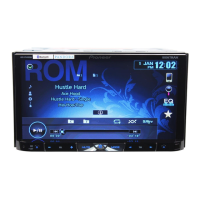
Pioneer AVH-P8450BT
124 pages
Print Icon
To Next Page IconTo Next Page
Loading...
Owners Manual
DVD RDS AV RECEIVER
AVH-P8450BT
English

Table of Contents

Questions and Answers

  • L
    Lori QuinnAug 19, 2025
    How to fix a Pioneer Car Receiver when the power will not turn on?
    • J
      Javier SnyderAug 19, 2025
      If your Pioneer Car Receiver isn't turning on, double-check all the wire connections to make sure they are correctly and securely connected.
  • S
    Sarah ButlerAug 21, 2025
    Why my Pioneer Car Receiver will not operate?
    • J
      Jeremiah NewmanAug 21, 2025
      If your Pioneer Car Receiver isn't operating, the fuse may be blown. Find out what caused it, fix that, and then put in a new fuse that's the same type as the old one.
  • G
    Gina GonzalezAug 23, 2025
    What to do if the sound and video skip on my Pioneer AVH-P8450BT?
    • F
      forbesjuanAug 25, 2025
      If the sound and video skip on your Pioneer Car Receiver, make sure the unit is firmly secured.
  • G
    George HuntAug 26, 2025
    What to do if playback is not possible on Pioneer AVH-P8450BT Car Receiver?
    • U
      ugilmoreAug 27, 2025
      If you're having trouble playing a disc on your Pioneer Car Receiver, try cleaning the disc.
  • Z
    zmontgomeryAug 28, 2025
    Why is the image stretched on my Pioneer AVH-P8450BT Car Receiver?
    • J
      Jennifer RichardAug 28, 2025
      If your Pioneer Car Receiver displays an incorrect or stretched image, the aspect ratio setting might be wrong for your display. Try selecting the correct setting.
  • M
    Maurice PatrickAug 30, 2025
    What to do if my Pioneer Car Receiver's microprocessor is operating incorrectly?
    • L
      Lauren MarksAug 30, 2025
      If your Pioneer Car Receiver is experiencing issues due to noise or other factors causing the built-in microprocessor to operate incorrectly, press the RESET button.
  • M
    Morgan CarpenterSep 1, 2025
    Why are some operations prohibited on my Pioneer AVH-P8450BT?
    • D
      Dr. Brian Freeman DVMSep 1, 2025
      If your Pioneer Car Receiver says some operations are not allowed with the current disc, try using a different disc.
  • B
    Beth MitchellSep 3, 2025
    What to do if the disc loaded is not compatible with the video system of my Pioneer Car Receiver?
    • D
      Dennis Huerta DVMSep 3, 2025
      If the disc loaded is not compatible with this video system on your Pioneer Car Receiver, change the disc to one that is compatible with your video system.
  • C
    Christopher CraigSep 5, 2025
    What to do if the parking brake is not applied on my Pioneer AVH-P8450BT?
    • N
      Natalie GarzaSep 5, 2025
      Connect the parking brake cable, and apply the parking brake.
  • S
    Sarah MeyersSep 7, 2025
    What to do if the parking brake cable is not connected to my Pioneer AVH-P8450BT Car Receiver?
    • K
      Keith YoungSep 7, 2025
      To resolve the issue with your Pioneer Car Receiver, connect the parking brake cable and apply the parking brake.

Summary

Precautions

Important Safeguards

Read and retain all instructions for safe operation and future reference.

Safe Driving Practices

Guidelines to ensure safe driving and avoid distractions while operating the vehicle.

Playing Moving Images

Video Playback Introduction

Overview of playing DVD, Video CD, iPod, and other media files.

Playing Audio

Sound Playback Operations

Introduction to playing audio from various sources like CD, USB, SD, and iPod.

Advanced App Mode

Advanced App Mode Operation

Using iPhone applications via the unit with finger gestures.

Bluetooth Telephone

Bluetooth Telephone Operations

Using Bluetooth for phone calls, including standby and number entry modes.

Hands-Free Phoning Setup

Establishing Bluetooth connection and adjusting volume for hands-free calls.

Detailed Instructions

iPod Function Control and Playback Modes

Controlling iPod functions and using random/repeat playback modes.

iPod Video Playback and Browsing

Playing videos from iPod and browsing content by category.

Phone Book Operations

Searching and calling numbers from the phone book.

Manual Dialing and Private Mode

Making calls by entering numbers and using private mode during conversations.

Menu Operations

Audio Adjustments Overview

Introduction to audio settings like fader/balance, equalizer, and loudness.

Equalizer and Audio Curve Settings

Using the graphic equalizer and recalling preset equalizer curves.

Digital Signal Processor (DSP) Adjustments

Overview of DSP functions for sound tuning.

Speaker Setting Details

Adjusting speaker sizes, phases, and subwoofer settings.

Speaker Calibration with Test Tone

Using test tones to adjust speaker output levels for system balance.

Equalizer Curve Management

Recalling and adjusting various equalizer curves for sound tuning.

Auto-Equalizer and TA;EQ Setup

Using auto-equalizer and performing auto TA/EQ for acoustic calibration.

Bluetooth Audio and System Version

Activating Bluetooth audio, managing memory, and checking system version.

Rear View Camera Setup

Configuring the rear view camera input and polarity settings.

Auto EQ Functionality

Steps and precautions for performing auto EQ measurement.

Bluetooth Connection Management

Overview of Bluetooth connection menu operations and pairing devices.

Installation

Connecting the Units

Warnings and procedures for connecting system components safely.

Additional Information

Troubleshooting Common Issues

Solutions for common problems like no power, remote control issues, and sound/image skips.

Troubleshooting Specific Issues

Troubleshooting for Bluetooth, multi-channel processors, and error messages.

Pioneer AVH-P8450BT Specifications

General IconGeneral
ModelAVH-P8450BT
DIN SizeDouble DIN
Screen Size7-inch
TouchscreenYes
BluetoothYes
USB InputYes
AUX InputYes
DVD PlayerYes
CD PlayerYes
SD Card SlotYes
Audio FormatsMP3, WMA, AAC, WAV
Power Output50W x 4
Subwoofer ControlYes
Radio TunerAM/FM
NavigationNo
Remote ControlYes
HDMI InputNo
AppRadio ModeYes
Display TypeWVGA
Video FormatsMPEG-4, WMV
Preamp Outputs3 pairs (front, rear, sub)
EQ13-band

Related product manuals