EasyManua.ls Logo

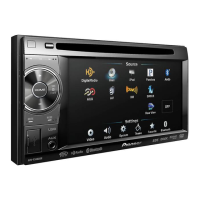
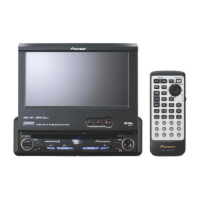
Pioneer AVH-P4350DVD - User Manual

Pioneer AVH-P4350DVD
112 pages
Print Icon
To Next Page IconTo Next Page
Loading...
Owners Manual
DVD RDS AV RECEIVER
AVH-P4350DVD
AVH-P3350BT
English

Table of Contents

Questions and Answers

Summary

Precautions

Important Safeguards

Essential safety instructions for product operation.

Ensure Safe Driving

Guidelines and warnings to prevent accidents while driving.

Avoid Battery Exhaustion

Precautions to prevent battery drain when using the unit.

Before You Start

About This Unit

General information and cautions regarding the unit.

Resetting the Microprocessor

Procedure for resetting the unit to factory settings.

Touch Panel Calibration

Calibrating touch panel response for accuracy.

Remote Control Use and Care

Instructions for installing and caring for the remote control.

Whats What

Head Unit Overview

Identification of parts on the head unit (front panel).

Remote Control Identification

Identification of buttons and functions on the remote control.

Basic Operations

Basic Unit Operations

How to turn the unit on/off and select sources.

Scroll and Scrubber Bar

How to use scroll and scrubber bars for playback control.

Menu Settings and Lists

General operations for menus and lists.

Tuner

Tuner Operations Introduction

Overview of tuner functions and controls.

Playing Moving Images

Video Playback Introduction

Overview of video playback for various media.

Playing Back Videos

Step-by-step guide for playing video content.

Playing Audio

Sound Playback Introduction

Overview of audio playback for various media.

Playing Back Sound

Step-by-step guide for playing audio content.

Playing Still Images

Still Image Playback Introduction

Overview of viewing still images.

Slideshow Playback

How to view still images as a slideshow.

Bluetooth Telephone

Bluetooth Telephone Operations

Overview of Bluetooth phone functions.

Hands-Free Phoning Setup

Steps to set up the unit for hands-free phone calls.

TV Tuner

TV Tuner Operations Introduction

Overview of TV tuner functions.

Using Bluetooth Wireless Technology

Bluetooth Telephone Operations

Overview of Bluetooth phone operations via adapter.

Bluetooth Audio Operations

How to control Bluetooth audio playback.

Detailed Instructions

Storing and Recalling Stations

How to store and recall radio/TV stations.

Operating the DVD Menu

Navigating DVD menus for content selection.

iPod Function from Your iPod

Controlling iPod functions directly from the iPod.

Repeating Playback

Setting repeat modes for playback.

Changing Audio Language

Switching audio languages during playback.

Calling a Number in the Phone Book

Making calls using the phone book.

Missed, Received, and Dialed Call Lists

Accessing and using call history lists.

Pairing from This Unit

Pairing Bluetooth devices with the unit.

Registering a Connected Cellular Phone

Registering a connected cellular phone.

Voice Recognition

Using voice commands for phone functions.

Menu Operations

Introduction to Menu Operations

Overview of accessing and navigating menus.

Audio Adjustments

Adjusting audio settings like fader, balance, EQ.

Using the Auto-Equalizer

Using auto EQ for automatic sound adjustment.

DSP Adjustments Introduction

Overview of DSP adjustments for sound tuning.

Setting the Speaker Setting

Adjusting speaker size and type settings.

Performing Auto TA and EQ

Step-by-step guide for performing auto TA and EQ.

Resetting Audio Functions

Resetting all audio functions.

Setting Subtitle Language

Setting the desired subtitle language.

Setting Parental Lock

Setting parental lock levels to restrict content.

Rear Output and Subwoofer Controller

Configuring rear speaker output for full-range or subwoofer.

Clearing Bluetooth Memory

Deleting paired Bluetooth device information.

Other Functions

Changing Picture Adjustment

Adjusting brightness, contrast, color, hue, etc.

Touch Panel Calibration

Calibrating touch panel response.

Using an AUX Source

Connecting and using auxiliary devices.

Installation

Connecting the Units

General precautions and guidelines for connecting units.

Connecting to Power Amplifier

Wiring diagram for connecting a power amp.

Connecting the Power Cord

Wiring diagram for power cord connection.

Connecting a Rear View Camera

Connecting and setting up a rear view camera.

Appendix Additional Information

Troubleshooting (Common)

Common issues and their solutions.

Error Messages

Explaining common error messages.

Auto EQ;TA Error Messages

Explaining error messages for auto EQ/TA.

Handling Guidelines (Discs)

Guidelines for using discs and the player.

iPod Compatibility

Information on compatible iPod models and versions.

Compressed Audio Compatibility

Compatibility details for WMA, MP3, AAC audio formats.

Specifications

General Specifications

General specifications of the unit.

Audio Specifications

Audio specifications including power output and impedance.

DVD Player Specifications

DVD player specifications including formats and region numbers.

USB Specifications

USB specifications including standard and file systems.

FM Tuner Specifications

FM tuner specifications including frequency range.

Pioneer AVH-P4350DVD Specifications

General IconGeneral
Display TypeLCD
Screen Size6.1 inches
Resolution800 x 480 pixels
TouchscreenYes
DVD PlaybackYes
CD PlaybackYes
USB InputYes
USB Input LocationFront
AUX InputYes
Audio Formats SupportedMP3, WMA, AAC
BluetoothNo
iPod/iPhone CompatibilityYes
Video OutputYes
Remote ControlYes
AM/FM TunerYes
Video Formats SupportedMPEG-1, MPEG-2
Power Output50W x 4 Channels
Video InputYes
Audio InputYes
Steering Wheel ControlYes
RCA Outputs3 (Front, Rear, Subwoofer)
Preamp Outputs3 (Front, Rear, Subwoofer)
Equalizer13-band graphic equalizer

Related product manuals