EasyManua.ls Logo

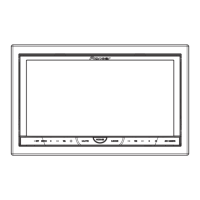
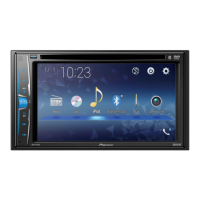
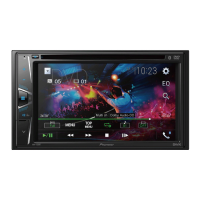
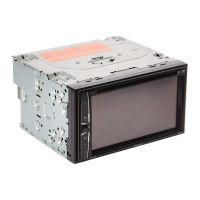
Pioneer AVH-3250BT - User Manual

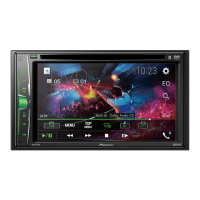
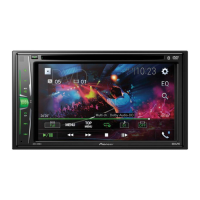
Pioneer AVH-3250BT
96 pages
Print Icon
To Next Page IconTo Next Page
Loading...
Operation Manual
DVD AV RECEIVER
AVH-P4250DVD
AVH-P3250DVD
AVH-P3250BT
English

Table of Contents

Questions and Answers

  • L
    lgonzalezJul 31, 2025
    How to fix Pioneer AVH-3250BT when Bluetooth audio is not playing?
    • K
      Kevin MaldonadoJul 31, 2025
      If the sound from a Bluetooth audio source isn't playing, try reconnecting the Bluetooth connection between your Pioneer Stereo Receiver and your cellular phone.
  • J
    Jennifer JenkinsAug 7, 2025
    Why can't I access the PBC menu on my Pioneer Stereo Receiver?
    • M
      Michael DayAug 7, 2025
      If you can't call up the PBC (playback control) menu on your Pioneer Stereo Receiver, the Video CD you're playing probably doesn't support PBC. This function is only available for Video CDs that include PBC.
  • S
    Scott JacksonAug 15, 2025
    What to do if Pioneer Stereo Receiver shows 'Different Region Disc'?
    • A
      Albert RobertsAug 15, 2025
      If you encounter a 'Different Region Disc' error on your Pioneer Stereo Receiver, it means the DVD's region number doesn't match the unit's. Replace the DVD with one that has the correct region number.
  • G
    gutierrezjohnAug 22, 2025
    Why is the image unclear or distorted on my Pioneer AVH-3250BT Stereo Receiver?
    • J
      Jillian TateAug 22, 2025
      If the image is unclear, distorted, and dark during playback on your Pioneer Stereo Receiver, it may be due to a copy protection signal on the disc. The unit's analog copy generation management system might cause horizontal stripes or imperfections on some displays when playing such discs. This is not a malfunction.

Summary

Precautions

Important Safeguards

Essential safety instructions for operating the display unit.

Safe Driving Practices

Safety guidelines specifically for safe driving operations.

Battery Management

Precautions to prevent draining the vehicle's battery.

Before You Start

Unit, Manual, and Support Information

General information about the unit, manual usage, and website access.

Initial Setup and Reset

Procedures for resetting the microprocessor and installing the remote battery.

Touch Panel Calibration

Procedure to calibrate touch panel response positions for accurate touch input.

Whats what

Head unit Components

Identification and description of the main unit's parts and buttons.

Remote control Functions

Identification and description of the remote control's buttons and operations.

Basic Operations

Source Selection and Volume Control

How to select sources and adjust volume.

Playback Navigation and Media Handling

Using playback controls, touch panels, and ejecting media.

Tuner Operations

Introduction to Tuner Functions

Overview of tuner display, touch keys, and basic tuning operations.

Media Playback

Video Playback Operations

Overview and controls for playing video content from various media.

Audio Playback Operations

Overview and controls for playing audio files from various media.

Still Image Playback Operations

Overview and controls for viewing still images and slideshows.

Bluetooth Connectivity

Bluetooth Telephone Functions

Making calls, managing call history, and phone book access via Bluetooth.

Bluetooth Audio and Wireless Technology

Managing audio playback and general Bluetooth operations.

Detailed Instructions

Station, Media, and iPod Management

Storing stations, switching media types, and operating DVD menus.

iPod and Playlist Navigation

Controlling iPod playback, random play, and repeating playback modes.

Video, Audio, and File Features

Features like resume playback, search, language switching, and file operations.

Menu Operations

Menu Navigation and Audio Settings

Accessing menus and adjusting audio settings like equalizer and fader.

Sound Field, DSP, and System Settings

Configuring sound field, DSP, speaker settings, and system configurations.

DVD Player and Display Settings

Setting DVD player options, video display, and parental lock.

Other Functions

Picture and Touch Panel Adjustments

Adjusting picture settings and calibrating touch panels for accuracy.

External Device Connectivity

Connecting and using AUX sources and external units.

Troubleshooting and Error Messages

Common Issues and Solutions

Solutions for common operational problems like power, sound, and disc playback.

Error Code Explanations

Explanations for DVD, USB, iPod, and Auto EQ/TA error messages.

Additional Information and Guidelines

Handling Guidelines and Media Compatibility

Guidelines for handling media, device compatibility, and file format support.

Legal and Technology Information

Copyright, trademark, Bluetooth, and DVD video format information.

Technical Specifications

General, Audio, and Media Specs

Technical details on power, dimensions, audio, media, and connectivity.

Connectivity and Tuner Specs

Technical details on USB, SD, tuner ranges, and Bluetooth interfaces.

Pioneer AVH-3250BT Specifications

General IconGeneral
DIN SizeDouble DIN
BluetoothYes
CD PlayerYes
MP3 PlaybackYes
WMA PlaybackYes
Preamp Outputs3 (Front, Rear, Subwoofer)
Subwoofer ControlYes
Channels4
Rear View Camera InputYes
AM/FM TunerYes
Display6.2" Touchscreen
USB PortRear
AUX InputRear
Audio FormatsMP3, WMA, AAC
Peak Power Output50W x 4 Channels
Compatible Video FormatsDivX, MPEG-4
Steering Wheel Control CompatibleYes
Dimensions (W x H x D)178mm x 100mm x 165mm

Related product manuals