EasyManua.ls Logo

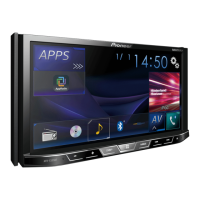
Pioneer AVH-8400BT - User Manual

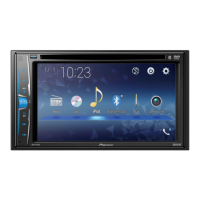
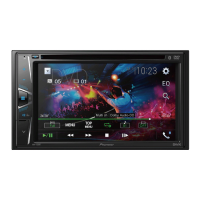
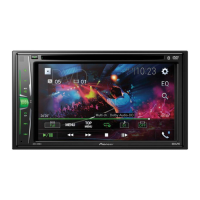
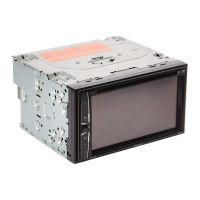
Pioneer AVH-8400BT
88 pages
Print Icon
To Next Page IconTo Next Page
Loading...
Operation Manual
DVD RDS AV RECEIVER
AVH-8400BT
English

Table of Contents

Other manuals for Pioneer AVH-8400BT

Questions and Answers

  • Y
    Yvette MorganAug 15, 2025
    Why is there no sound from my Pioneer AVH-8400BT Stereo Receiver?
    • R
      Robyn BeltranAug 15, 2025
      If there's no sound coming from your Pioneer Stereo Receiver and the volume isn't increasing, ensure that all cables are correctly connected.
  • B
    Bradley CarlsonAug 18, 2025
    What to do if my Pioneer AVH-8400BT will not operate?
    • L
      Laura ClarkAug 18, 2025
      If your Pioneer Stereo Receiver is not operating, the fuse may have blown. Find out what caused the fuse to blow, fix it, and then replace the fuse. Make sure you use a fuse with the same rating.
  • M
    Matthew BarryAug 21, 2025
    Why does the sound and video skip on my Pioneer Stereo Receiver?
    • S
      Sarah BakerAug 21, 2025
      If the sound and video skip on your Pioneer Stereo Receiver, it might not be firmly secured. Make sure the unit is properly secured.
  • V
    vasquezlindseyAug 25, 2025
    How to fix a low volume level on Pioneer Stereo Receiver?
    • L
      Louis SchaeferAug 26, 2025
      If the volume level on your Pioneer Stereo Receiver is low, the attenuator might be turned on. Turn the attenuator off.
  • C
    Christine WilliamsAug 28, 2025
    What to do if there is no image displayed on Pioneer AVH-8400BT Stereo Receiver?
    • M
      Matthew BrownAug 28, 2025
      If there is no image displayed on your Pioneer Stereo Receiver, press RESET.
  • R
    Robert RichardsonAug 31, 2025
    How do I fix a Pioneer AVH-8400BT Stereo Receiver microprocessor malfunction?
    • C
      colewendyAug 31, 2025
      If noise or other factors cause your Pioneer Stereo Receiver's built-in microprocessor to operate incorrectly, press RESET.
  • E
    Erin WebsterSep 4, 2025
    What to do if the parking brake is not applied on Pioneer Stereo Receiver?
    • M
      Madison VelasquezSep 4, 2025
      Connect the parking brake cable, and apply the parking brake.
  • B
    Benjamin NelsonSep 7, 2025
    What to do if the operation is prohibited for the disc on Pioneer Stereo Receiver?
    • K
      kiara91Sep 7, 2025
      To resolve the operation prohibition for the disc on your Pioneer Stereo Receiver, stop playback once, and start playback again.
  • S
    Scott FoxSep 12, 2025
    What to do if the operation is not compatible with the configuration of the disc on Pioneer AVH-8400BT Stereo Receiver?
    • C
      Christopher EllisSep 12, 2025
      If the operation is not compatible with the configuration of the disc, stop playback once, and start playback again.

Summary

Precautions

IMPORTANT SAFEGUARDS

Read all instructions regarding your display and retain them for future reference.

To ensure safe driving

Guidelines for safe operation of the vehicle, including warnings about display usage.

Basic operations

HOME display and Source selection

Explains HOME displays, switching sources, and turning source off.

Menu access and volume adjustment

Accessing menus (Bluetooth, Theme) and adjusting volume.

Playing moving images

Introduction to video playback

How to play video files from various sources like DVD, iPod, USB, SD.

Playing audio

Advanced App Mode

Introduction and operation of Advanced App Mode

How to operate iPhone applications on the system screen.

Using MIXTRAX

Bluetooth telephone

Introduction to Bluetooth telephone operations

Overview of using the Bluetooth telephone function.

Detailed instructions

Pioneer AVH-8400BT Specifications

General IconGeneral
MP3 playbackYes
Audio decodersDolby Digital
Playback disc formatsCD audio, CD video
Audio formats supportedAAC, MP3, WMA
Image formats supportedJPG
Video formats supportedDIVX, H.264, MPEG4, WMV, XVID
Supported radio bandsAM, FM
Preset stations quantity24
Output power200 W
Product colorBlack
Volume controlDigital
DVD region code2
Disc types supportedCD-R, CD-RW, DVD-R, DVD-RW
Equalizer bands quantity8
Analog signal format systemNTSC, PAL, SECAM
Aspect ratio16:9
Display diagonal7 \
Line outputs (RCA)3
Apple docking compatibilityiPhone, iPod
Compatible memory cardsSD
Cables includedUSB
Handheld remote controlNo
Remote control typeCD-R33
Key illumination colorMulti

Related product manuals