EasyManua.ls Logo

Pioneer AVH-P3250DVD - User Manual

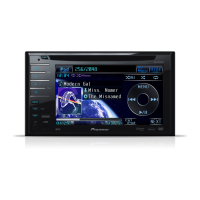
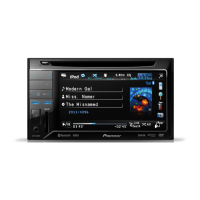
Pioneer AVH-P3250DVD
96 pages
Print Icon
To Next Page IconTo Next Page
Loading...
Operation Manual
DVD AV RECEIVER
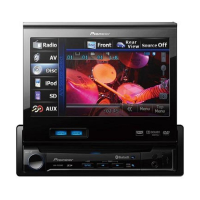
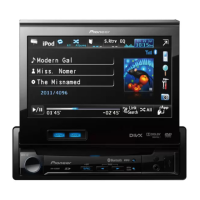
AVH-P4250DVD
AVH-P3250DVD
AVH-P3250BT
English

Table of Contents

Other manuals for Pioneer AVH-P3250DVD

Questions and Answers

  • W
    wwillisAug 8, 2025
    How to fix Pioneer AVH-P3250DVD Stereo Receiver when Bluetooth audio is not playing?
    • L
      Linda MercadoAug 8, 2025
      If the sound from a Bluetooth audio source isn't playing, try reconnecting the Bluetooth connection between your Pioneer Stereo Receiver and your cellular phone.
  • K
    Kimberly WilsonAug 15, 2025
    Why can't I access the PBC menu on my Pioneer AVH-P3250DVD?
    • A
      Ashley HopkinsAug 15, 2025
      If you can't call up the PBC (playback control) menu on your Pioneer Stereo Receiver, the Video CD you're playing probably doesn't support PBC. This function is only available for Video CDs that include PBC.
  • N
    Nicole YangAug 23, 2025
    What to do if Pioneer AVH-P3250DVD shows 'Different Region Disc'?
    • L
      Lisa VasquezAug 23, 2025
      If you encounter a 'Different Region Disc' error on your Pioneer Stereo Receiver, it means the DVD's region number doesn't match the unit's. Replace the DVD with one that has the correct region number.
  • B
    bakerheatherAug 31, 2025
    Why is the image unclear or distorted on my Pioneer Stereo Receiver?
    • S
      Stephanie JohnsonAug 31, 2025
      If the image is unclear, distorted, and dark during playback on your Pioneer Stereo Receiver, it may be due to a copy protection signal on the disc. The unit's analog copy generation management system might cause horizontal stripes or imperfections on some displays when playing such discs. This is not a malfunction.

Summary

Precautions

IMPORTANT SAFEGUARDS

Essential safety instructions for operating the display and retaining the manual.

To ensure safe driving

Warnings and guidelines to prevent accidents while driving.

Before You Start

Unit Information and Manual Guidance

Covers unit details, manual usage, troubleshooting, and website access.

Resetting the microprocessor

Procedure for resetting the unit to its initial settings.

Remote Control Care and Features

Instructions for installing batteries, caring for the remote, and using feature demo mode.

Touch Panel Calibration

Procedure for calibrating the touch panel for accurate response.

Whats what

Head Unit Overview

Identification of parts and functions of the main unit.

Remote Control Overview

Identification of buttons and their operations on the remote control.

Basic Operations

Source Selection and Volume Adjustment

How to select sources and adjust volume using unit buttons.

Scroll Bar and Touch Panel Operations

Navigating playback with scroll bars and controlling touch panel functions.

Common Menu Operations and Ejecting Media

General menu operations and procedures for ejecting discs and SD cards.

Setting the Clock

How to set the current date and time on the unit.

Tuner

Tuner Operation Introduction

Overview of how to use the tuner functions, including manual and seek tuning.

Playing moving images

Video Playback Introduction

Guide to playing video content from DVD, CD, USB, SD, and iPod.

Playing audio

Audio Playback Introduction

Overview of playing audio files from DVD, CD, USB, SD, and iPod.

Playing still images

Still Image Playback Introduction

How to view still images saved on CD, USB, or SD devices.

Bluetooth Telephone

Bluetooth Telephone Operations Introduction

Guide to using the Bluetooth hands-free telephone functions.

TV tuner

TV Tuner Operations Introduction

How to operate the unit with a connected TV tuner.

Using Bluetooth wireless technology

Bluetooth Telephone Operations

Detailed steps for managing Bluetooth telephone features.

Bluetooth Audio Operations

How to control Bluetooth audio playback.

Detailed instructions

Station Management and Media File Type Switching

Storing stations, switching media types, and operating DVD menus.

iPod Video Playback

Playing video content from a compatible iPod.

Phone Book Calling

Making calls using the phone book transferred from a cellular phone.

Bluetooth Pairing

Establishing a Bluetooth connection by pairing the unit with a device.

Menu operations

Menu Navigation Introduction

Overview of accessing and navigating various menus for unit settings.

Audio Adjustments

Adjusting various audio parameters like fader, balance, and equalizer.

Speaker Settings and Subwoofer Phase

Configuring speaker size, type, and subwoofer phase for optimal audio.

DVD Player Setup Options

Configuring DVD playback settings like subtitle, audio, and menu language.

Auto EQ and Time Alignment

Automatically adjusting equalizer and time alignment based on car acoustics.

Other Functions

Picture Adjustment Settings

Adjusting brightness, contrast, color, hue, dimmer, and black level for video sources.

Touch Panel Calibration and AUX Input

Calibrating touch panel response and connecting auxiliary devices.

Additional Information

Troubleshooting Common Issues

Common problems and their solutions for unit operation.

Error Message Reference

Troubleshooting specific error codes and messages for discs and compatibility.

iPod Compatibility Guide

Supported iPod models and software versions for proper operation.

Technical Specifications

Technical specifications of the unit, including power, dimensions, display, audio, and connectivity details.

Pioneer AVH-P3250DVD Specifications

General IconGeneral
BrandPioneer
ModelAVH-P3250DVD
CategoryStereo Receiver
LanguageEnglish

Related product manuals