EasyManua.ls Logo

Pioneer AVH-P3450DVD - User Manual

Pioneer AVH-P3450DVD
112 pages
Print Icon
To Next Page IconTo Next Page
Loading...
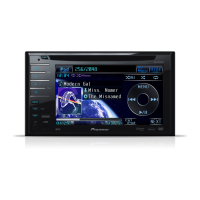
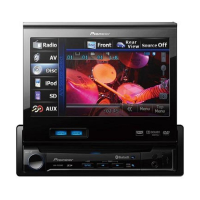
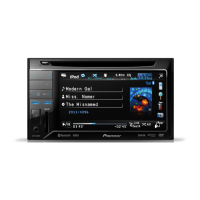
Owners Manual
DVD RDS AV RECEIVER
AVH-P4450BT
AVH-P3450DVD
AVH-2450BT
AVH-1450DVD
English
<CRB3733-B/U>1

Table of Contents

Other manuals for Pioneer AVH-P3450DVD

Questions and Answers

  • N
    Nicole ByrdAug 6, 2025
    Why is there no sound during still, slow motion, or frame-by-frame playback on my Pioneer AVH-P3450DVD Stereo Receiver?
    • M
      msandersAug 6, 2025
      If you're not getting any sound during still, slow motion, or frame-by-frame playback on your Pioneer Stereo Receiver, it could be due to the parking brake cable not being connected. Connect the parking brake cable and apply the parking brake.
  • N
    Nicolas JohnsonAug 11, 2025
    Why won't my Pioneer AVH-P3450DVD Stereo Receiver turn on?
    • M
      Michael TerryAug 11, 2025
      If your Pioneer Stereo Receiver isn't turning on, it might be due to incorrectly connected leads and connectors. Double-check all connections to ensure they are properly set up.
  • R
    Renee LewisAug 16, 2025
    How to fix a blown fuse in a Pioneer AVH-P3450DVD Stereo Receiver?
    • M
      Matthew FloresAug 16, 2025
      If the fuse in your Pioneer Stereo Receiver has blown, identify and fix the underlying cause. Then, replace the blown fuse with a new fuse of the exact same rating.
  • A
    Anthony BeltranAug 21, 2025
    What to do if my Pioneer AVH-P3450DVD won't play the disc I loaded?
    • B
      Bryan CrosbyAug 21, 2025
      If your Pioneer Stereo Receiver can't play the disc, check the disc type to ensure it's compatible with the unit.
  • A
    Amy MartinAug 27, 2025
    Why is the image stretched on my Pioneer AVH-P3450DVD Stereo Receiver?
    • J
      Jessica BergerAug 27, 2025
      If the image on your Pioneer Stereo Receiver is stretched, the aspect ratio setting may be incorrect for your display. Select the appropriate setting for your display.
  • D
    Douglas EstradaAug 31, 2025
    Why is my Pioneer Stereo Receiver stuck in still, slow motion, or frame-by-frame playback?
    • S
      Shelly GonzalezAug 31, 2025
      If your Pioneer Stereo Receiver is stuck in still, slow motion, or frame-by-frame playback, the parking brake might not be applied. Connect the parking brake cable and ensure the parking brake is applied.

Summary

Precautions

IMPORTANT SAFEGUARDS

Read all instructions and retain for future reference.

To ensure safe driving

Warnings and precautions for safe operation while driving.

When using the rear view camera

Using an optional rear camera for parking aid, warnings and cautions.

Before you start

About this unit

Product classification, laser safety, and general precautions.

What’s what

Head unit

Identification and function of controls and jacks on the head unit.

Remote control

Identification and operation of remote control buttons.

Basic operations

Touch panel keys

Explains the function of various touch panel keys.

Ejecting a disc

How to eject a disc from the unit.

Setting the clock

How to set the clock display.

Tuner

Introduction of tuner operations

Overview of tuner operations, touch panel keys.

Playing moving images

Introduction of video playback operations

Overview of playing DVD, Video CD, and iPod video.

Playing audio

Introduction of sound playback operations

Overview of playing audio from CDs, iPods, and Bluetooth devices.

Playing still images

Introduction of still image playback operations

Overview of viewing still images from CDs and USB.

Bluetooth telephone

Introduction of Bluetooth telephone operations

Overview of using Bluetooth for phone calls.

Setting up for hands-free phoning

Setting up the unit for hands-free calling.

Using Bluetooth wireless technology

Bluetooth audio operations

Controlling Bluetooth audio playback.

Detailed instructions

Storing and recalling stations

Storing and recalling radio/TV stations as presets.

Operating the DVD menu

Navigating and selecting options from a DVD menu.

Calling a number in the phone book

Making calls using the phone book from a connected cellular phone.

Menu operations

Introduction of menu operations

Overview of accessing and navigating menus.

Audio adjustments

Adjusting audio settings like fader, balance, and equalizer.

Digital Signal Processor

Overview of DSP adjustments for fine-tuned sound.

System settings

Accessing and configuring various system settings.

Setting the rear view camera (back up camera)

Configuring the rear view camera input and display.

Changing the picture adjustment

Adjusting brightness, contrast, color, hue, dimmer, etc. for display.

Other functions

Using an AUX source

Connecting and using auxiliary audio/video devices.

Installation

Connecting the units

General warnings and precautions for unit installation.

Connecting the power cord

Wiring diagram for power cord connections.

When connecting with a rear view camera

Connecting and configuring a rear view camera.

Installing the microphone (AVH-P4450 BT;AVH-2450 BT only)

Installing the microphone for voice control.

Additional information

Troubleshooting

Common issues, causes, and corrective actions.

Error messages

Explains error messages and how to resolve them.

iPod compatibility

List of supported iPod models and software versions.

Specifications

Technical specifications of the unit.

Pioneer AVH-P3450DVD Specifications

General IconGeneral
BrandPioneer
ModelAVH-P3450DVD
CategoryStereo Receiver
LanguageEnglish

Related product manuals